


















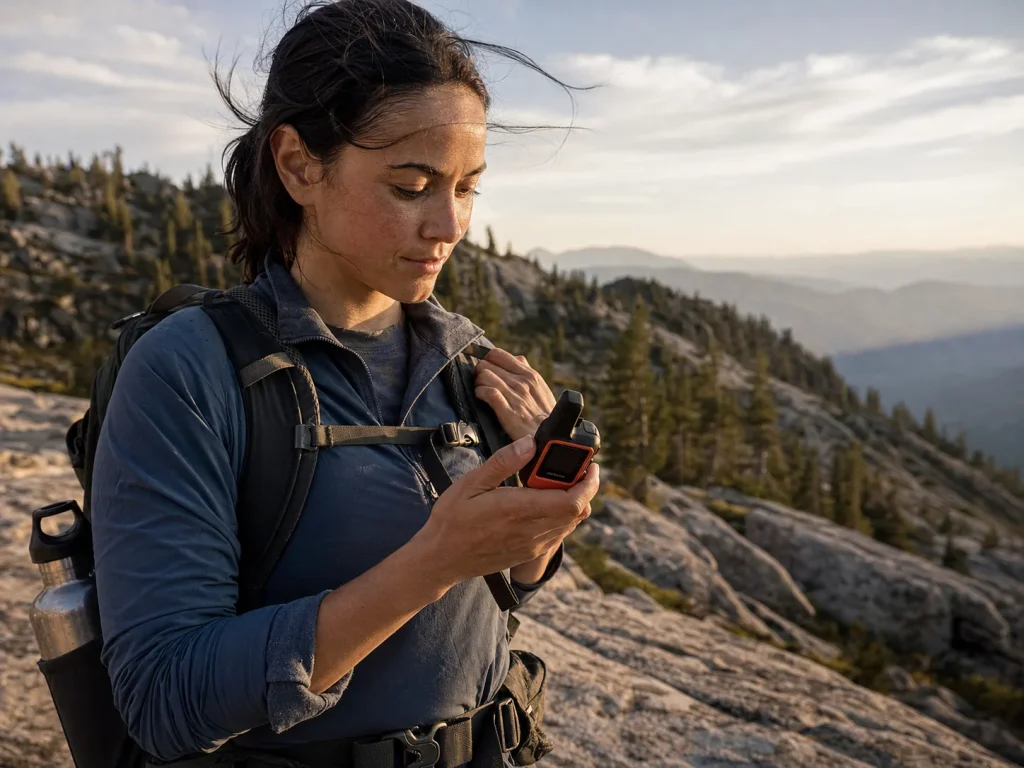
You’re standing in the gear aisle holding a $400 safety gadget, and the real question isn’t which brand you grab. It’s whether you need the one that texts back or the one that just screams for help. That single call decides what you spend, what you carry, and how a bad day plays out once you’re past cell coverage and leaning on off-grid communication.
The question comes up in every backcountry-safety thread, and most buying guides skip right past it to the product photos. We’ll settle the category first with a plain decision path, then name the specific picks for each side, then cover the stuff nobody tells you about coverage, cost, and what really happens after you press the button.
Here’s the short version before we go deep.
| Device Type | Subscription | Best For |
|---|---|---|
| Two-Way Satellite Messenger | Monthly plan required | Frequent hikers who want check-ins, tracking, and the ability to cancel a false alarm |
| One-Way PLB | None, ever | Emergency-only backstop for occasional trips and anyone who refuses recurring fees |
Satellite Messenger vs PLB — What’s Actually Different
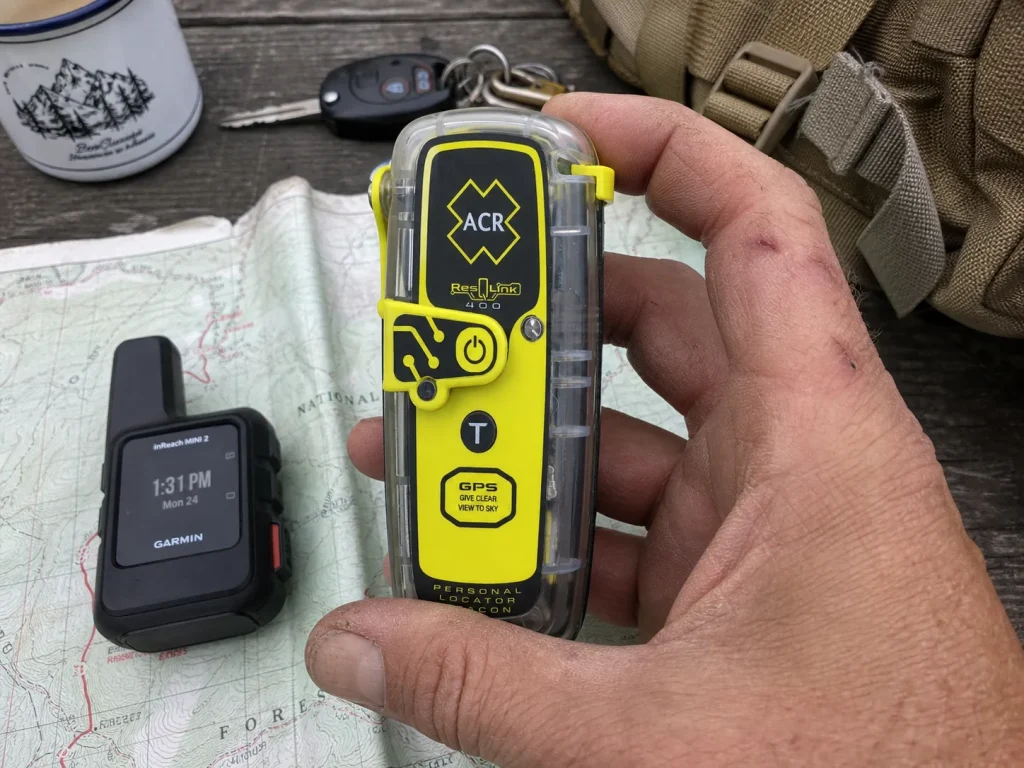
One texts. One screams. That’s the whole thing in five words, and it drives every other decision you’ll make in this article. A satellite messenger holds a two-way conversation over a commercial satellite network, so you can send check-ins, swap texts with home, and, when it matters most, tell a dispatcher what’s actually wrong.
A personal locator beacon, or PLB, fires a one-way 406 MHz distress signal into a government-run rescue network and does exactly one thing: it says “someone here needs help, and here’s where.” This is the messenger-and-beacon slice of a much bigger kit, and it helps to see where each navigation device fits in your kit before you spend a dime.
The messenger runs on a private network like Iridium or Globalstar, and its SOS routes to a staffed monitoring center called GEOS (Garmin owns it now), which coordinates rescues in more than 100 countries with translation support in some 200 languages. The PLB skips all of that. Its signal hits the COSPAS-SARSAT satellite network, which is run by governments, and gets handed to the responsible search-and-rescue authority no matter which brand of beacon you bought. If you want the regulatory fine print, the FCC’s rules governing personal locator beacon transmissions spell out why that 406 MHz frequency is treated so seriously.
Here’s the difference that trips people up the most. A messenger has a return channel, so if you fire an SOS by accident you can text the center and say “false alarm, I’m fine.” A PLB has no such button. Once that beacon goes off, the signal is out and cannot be recalled.
Think of a PLB as a fire alarm you pull once with no undo, and a messenger as a phone line to a dispatcher who can talk you down.
Which One You Need — A Simple Decision Framework
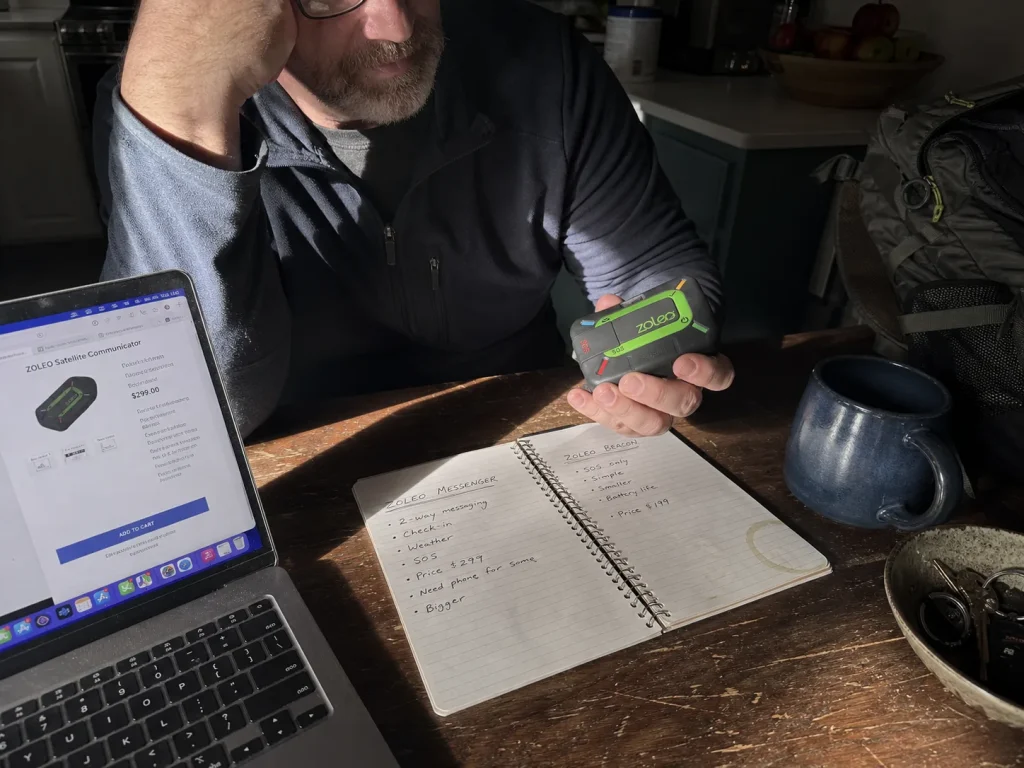
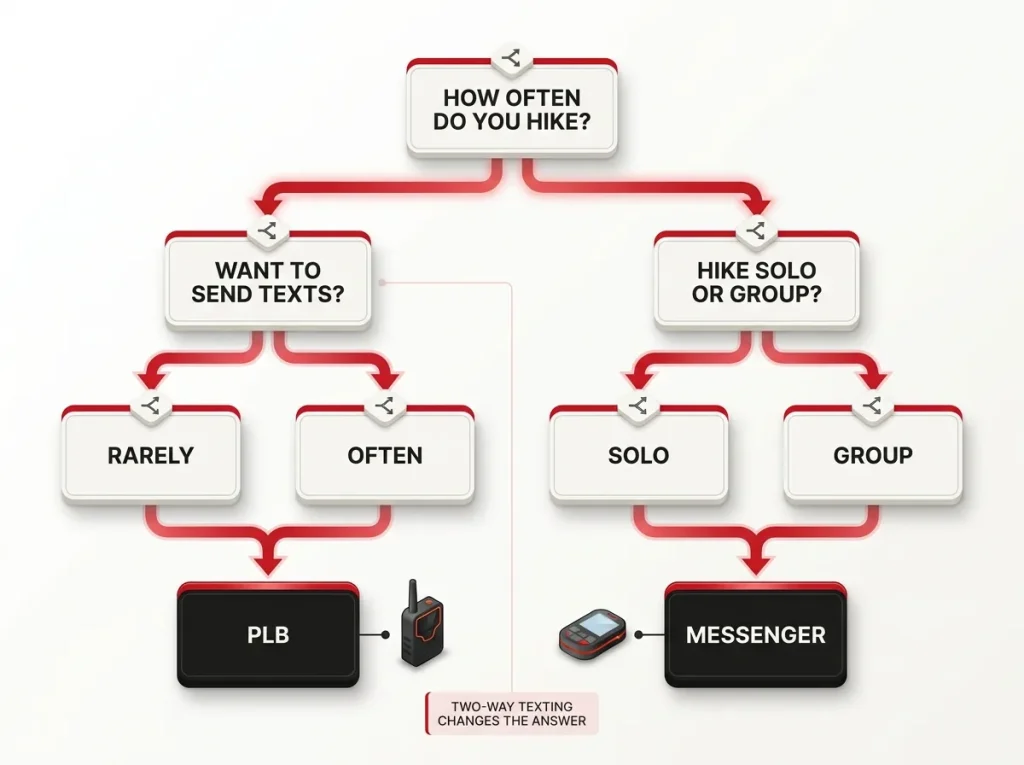
Every competitor eventually mutters “get a PLB if you don’t want a subscription” and moves on. That’s the answer buried in a throwaway line, and it’s not enough to spend real money on. So let’s do the math you’d actually do at the counter: how many trips a year do you take, do you want to talk to people or just call for help, and are you hiking alone or with a group that worries about you?
Pick a PLB if you take a handful of trips a year, you refuse recurring fees on principle, you only want an emergency backstop, and you can carry it somewhere the button won’t get jostled. Pick a two-way messenger if you hike often, you want routine check-in messages and tracking rather than just an SOS, you hike with people who want to hear from you, or you value being able to cancel a false alarm. That last point carries more weight than most buyers realize until the day it matters.
Now the money. A PLB runs a few hundred dollars once and then costs nothing for the life of the device. A messenger is a device cost plus a monthly plan. Run the break-even and a mid-priced PLB and a mid-priced messenger on a cheap entry plan cross even somewhere around six or seven months of subscription.
Past that point the PLB wins on pure dollars, but only if you never want to send a single text from the trail. The subscription isn’t a rip-off. It’s the price of a feature the beacon physically cannot offer.
There’s a group angle nobody covers, and it matters more than the spec sheets. One shared messenger only protects whoever is holding it. If your party splits (someone scouts ahead, an injury separates you), the device does nothing for the person who doesn’t have it in hand.
A couple that always hikes within voice range can reasonably share one. A fast-and-slow pair, a solo splitter, or a family with kids who wander needs at least one device per sub-group. Before you decide you need to buy anything at all, it’s worth checking whether your phone already covers part of this, because newer phones handle basic satellite SOS on their own.
Not sure it’s worth buying yet? Rent an inReach for one big trip before you commit. Plenty of outfitters rent them by the week, and a couple of rentals will tell you fast whether you’ll actually use the texting or just carry it as a panic button — in which case a beacon is the smarter buy.
A device is only half of a safety system anyway. The other half is leaving a solid trip plan behind so someone knows when to worry and where to point rescuers. If you want to watch the two most-recommended devices go head to head before you read on, this side-by-side is a good use of ten minutes.
Best Satellite Messengers
Here’s what actually earns the monthly fee. The Mini-class devices own the top of nearly every list for one reason: weight. But the budget and heavy-texter picks matter for real budgets and real typing habits, so all five below have a job. If you’ve already decided on this category and want the brand deep dive, the full Garmin inReach vs SPOT head-to-head digs into network and plan differences we only summarize here.
Best Overall: Garmin inReach Mini 2
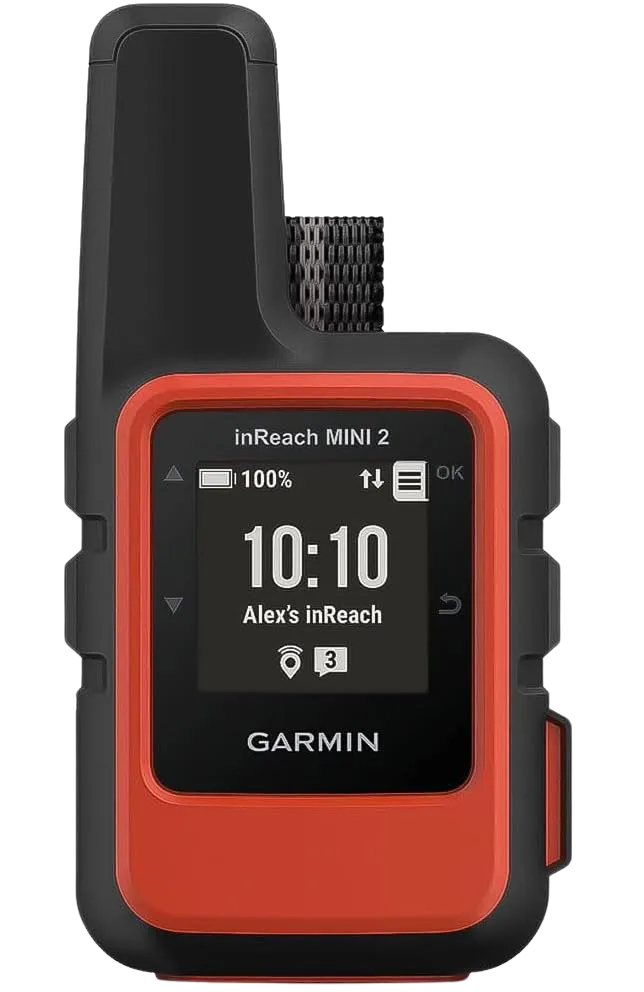
The Mini 2 pairs with your phone so you can type on a real keyboard instead of thumbing letters on a tiny device, and the Iridium network means it works in far more of the world than the Globalstar-based options. It’s the pick I’d hand a first-timer without a second thought. The only real knock is that the plan pricing is Garmin’s, which runs a touch higher than the budget crowd, but you’re paying for the coverage.
Best Upgrade: Garmin inReach Mini 3 Plus
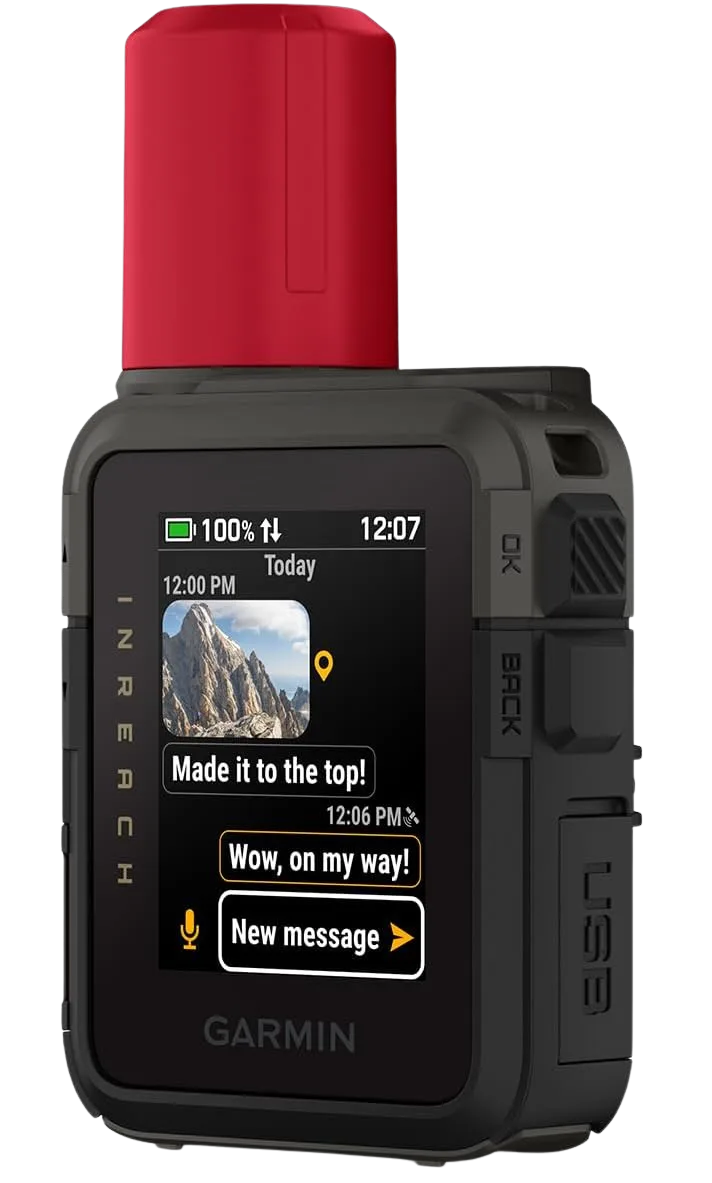
Newer isn’t automatically worth the premium, and that’s the honest read here. The Mini 3 Plus is the better device on paper, but unless the faster sends and extra battery solve a real problem you have, the Mini 2 is the smarter money for most people. Buy this one if you’re a heavy user who lives on the tracking feature or hikes long enough stretches that the battery bump actually changes your resupply math.
Best Budget: ZOLEO Satellite Communicator
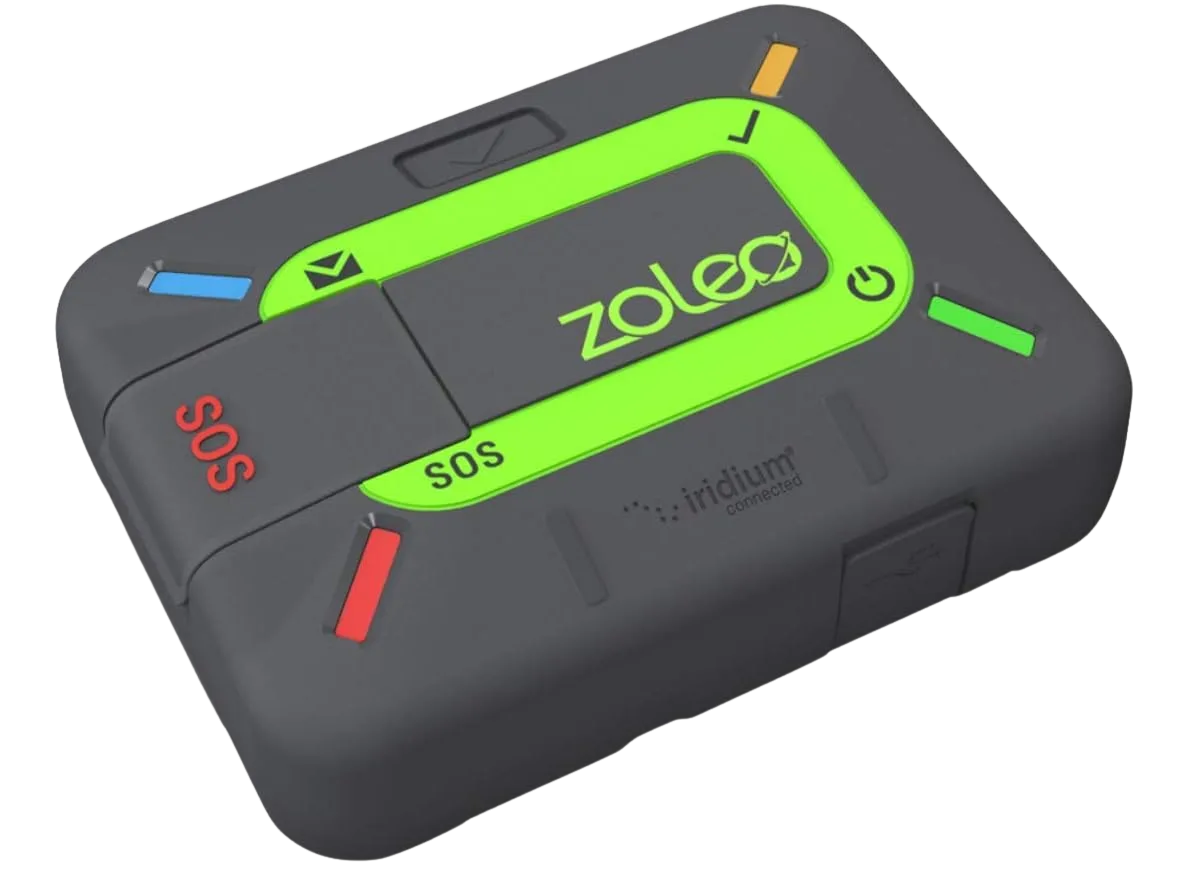
The trade-off with ZOLEO is that it leans on your phone for the keyboard, so a dead phone means no easy typing (the SOS still works on the unit itself). For a hiker who wants two-way peace of mind without Garmin’s plan pricing, it’s the value play, and it rides the same Iridium network as the inReach, which is the coverage that actually matters.
Best No-Frills Tracker: SPOT Gen4
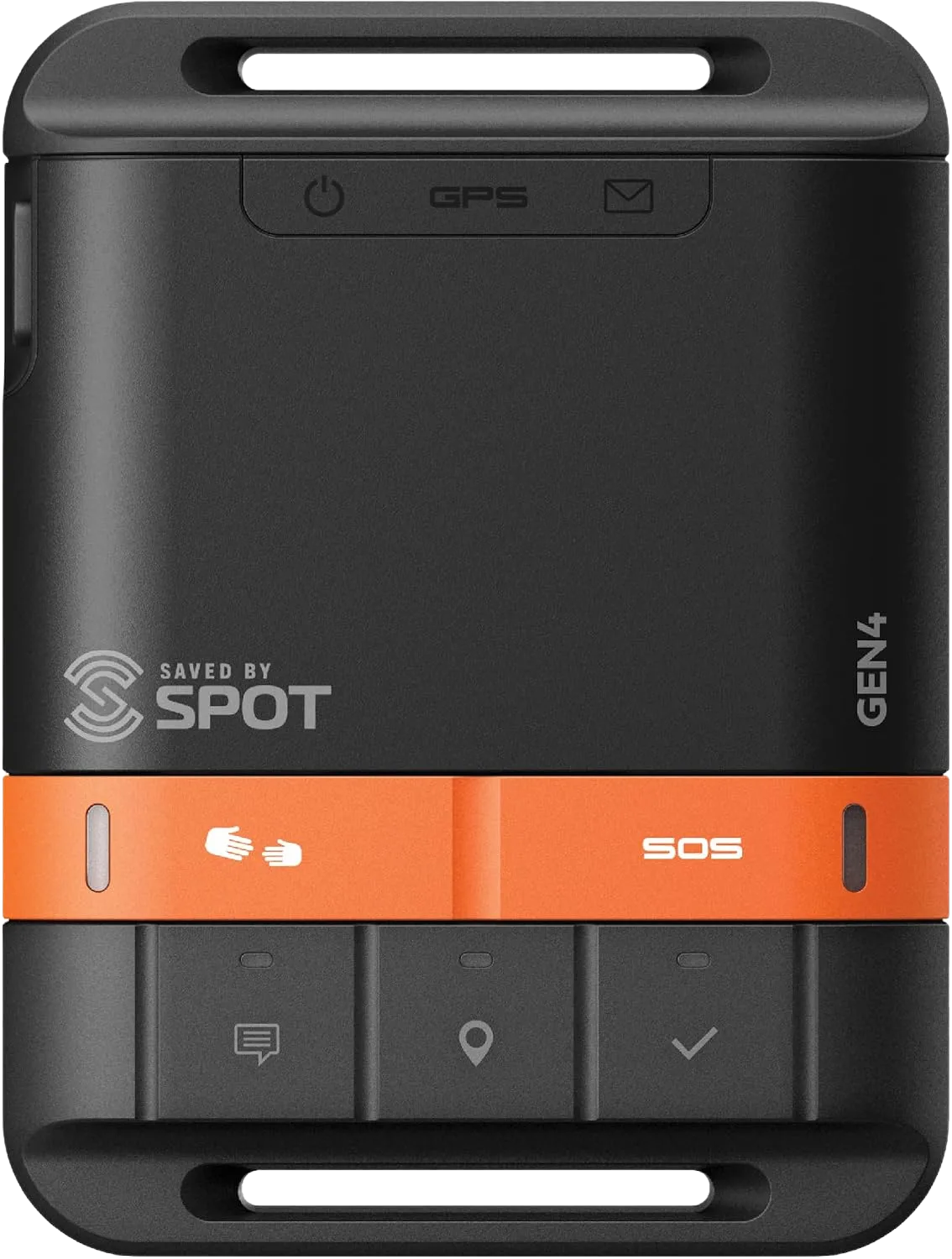
The Gen4 sends preset check-in messages (“I’m okay,” “made camp”) and an SOS, but it can’t receive replies, so you never get the reassurance that help is actually coming. That one-way limit is the whole reason it’s cheaper to run than the inReach or ZOLEO. If your goal is “let my family follow my dots and have a panic button,” it’s plenty. If you want a conversation, look higher up this list.
Best for Frequent Texters: SPOT X with Bluetooth
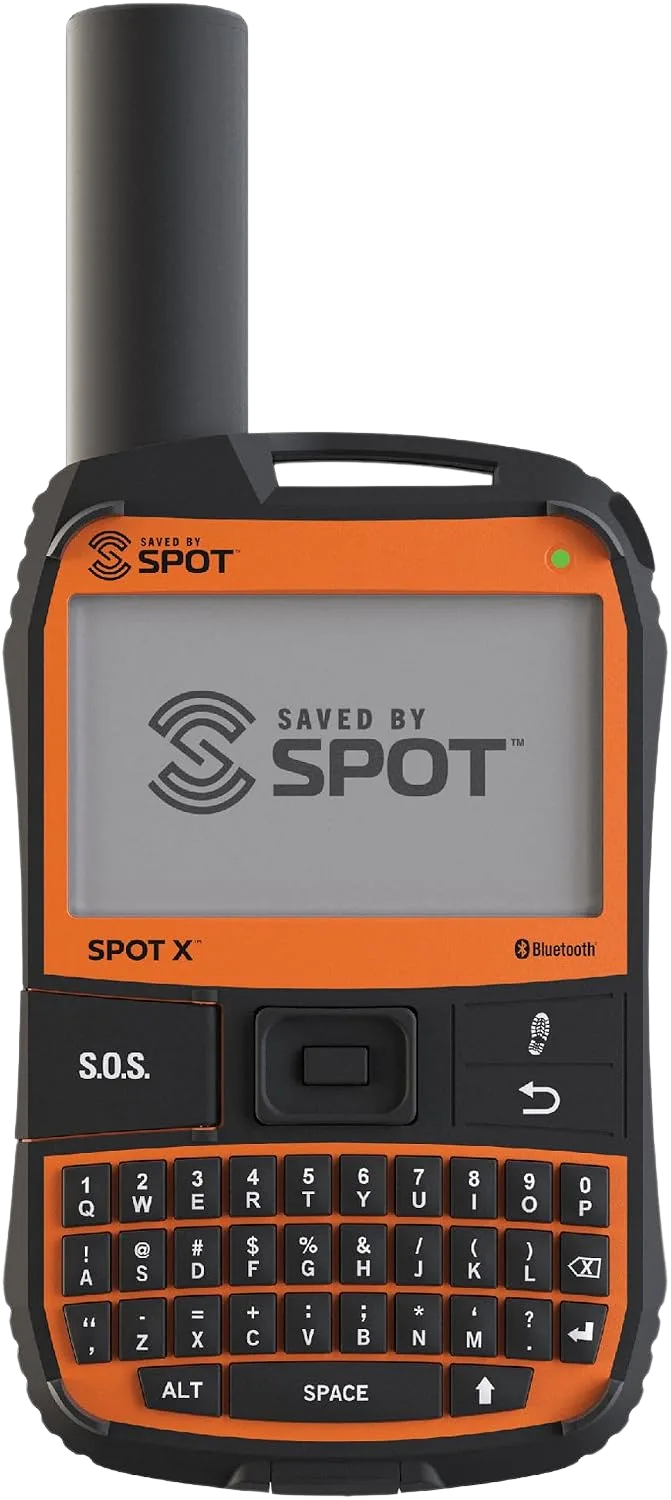
The physical keyboard is the whole pitch, and if you’re someone who writes real sentences from the backcountry rather than canned check-ins, it’s genuinely nicer than tapping a phone screen with cold fingers. The catch is the same Globalstar coverage question as the Gen4, and the SPOT X is bigger and heavier than a Mini. Weight-counting hikers will feel it; frequent communicators won’t care.
Best Personal Locator Beacons
Buy it once, register it, forget the bill. The PLB side is shorter and simpler than the messenger lineup, because three names cover almost everyone and the differences come down to weight, display, and price. If you already know a beacon is your category, the deeper PLB-only guide on what SAR teams actually want goes further on registration and carry than we can here.
Best PLB Overall: ACR ResQLink 400
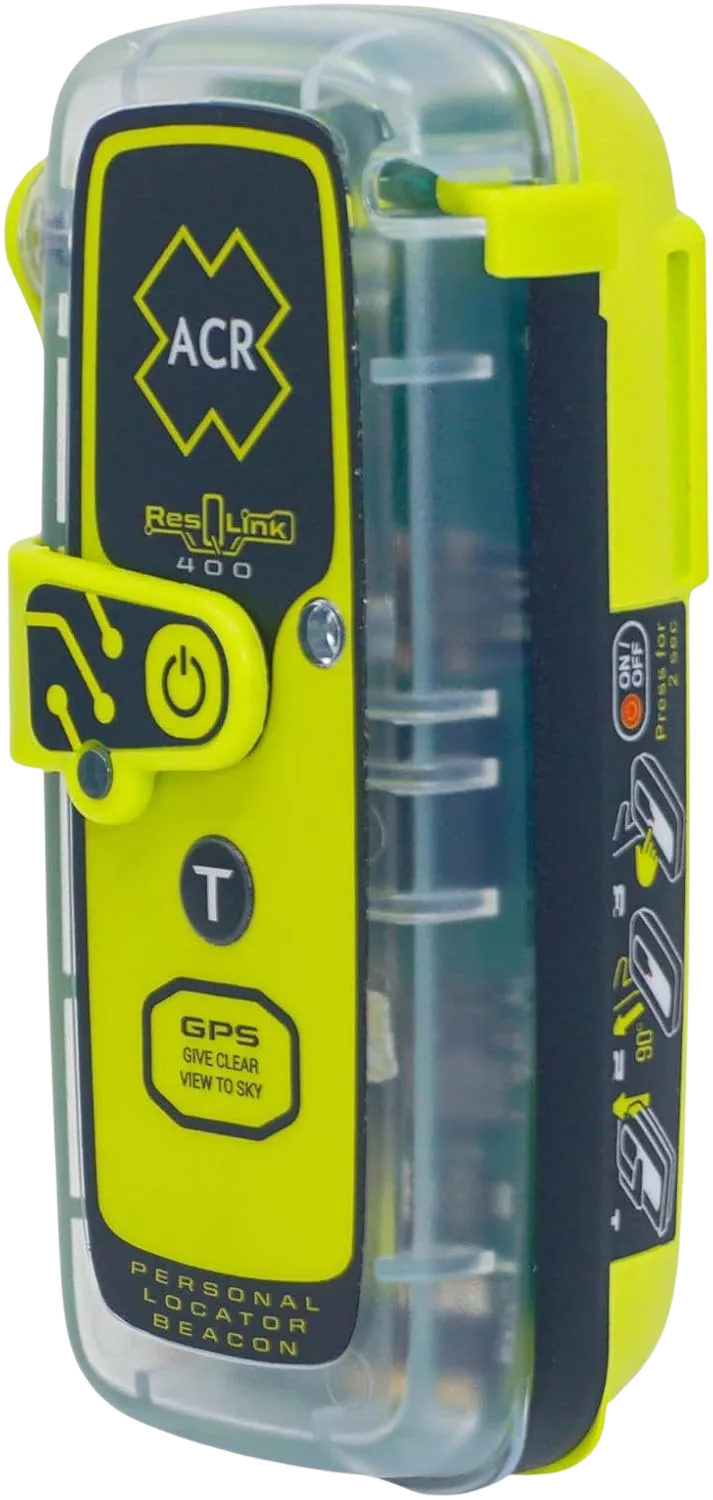
The one thing worth knowing about the ResQLink 400 is its carry. The SOS button sits on the front of the unit, and there are documented cases of it being jostled into activating loose in a pack or pocket. That’s not a knock on the beacon so much as a reminder that a PLB can’t be recalled once it fires, so how you stow it matters. Clip it where the button faces your chest or lives under a flap, not where gear can press it.
Best Compact/Budget: Ocean Signal rescueME PLB1
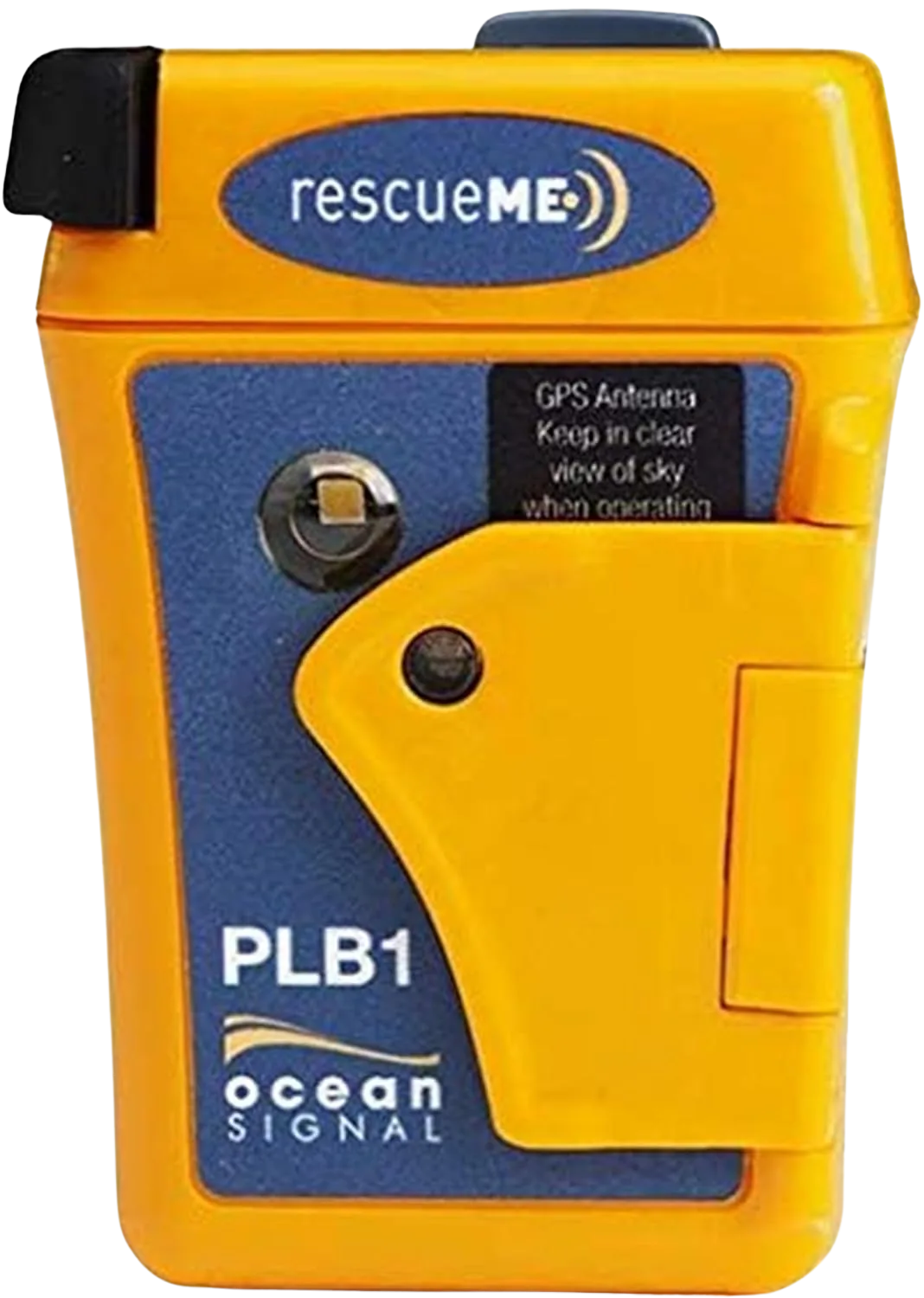
If you count grams, this is your beacon. The rescueME PLB1 is small enough to forget you’re carrying it, which is exactly the point, because the best safety device is the one you actually bring instead of leaving home to save weight. It skips the extra bells (no digital display), but it does the core job, and its compact size makes it easy to stash somewhere the button stays protected.
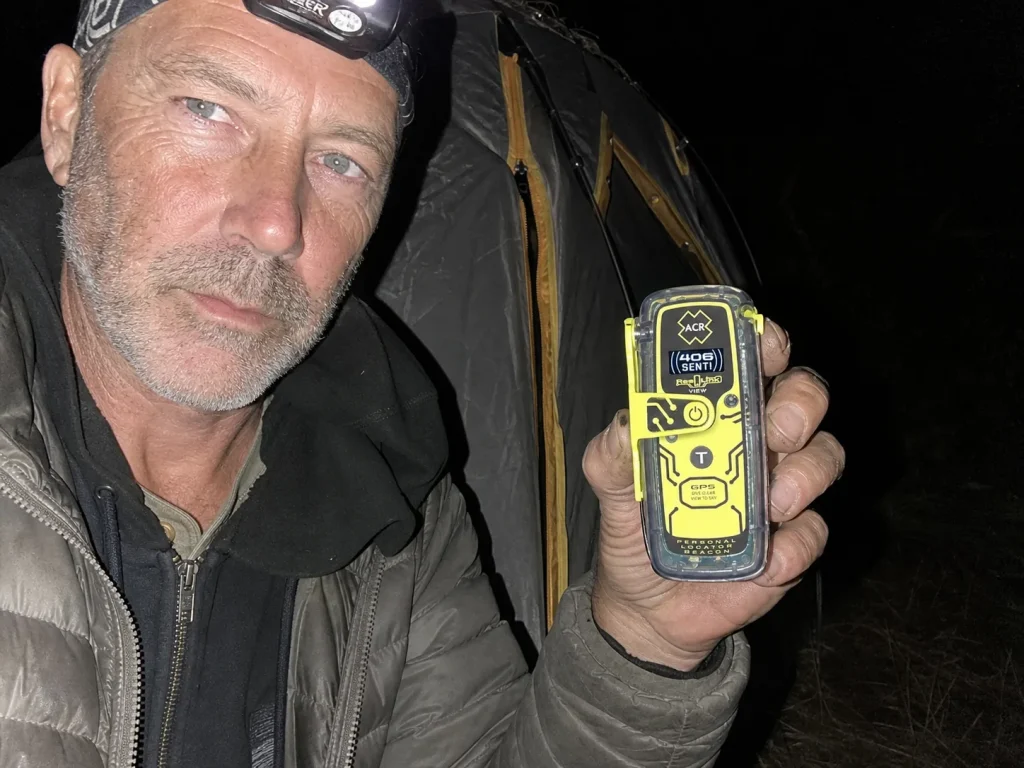
Best With Display: ACR ResQLink View
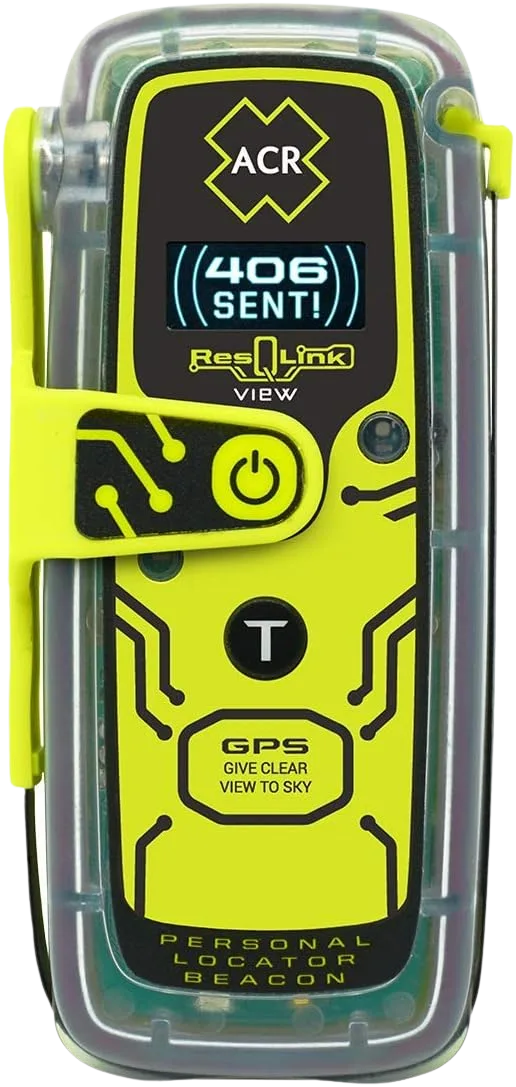
The display is the difference, and whether it’s worth the premium comes down to how much a blinking-light-only beacon would rattle you in a real emergency. Seeing “message sent, GPS acquired” on a screen is a small thing that buys real calm when everything else is going wrong. If that reassurance matters to you, pay for it. If you’d rather save weight and money, the plain ResQLink 400 or the tiny rescueME PLB1 do the same lifesaving job.
Registering any of these is free and federally required, and NOAA matches your unique ID to your contact info the instant the signal comes in. Skipping that step is the single most common way hikers blunt a beacon they already paid for. You can register your PLB for free at NOAA’s national beacon database in about the time it takes to make coffee. It’s also worth knowing how a beacon stacks up against a simple whistle for close-range signaling, because the two solve different problems.
Register your beacon the day it arrives, not the night before your trip. Stuff the confirmation email and your device’s unique ID number into your phone notes and your trip plan. If your gear ever gets separated from you, that number is how rescuers connect a signal to a name.
Battery, Weight, and Waterproofing — What Actually Matters
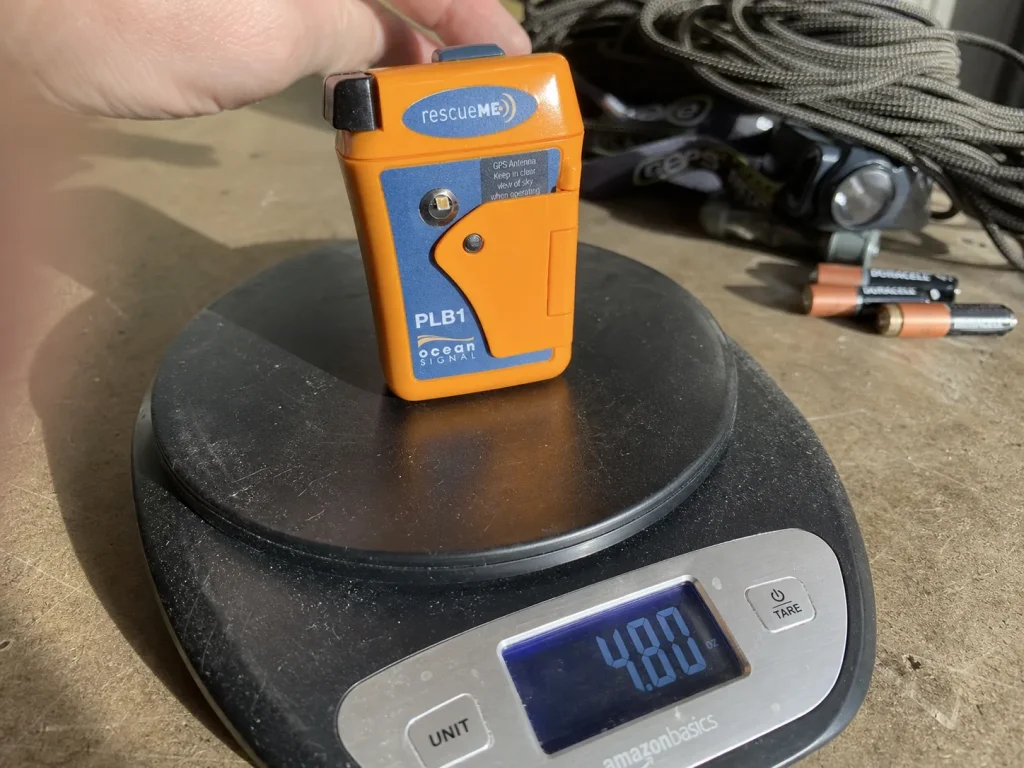
The spec that sells a device isn’t always the one that saves you. Weight is why Mini-class messengers dominate; battery-mode claims are marketing-optimistic; and waterproof ratings are where cheaper devices quietly cut corners. Learn to read past the headline number and you can judge any spec sheet in this category.
Weight first, because it’s the honest reason the inReach Mini owns the “best overall” slot everywhere. The gap between a 3.5-ounce Mini and a bulkier full-size messenger sounds trivial until you’re the one deciding what makes the cut for a long trip. Ounces are what get a safety device carried instead of left in the truck. For a dedicated handheld that also does two-way messaging, a Garmin GPSMAP unit with built-in inReach messaging trades weight for a bigger screen and full navigation, which is a different tool for a different hiker.
Battery next, and here’s where the box lies a little. A “14-day battery” rating assumes a specific tracking-ping interval you may not use, and cold weather chews through real runtime. Plan for meaningfully less than the headline number, especially in shoulder-season or winter conditions, and carry a small power bank if your trip runs long.
Then waterproofing: IPX7 survives rain and a brief creek dunk, IP68 handles sustained submersion, and MIL-STD-810 covers shock and vibration rather than water. Match the rating to how you actually hike; a river crosser needs more than a fair-weather day hiker.
Sleep with your device in your bag on cold nights. A messenger’s battery drops fast in the cold, and a warm unit in the morning holds its charge far better than one that spent the night frozen in a pack lid. Same trick works for your phone and headlamp.
One more buying criterion belongs here, because it’s the one budget hikers skip: the multi-year math. A cheaper device on an expensive plan can cost more over three years than a pricier beacon with no fees at all. Buy on signal reliability and battery first, weight second, and let the waterproof rating and the marketing headline settle the tie, not lead the decision.
What a Subscription Really Costs
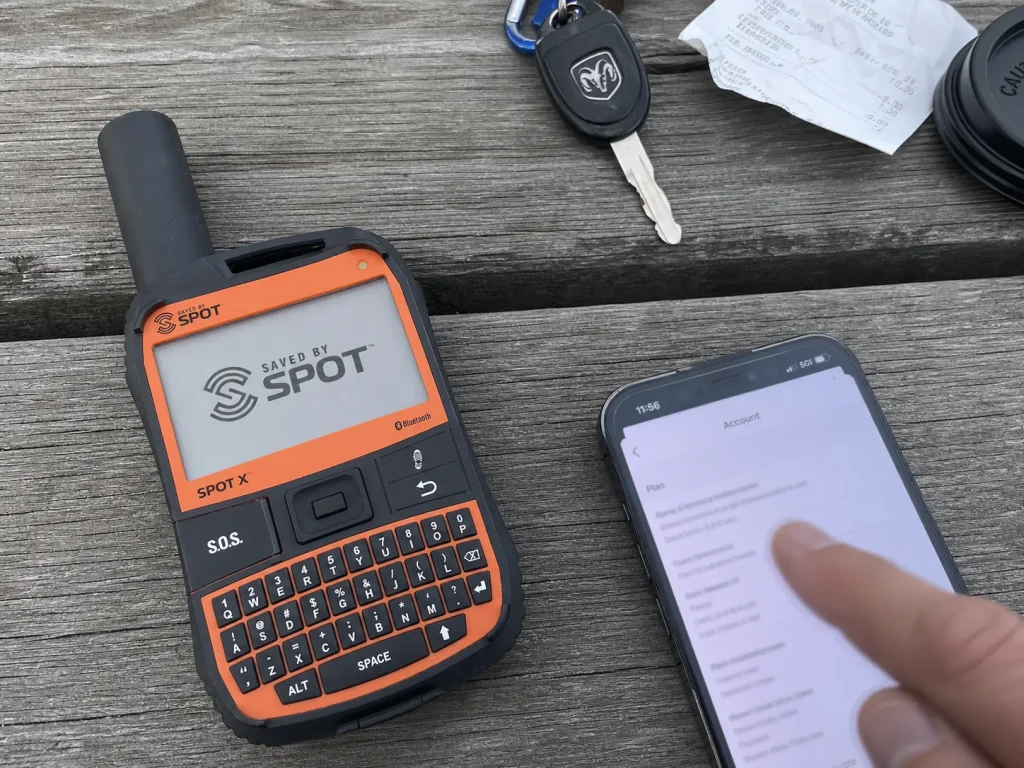
The device is the cheap part. The sticker price is a one-time hit, but the plan is the decision that determines what a messenger actually costs you over the years you own it, and it can swing the total by hundreds of dollars. This is the column the “$300 device” headline conveniently leaves out.
Plans come in tiers. Budget entry tiers cover occasional check-ins and a capped number of custom messages; mid tiers add message volume; top tiers open up unlimited texting. Some plans let you suspend service in the off-season for a low flat fee, which matters a lot if you only hike part of the year.
SPOT and ZOLEO structure their plans differently from Garmin, so an annual-versus-flexible-monthly choice can tip which device is cheaper for your actual hiking calendar. Watch for activation fees and suspend-month billing too, because that fine print is what surprises people on the first statement.
The PLB counterpoint is the whole appeal: zero subscription for life. The entire recurring column is blank because the beacon rides the free government-run network instead of a paid commercial one. If you want to understand why a beacon needs no plan, it routes through NOAA’s Search and Rescue Satellite-Aided Tracking program, a public system rather than a subscription service.
None of this makes the messenger subscription a rip-off. It’s the cost of two-way texting, a feature a beacon structurally cannot offer. Pay it if you’ll use it, and skip the whole category if you won’t. This first-person account of switching from a beacon to a messenger lays out the trade honestly.
Where These Devices Stop Working
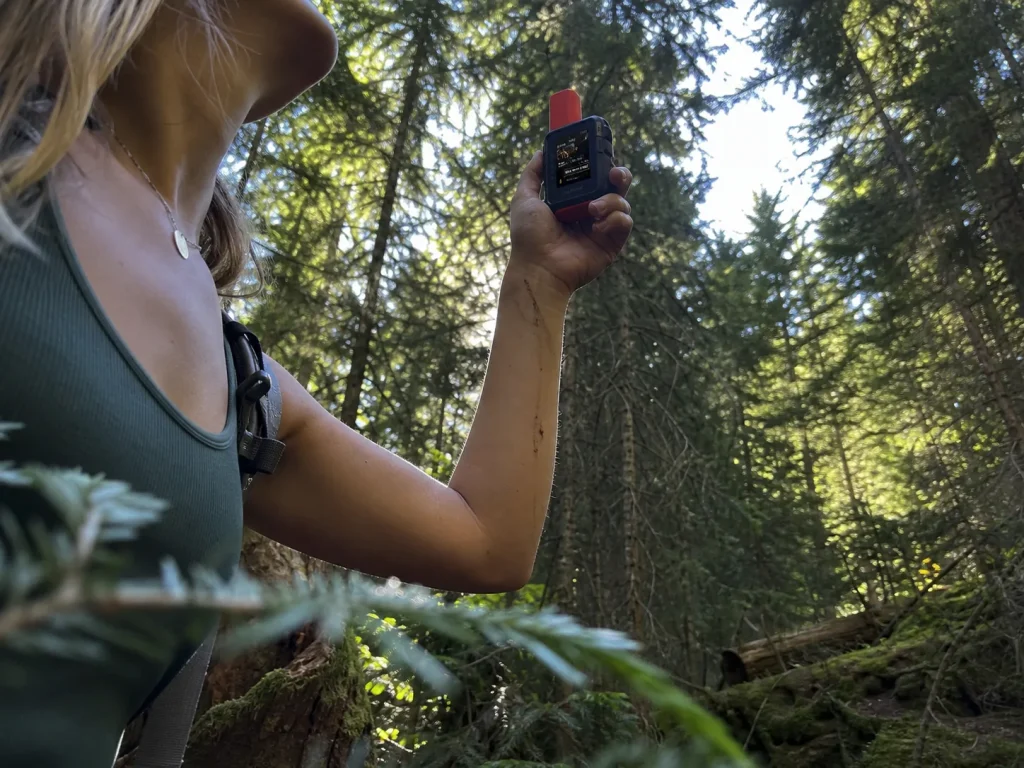
No satellite gadget works with a roof of rock or trees over it. The marketing implies seamless global coverage; the physics says you need a clear view of the sky. Understand that and you’ll know when to move before you send, and why two devices with the same “global” claim behave so differently in the field.
Start with the sky-view requirement. Dense canopy, slot canyons, and deep drainages block or delay a signal on any device, so when you need to send, step into a clearing and give the unit open sky and a minute to work.
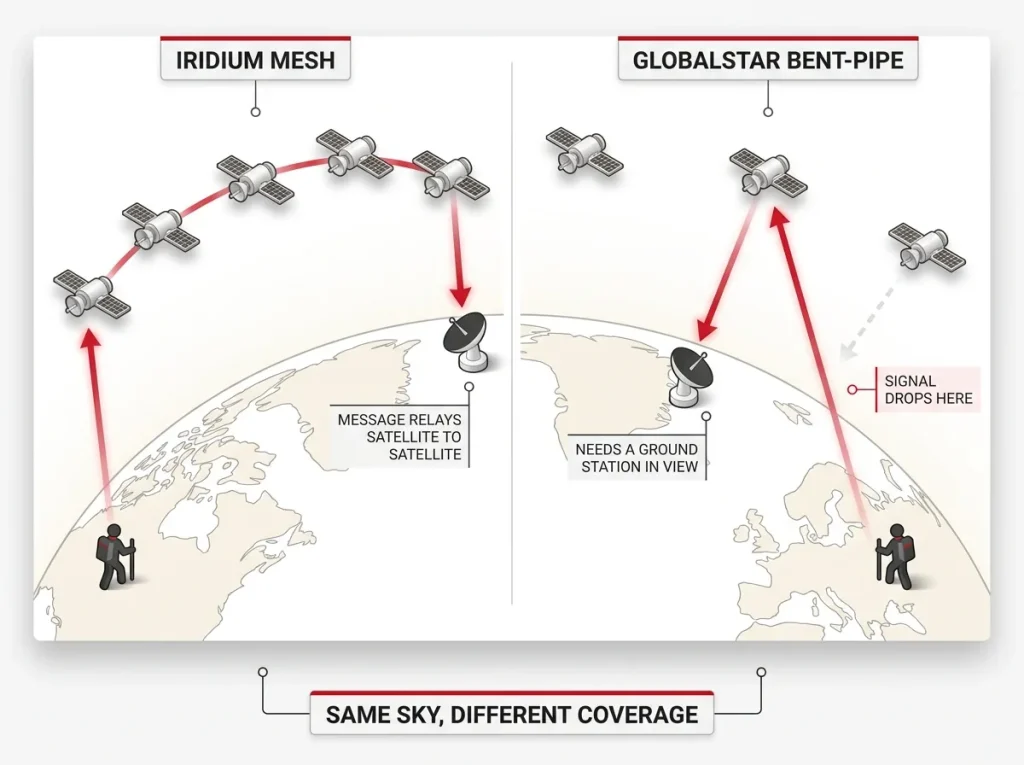
Then the network difference, which is real. Iridium uses a satellite-to-satellite mesh that routes your message around the globe regardless of which satellite is overhead, so inReach and ZOLEO tend to connect from more places. Globalstar uses a bent-pipe design that needs a satellite in view of both you and a ground station at the same moment, which is why SPOT’s coverage reputation is spottier in remote corners. Neither is bad; they just fail in different spots.
Cold makes all of it worse by draining batteries exactly when you’re most exposed, and high-latitude and polar coverage differs by network, so far-north trips deserve a coverage-map check before you go. The honest takeaway: a device is not a guarantee. Carry a whistle and mirror and know manual signaling methods for when the device can’t get a fix. It’s also worth knowing that some GPS watches with built-in satellite SOS now offer a partial backup for short emergencies, though they’re no replacement for a dedicated beacon or messenger.
What Happens After You Press SOS
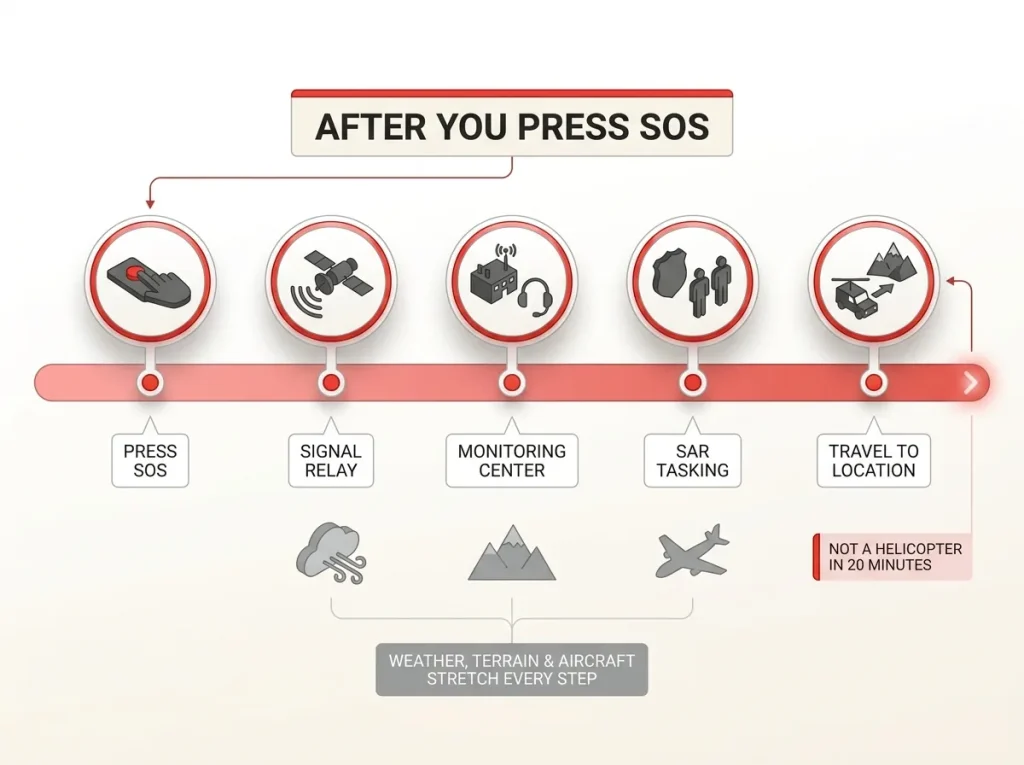
Pressing SOS starts a process, not a helicopter. The number-one misconception in this whole category is that the button summons instant rescue, and believing it can get people hurt when the wait is longer than they expected. What the button actually does is kick off a coordination chain measured in the same terms as any search-and-rescue callout: terrain, weather, and whether an aircraft is even available.
Here’s the PLB path. Your 406 MHz signal hits a COSPAS-SARSAT satellite, relays to a NOAA mission control center, gets cross-referenced against your free registration, and is handed to the U.S. Air Force Rescue Coordination Center or the responsible local search-and-rescue authority. Critically, there’s no confirmation back to you that help is coming, which is the trade you make for a device with no subscription.
The messenger path is different. Your SOS goes through Iridium or Globalstar to the GEOS monitoring center, which is staffed around the clock, then GEOS texts you to assess how bad the situation is and contacts both the right local agency and your own emergency contacts. That two-way conversation is the feature you’re paying the subscription for.
Be realistic about the rescue timeline. Arrival can range from a few hours to, in bad weather or brutal terrain, far longer. A registered device and an accurate, communicated location are what shrink that window; the device itself doesn’t guarantee speed.
And beacons genuinely work: NOAA’s search-and-rescue satellite tracking, which logged real backcountry rescues this year, pulls people out of the wilderness in double-digit incident counts annually. The gadget in your pack is a link in a real chain, not a magic wand.
Now the honesty every competitor skips. The common accidental SOS isn’t a malfunction, it’s a device riding loose against gear with nothing over the button, which is exactly why a messenger’s text-cancel ability beats a beacon’s no-undo design if loose-pocket carry worries you.
And misuse is a real problem: search-and-rescue treats every activation as life-threatening, so firing an SOS because you’re tired, cold, or out of water burns finite rescue resources and can carry cost or legal exposure in some places. Carry the judgment, not just the device. Part of that judgment is knowing how to decide whether a situation is a real evacuation before your thumb goes anywhere near the button.
If you trigger an SOS by accident and you’re on a two-way messenger, do not just power it off. Send a message to the monitoring center saying it was a false alarm. Powering down looks exactly like a dead or destroyed device on their end, and they may launch a rescue anyway.
The Bottom Line
Settle the category before you shop the brand. Get a messenger if you’ll actually use the texting or you hike often; get a PLB if you want a zero-fee panic button for occasional trips. The subscription, not the sticker price, is the real cost decision, so run the multi-year math before you fall for a cheap device on an expensive plan. And whichever you choose, register it, carry it where the button stays protected, and remember that pressing SOS starts a process, not an instant rescue.
Before your next backcountry trip, make the category call, register the device the day it lands on your porch, and tell one person your route and return time. That combination, a device you understand plus a plan someone else is holding, is what actually gets you found.
Frequently Asked Questions
01Do I need a satellite messenger or a PLB for hiking?
Get a messenger if you want two-way texting, tracking, or the ability to cancel a false alarm; get a PLB if you only want a no-subscription emergency button for occasional trips. Trip frequency, whether you want to communicate, and your tolerance for a monthly fee decide it.
02Do PLBs require a monthly subscription?
No. A PLB carries zero subscription for life because it rides the government-run COSPAS-SARSAT network. The one-time device cost is the only cost, though registration with NOAA is free and required.
03How long does search and rescue take after triggering an SOS?
There’s no fixed answer. Pressing SOS starts a coordination process, not an instant pickup, and arrival can range from hours to much longer depending on terrain, weather, and aircraft availability. A registered device and an accurate location shrink that window.
04Can you accidentally trigger an SOS, and can you cancel it?
Yes. The most common accidental activation is a device jostling loose against gear with nothing covering the button. A two-way messenger lets you text-cancel a false alarm; a one-way PLB cannot be recalled once it fires, so covered carry matters more with a beacon.
05Is the Garmin inReach or SPOT better for hiking?
The inReach Mini 2 wins most best-overall picks on weight and the Iridium network’s mesh coverage; SPOT is the budget-friendlier entry on the Globalstar network. If you hike where coverage is spotty, the Iridium mesh is the safer bet.

I've spent more than a decade researching hiking gear and trail technique. I read the specs, the forum threads and the long-term reviews, and every pick here comes with what it gets wrong.
End of the trail
You read every mile of this one. Here's where the trail goes next.