In this article
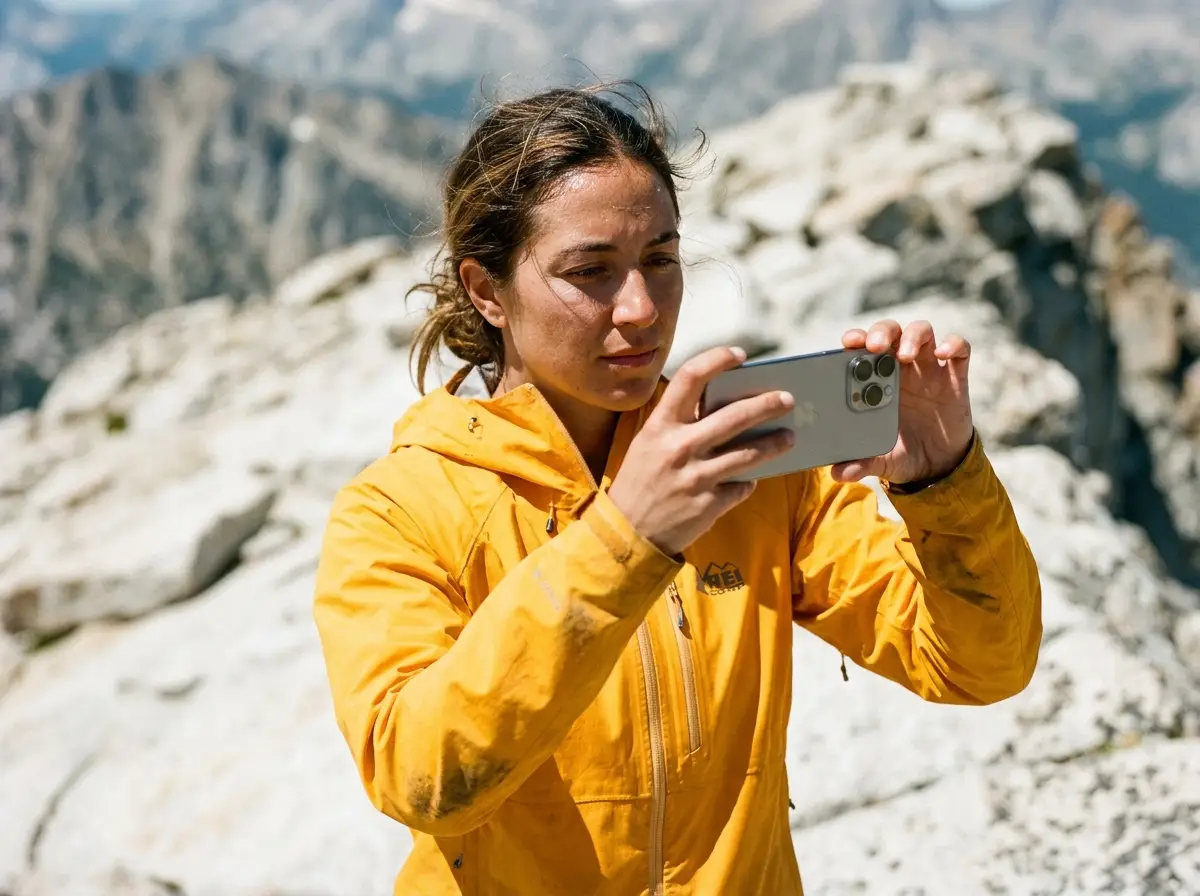
If you’ve ever showed a friend a photo of an towering mountain you just hiked, only for them to say “wow, looks like a nice hill,” you know the feeling. I spent years lugging heavy DSLR gear up steep scrambles before realizing the smartphone in my pocket could do the heavy lifting. Photography also encourages the psychological state of ‘relaxed alertness’ through deep looking. You don’t need expensive equipment. You just need to know why your battery dies in the cold, where your lens fails, and how to frame a shot so it actually looks big.
⚡ Quick Answer: To take professional trail photos on your phone, store it in a warm chest pocket to prevent battery shutoffs, wipe the lens with a microfiber cloth, and flip the device upside-down for massive foreground depth. You don’t need a heavy DSLR, but most people ignore phone physics and come home with blurry smears.
| Usage Guidelines | |
|---|---|
| Category | Details |
| Ideal carry location | Body heat pocket |
| Zoom Limit | Optical 1x/3x only |
| Must-have cheap accessory | Ziploc bag + Silica gel |
Trail-Proofing Your Phone and Beating Battery Drain
We’ve all had our phone die at 20% right before the summit view. Your phone isn’t broken. It’s just reacting to the cold, and you can stop it before you even hit the trailhead.
The “20% Shutdown” Cold Weather Trap
Below freezing, the liquid in a lithium-ion battery thickens, dropping the voltage. You pull it out to take a shot, the camera demands juice, and the phone thinks it’s dead, shutting off instantly to protect itself. I’ve seen hikers lose their map and camera on the same ridge because they left their phone exposed to the wind.
Fix it by treating your body like an incubator. Don’t carry it in your backpack’s brain or hip belt. Put it in an inside chest pocket against your base layer. This keeps the battery warm, buying you hours of shooting time.
You also need to optimize your phone’s battery for navigation by using Airplane Mode in the backcountry. Put it in Airplane Mode the second you leave your car. Hunting for a non-existent cell signal burns more power than taking a hundred photos. Your offline mapping apps rely on GPS anyway. Turn GPS on to check your route, then shut it off.
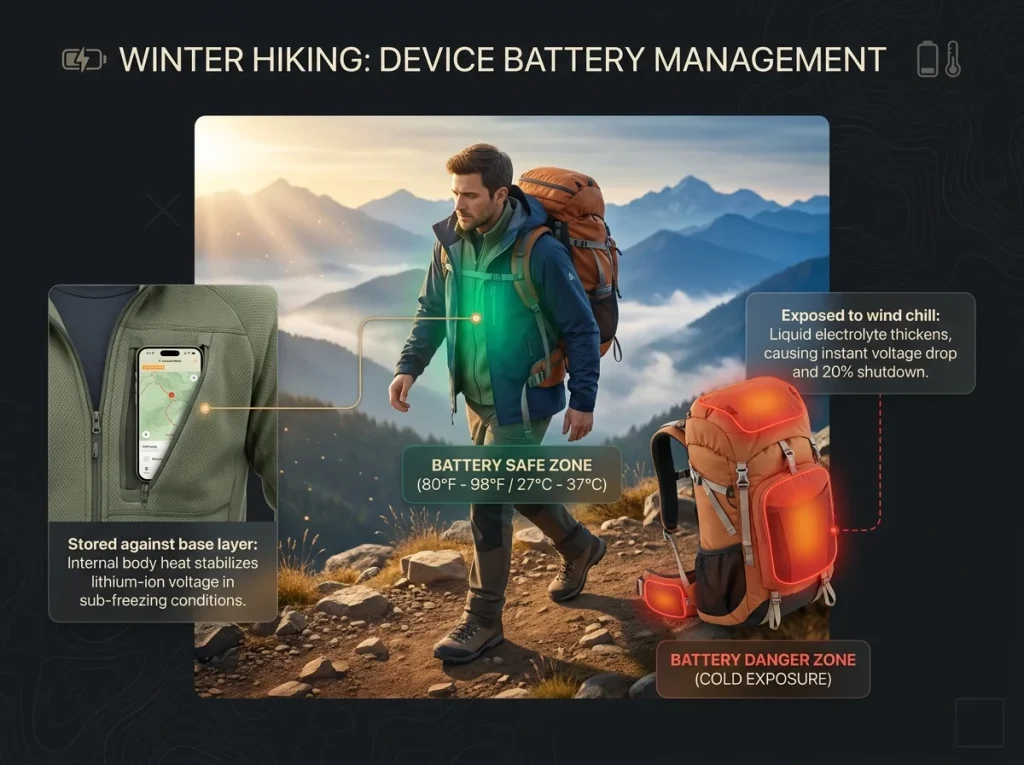
Pro-Tip: Keep your phone in Airplane Mode from the moment you leave your car. Turn on GPS only when you need to check your map, and turn it off again immediately.
Why Human Sweat is Your Camera’s Worst Enemy
Your phone’s IP68 waterproof rating means it survives clean water. It doesn’t mean it survives your sweat. Sweat is full of corrosive salts. Let your phone marinate in a sweaty chest pocket on a steep climb, and that salt eats the charging port pins. A splash in a creek won’t hurt, but a season in a running vest will ruin the hardware. You don’t need a bulky hard-case to fix this.
The 10-Cent Ziploc and Silica Hack
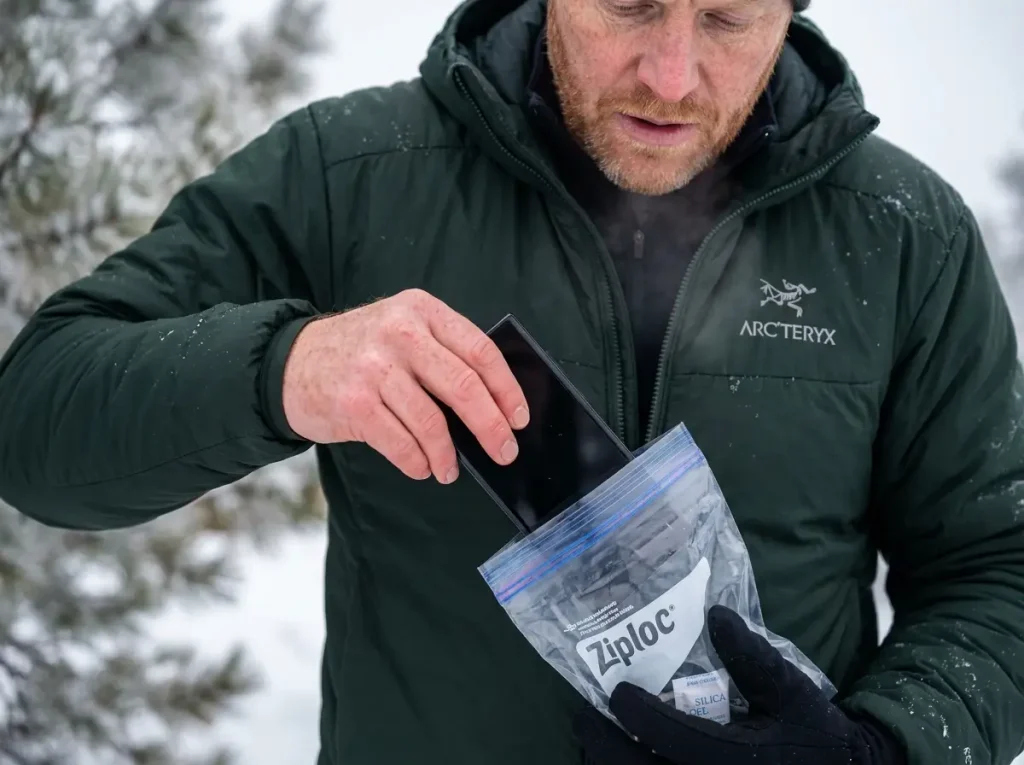
I keep my phone inside a standard Ziploc freezer bag while it sits in my chest pocket. It costs ten cents and handles sweat better than anything else I’ve tried. But the real secret is dropping a small silica gel packet inside that bag with the phone.
When you pull a warm phone into the cold mountain air, the temperature swing causes condensation. Sometimes that fog forms inside the lens glass where you can’t wipe it away. The silica packet absorbs that trapped moisture before it ruins your hardware. Wipe the lens clean, get your shot, and put it right back.
Curing the “Flat Mountain” Effect (Composition Hacks)
You know the feeling: you climb 4,000 feet, the peak looks massive, you take a photo, and the screen shows a boring hill. To capture scale, you have to prove it to the brain. Once you master scale, you might want Epic backcountry photography shots, but you can build the right habits now.
The “Human Scale” and Bright Color Rule
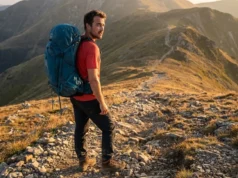
Huge mountains and sprawling canyons look flat without context. When there is nothing recognizable in the frame, the human brain cannot calculate the true size of the background. High-altitude environments play tricks on our depth perception. Placing a fellow hiker in the shot fixes this instantly. This is the human scale rule. It gives the viewer a reference point so they understand just how huge that cliff wall really is.
Position your subject using the rule of thirds. Imagine a tic-tac-toe board on your screen, and put your hiking buddy on one of the intersecting lines, ideally in the bottom third of the frame. This draws the eye naturally through the image.
Vibrant clothing makes this trick work better. A bright red, orange, or blue rain jacket pops against natural greens and browns. It separates your subject from the background and forces the viewer to notice the scale immediately. If your entire group is wearing olive green, they just vanish into the trees.
Pro-Tip: Tell your subject to face the view instead of the camera. It makes the viewer feel like they are standing there looking at the scenery with you, rather than just staring at a posed portrait.
The “Upside-Down Phone” Trick for Foreground Depth
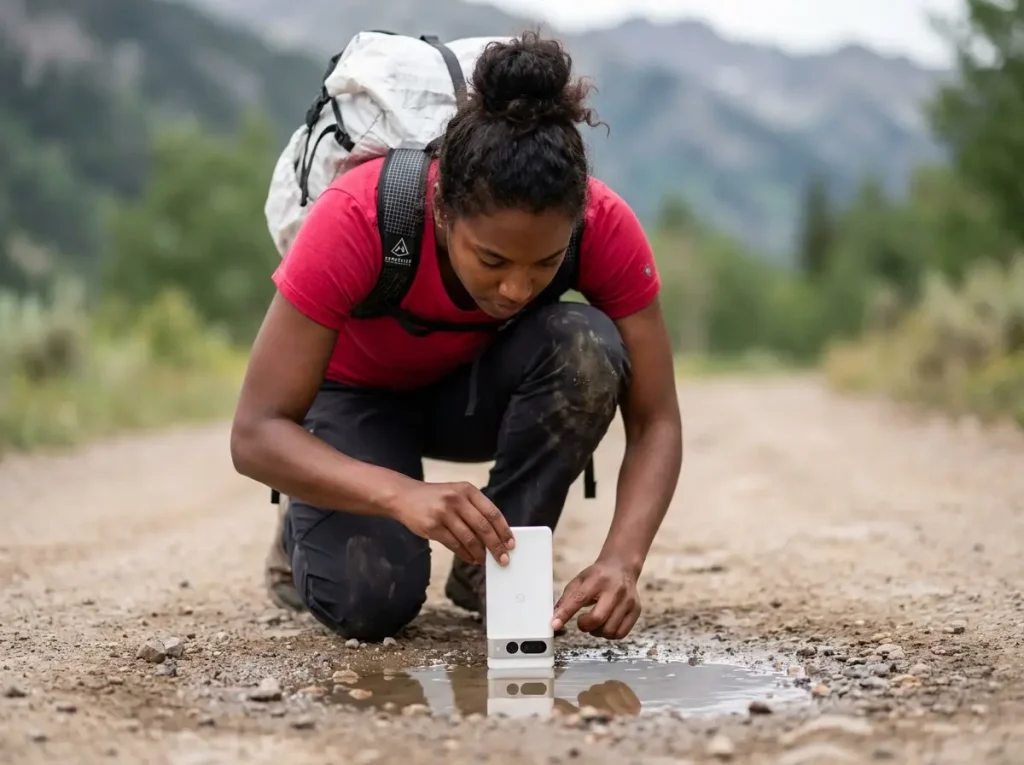
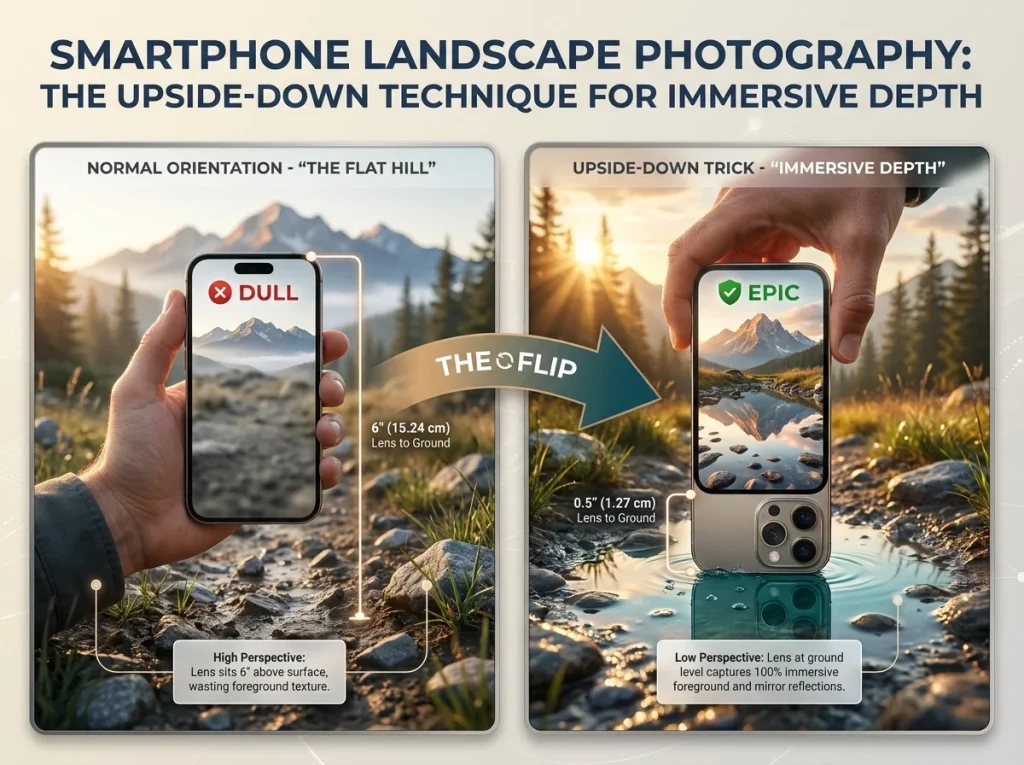
The absolute fastest way to step up your trail photos is the upside-down phone trick. If you hold your phone normally, the camera lens sits near the top of the device. Even if you crouch down, the lens is still five or six inches off the dirt. That wastes all the interesting texture on the ground right in front of you.
Turn your phone completely upside down so the camera lens rests directly on the dirt, rock, or puddle edge. This drops your perspective dramatically. A small puddle becomes a massive reflecting pool for the mountain behind it, and trail rocks loom large in the foreground. Taking photos from this extreme low angle creates instant depth.
Finding Your Trail’s Leading Lines
Leading lines are physical features in the environment that guide a viewer’s eye exactly where you want it to go. When you are out on a day hike, the most obvious and effective leading line is the trail you are walking on.
Instead of snapping a photo of the peak, crouch down and frame the image so the dirt path starts in the bottom corner of your screen and winds its way up toward the mountain. This tells a story of the journey and the destination.
A river, a ridgeline, or even a fallen log can serve the exact same purpose. Whenever you spot a beautiful view, spend ten seconds looking for natural lines on the ground that point toward it before you hit the shutter button.
The Anti-Zoom Manifesto (Optical vs. Digital)
Pinching your screen to zoom in destroys more great photos than anything else on the trail. Stop doing it. Learn the difference between your phone’s physical lenses and its software cropping features, or your summit shots will always look like a blurry mosaic.
The Trap of Digital “Pinch” Zooming
There is a massive difference between optical zoom and digital zoom. An optical zoom uses real, physical glass lenses to magnify the subject. Your image stays sharp because the sensor captures the full resolution.
Digital zoom does not use glass. When you pinch your screen to zoom in on a distant moose, your phone is simply cropping the center of the image and stretching those few pixels to fill the screen. It software-guesses what the missing details should look like. That is why your wildlife shots often end up looking like a blurry brown smear. Never pinch to zoom.
Zooming With Your Feet First
The golden rule of trail photography is to “zoom with your feet.” If you want a closer shot of those wildflowers, physically walk closer to them. Moving your body always produces a sharper, higher quality image than standing still and pinching the screen.
When you physically cannot step closer because of a cliff edge or a raging river, only use the preset standard optical zoom buttons at the bottom of your screen. If your phone has a 1x and a 3x button, tap the 3x button. Do not pinch to try and get 2.5x. Tapping the preset forces the phone to use its dedicated optical lenses, maintaining the clarity you need. A solo hiker or a weekend warrior needs to rely on movement and framing, not software magnification.
The Trekking Pole Stabilizer Trick
When you do use that 3x or 5x optical lens, the magnification makes every tiny shake of your hands much worse. This causes camera shake and results in soft, slightly blurry images, especially if you are breathing heavily after a steep climb.
If you are looking into lightweight setups for technical terrain, you don’t always need a heavy tripod. You can build a makeshift monopod with the gear already in your hands.
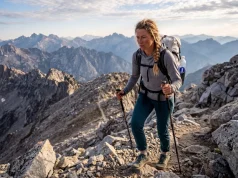
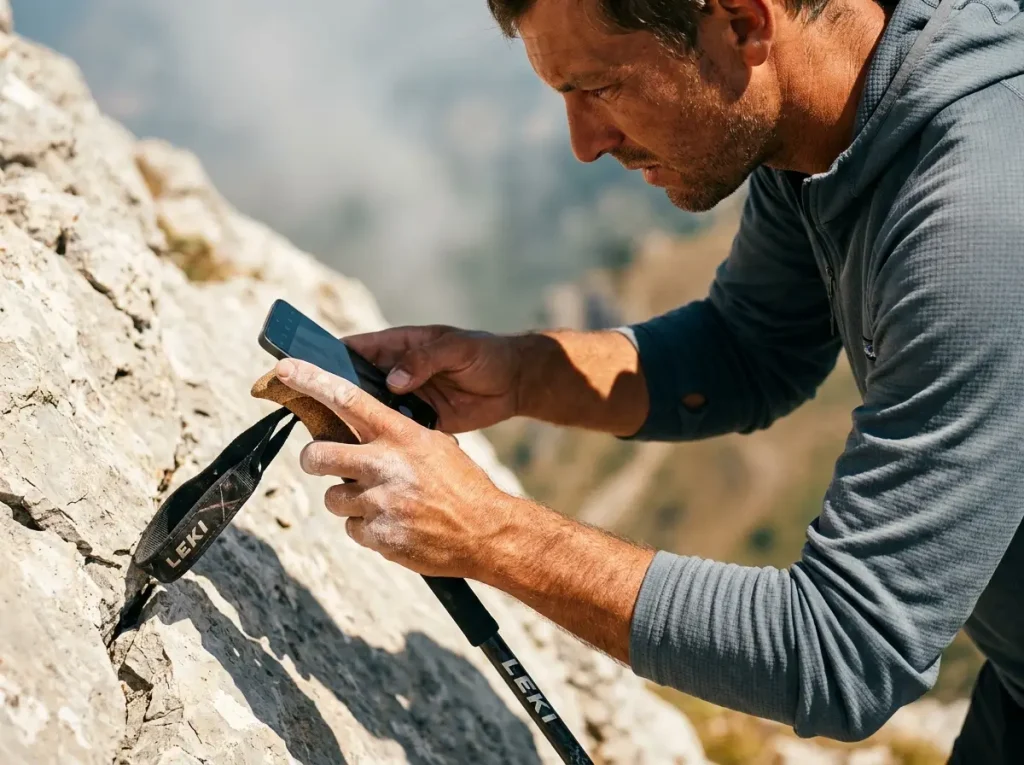
Use a trekking pole stabilizer method. Plant your trekking pole firmly in the dirt right in front of you. Grip the top of the handle with your left hand, and rest your right hand—the one holding the phone—directly on top of your left wrist. Brace your elbows tightly against your ribs. This creates a solid mechanical brace that eliminates micro-movements, allowing you to capture crisp, zoomed shots even when your heart is pounding.
Conquering High Contrast and Bright Skies
Hiking exposes you to the harshest, most difficult lighting conditions imaginable. You have glaring midday sun and deep, black shadows, but you don’t need heavy filters to fix it. You just need to slide one finger on your screen.
The Unforgiving Brightness of the Backcountry
Professional photographers love the golden hour—that beautiful, soft light right after sunrise or right before sunset. But let’s be honest about the realities of a day hike. You are likely going to reach the summit view right at high noon when the sun is directly overhead, casting harsh, ugly shadows across everything.
This unforgiving environment forces your camera to make a choice. It will either make the sky look blue but turn the trees pitch black, or make the trees look green but wash out the sky into a solid, unrecoverable white block. When you struggle with managing illumination physics on the trail, you learn that lighting defines your imagery. You have to take manual control, because the automatic settings will fail you at high noon.
Mastering the Exposure Lock (AE/AF)
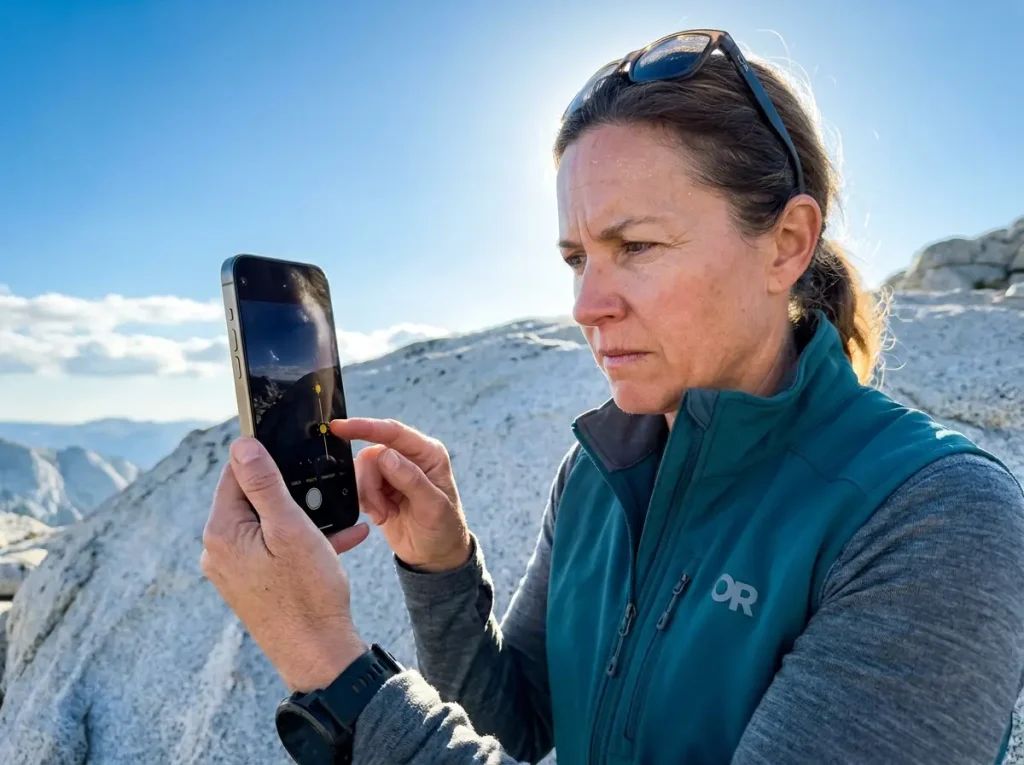
You can fix blown-out skies with the tap to focus and exposure lock features. Before you take the picture, do a quick “3-Second Check.” Scan the corners of your screen to ensure your own finger isn’t blocking the lens, then pick the most important part of the view.
Tap and hold your finger on that spot on the screen until a little padlock icon appears. This locks the focus and the brightness levels. Once locked, a small sun icon will appear next to the box. Place your finger on that sun icon and slide it down toward the bottom of the screen.
This manually darkens the image. It’s always better to shoot your photos slightly dark. If you capture the details in a dark shadow, you can use editing apps like Snapseed, VSCO, or Lightroom Mobile to brighten them up later when you get home. If you let the sky wash out into a bright white mass, those details are physically wiped from the sensor.
Pro-Tip: Always expose your shots for the sky. Lower the brightness slider until the clouds look textured and blue, let the trees go slightly dark, and fix the shadows later.
Burst Mode for Fast-Moving Subjects
Trying to capture your friend jumping across a stream usually results in a blurry photo of empty air because the shutter fired too late. Timing a fast-action shot manually is incredibly frustrating.
Use burst mode to solve this. Instead of tapping the shutter button once, hold it down or drag it to the side (depending on your phone model). The camera will rapid-fire dozens of frames per second.
This is also perfect for when you are shooting in low light conditions where camera shake is likely, or if you need to pull video stills from a moving subject. Once you stop shooting, sit down on a log, review the burst sequence, select the one frame where your friend is perfectly sharp mid-jump, and delete the rest to save storage space.
Managing the “Storage Full” Crisis Mid-Hike
Nothing ruins a hike faster than getting an alert that your storage is full just as the perfect sunset lights up the valley, and you are ten miles away from Wi-Fi.
What Really Eats Your Phone’s Memory
High-resolution photos, raw files, and 4K trail videos will burn through your available gigabytes incredibly fast. Shooting in HDR mode or capturing Live Photos means you are actually recording short video clips alongside every single image, which multiplies the file size of your photo gallery.
Most people don’t realize they are full until they try to take a shot and the camera app refuses to open. Then the panic sets in, and you find yourself sitting on a rock frantically deleting old family photos just to make room. There is a permanent fix for this that does not involve buying a new phone.
Why Cloud Syncing is a Trail Trap
Many hikers assume their phone is constantly backing up to the cloud. But relying on the cloud is a mistake. As the Centers for Disease Control and Prevention’s wilderness safety protocols outline, communication options are severely limited off-grid. If you don’t have cell service, your phone cannot sync. Cloud syncing fails exactly when you need it most. You need a hardware solution that works completely off-grid.
The OTG Flash Drive Trail Hack
The answer is an OTG, or On-The-Go, flash drive. These are small thumb drives that have a standard USB plug on one end and a phone charging plug (like USB-C or Lightning) on the other.
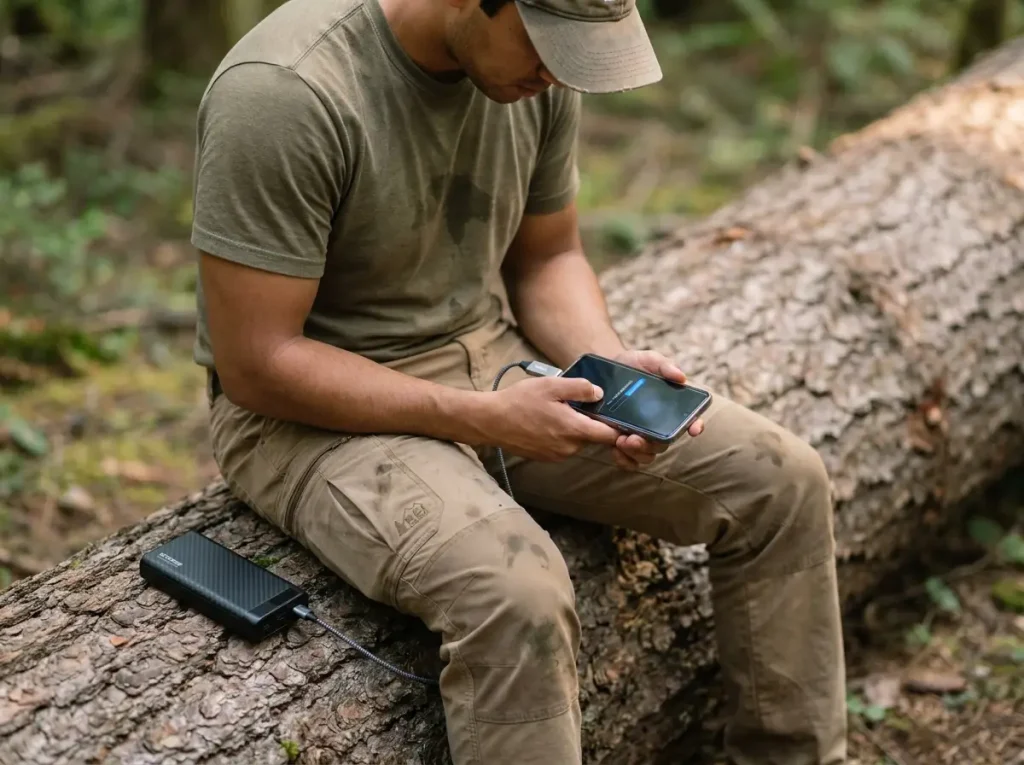
You carry this tiny drive in your pack. When you get the storage full warning, simply plug the drive directly into the bottom of your phone while you eat a snack on the trail. You can select gigabytes of heavy video files, transfer them straight to the physical flash drive, and delete them off your phone.
It takes three minutes, requires absolutely no internet connection, and frees up massive amounts of space. Storage management becomes a non-issue. You can keep shooting your hike without deleting a single old picture.
Leave No Trace and the Digital Footprint
Getting a perfect shot feels great. But getting stomped by an elk or trampling a delicate meadow just to post it online makes you the bad guy on the trail. Leave no trace photography is about prioritizing the environment over the image.
Minimum Safe Distances and The Thumb Test
Phones lack massive telephoto lenses. This tempts hikers to walk aggressively close to wildlife to fill the frame. Stop doing this. The National Park Service wildlife distance rules state you must stay 100 yards away from predators like bears and wolves, and 25 yards away from herbivores like bison and elk. That’s the length of a football field for bears, and two bus lengths for a bison.
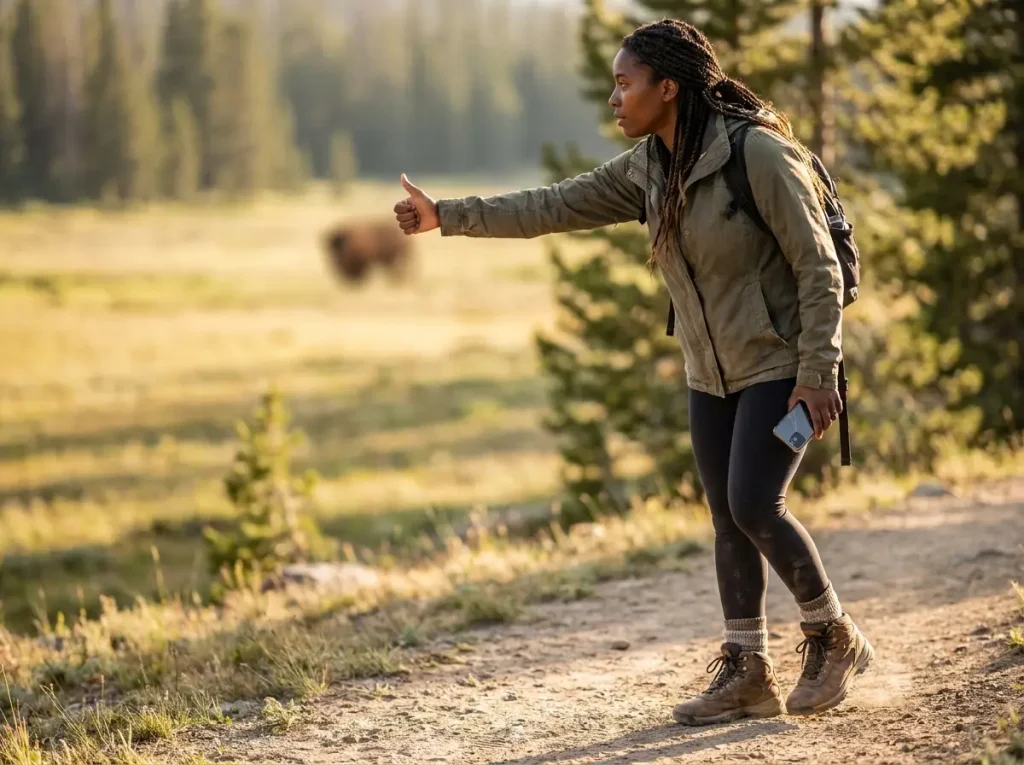
If you aren’t good at judging distance, use the Thumb Test. Hold your arm straight out in front of you and stick your thumb up. Close one eye. If your thumb does not completely cover the animal you are looking at, you are far too close. Back up immediately. No photo is worth a helicopter rescue.
Watch Your Step: Cryptobiotic Crusts
Walking just five feet off the trail to get a better angle on a wildflower seems harmless. But in many environments, especially deserts and alpine tundra, the dirt itself is alive. Cryptobiotic crusts are living organisms that hold the soil together and take decades to grow back if stepped on.
I love a good macro shot of a flower, but once you step off the established dirt path to get it, you leave footprints. Those footprints give everyone hiking behind you silent permission to follow you into the meadow. Stay strictly on the trail. Use your optical zoom if you want a closer look.
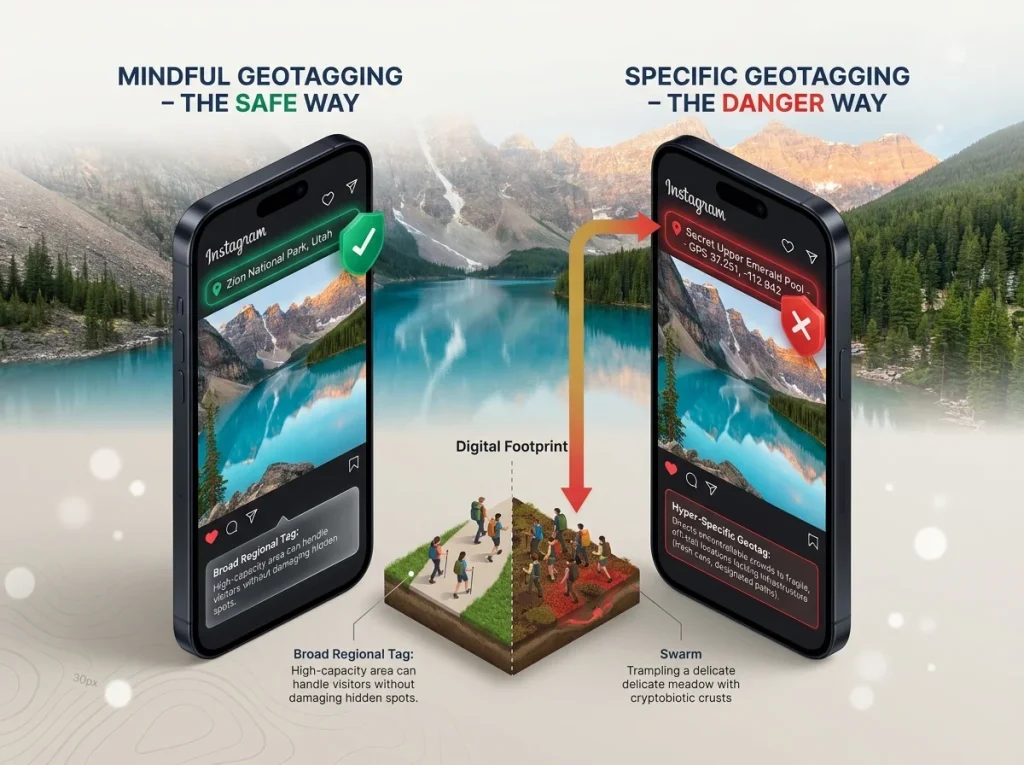
Mindful Geotagging to Protect the Trail
When you find a gorgeous, hidden waterfall, your first instinct is to share the exact GPS coordinates online. Do not do this. You have to practice mindful geotagging to prevent viral overcrowding in fragile places.
Many beautiful spots lack the infrastructure—like paved parking lots, designated trails, and trash cans—to handle a sudden influx of thousands of visitors. When you post a photo, tag the general state park or region rather than the specific, hidden trailhead. Let people enjoy the beauty of the area without directing a damaging crowd to a single, fragile location.
Pro-Tip: Remove location data from your camera app settings before you head out. It stops hidden coordinates from embedding directly into the photo files you share.
Conclusion
Mastering trail photography doesn’t mean buying heavier gear. Keep your phone warm in a chest pocket to prevent cold weather drain. Flip your lens upside down against the dirt to capture massive foreground depth. Always lock your exposure and slide that brightness down to save your skies.
The next time you hit the trail, don’t pinch your screen. Walk closer, use a Joby Gorillapod or a trekking pole for stability, grab the shot quickly, and then put the phone away so you can actually enjoy the view. You can use a simple quick start checklist to ensure you follow all the rules and come back with the perfect memory.
FAQ
How can I make my phone photos look professional?
Lower the exposure and introduce a human element for scale. By sliding the brightness down slightly and placing your buddy on a rule of thirds intersection, your trail photos immediately gain depth, contrast, and a true sense of massive size.
Which phone is best for hiking photography?
Any flagship phone from the last three years with a dedicated optical zoom lens works perfectly. The key feature to look for isn’t megapixels, but a physical 3x or 5x optical telephoto lens that doesn’t rely on digital cropping to capture distant details.
How to take photos of yourself while hiking solo?
Invest in a cheap, lightweight Bluetooth remote shutters device and a flexible wrap-style tripod. Instead of awkward selfies, you can mount your phone to a tree branch, lock the focus, and walk naturally into the frame before taking the shot.
Why are my hiking photos blurry?
You are likely using digital zoom instead of walking closer to your subject. Digital zoom simply crops and enlarges the pixels, which magnifies every tiny shake of your hand on the trail. Use your feet or stick to the preset optical lenses.
Risk Disclaimer: Hiking, trekking, backpacking, and all related outdoor activities involve inherent
risks which may result in serious injury, illness, or death. The information provided on The Hiking Tribe is for
educational and informational purposes only. While we strive for accuracy, information on trails, gear, techniques,
and safety is not a substitute for your own best judgment and thorough preparation. Trail conditions, weather, and
other environmental factors change rapidly and may differ from what is described on this site. Always check with
official sources like park services for the most current alerts and conditions. Never undertake a hike beyond your
abilities and always be prepared for the unexpected. By using this website, you agree that you are solely
responsible for your own safety. Any reliance you place on our content is strictly at your own risk, and you assume
all liability for your actions and decisions in the outdoors. The Hiking Tribe and its authors will not be held
liable for any injury, damage, or loss sustained in connection with the use of the information herein.
Affiliate Disclosure: We are a participant in the Amazon Services LLC Associates Program, an
affiliate advertising program designed to provide a means for us to earn advertising fees by advertising and linking
to Amazon.com. As an Amazon Associate, we earn from qualifying purchases. We are also an official affiliate partner
of Black Diamond Equipment via the AvantLink network. If you click on a Black Diamond affiliate link and make a
purchase, we may earn a commission at no additional cost to you. We also participate in other affiliate programs and
may receive a commission on products purchased through our links. Additional terms are found in the terms of
service.