In this article
Most articles comparing a GPS unit vs phone for hiking are quietly trying to sell you a $600 handheld. This one starts from the opposite corner. For the overwhelming majority of hikes, the phone already in your pocket is enough, and knowing the exact moment it stops being enough is the whole point. Ask around in backpacking forums and the same pattern shows up: the people who actually carry a dedicated GPS or satellite communicator did not buy it for accuracy, they bought it for the two or three trips a year where a dead phone would have been a real problem. So the honest question is not which one is better. It is whether your kind of hiking needs more than a phone at all.
The Honest Answer Comes Down to Your Kind of Hiking
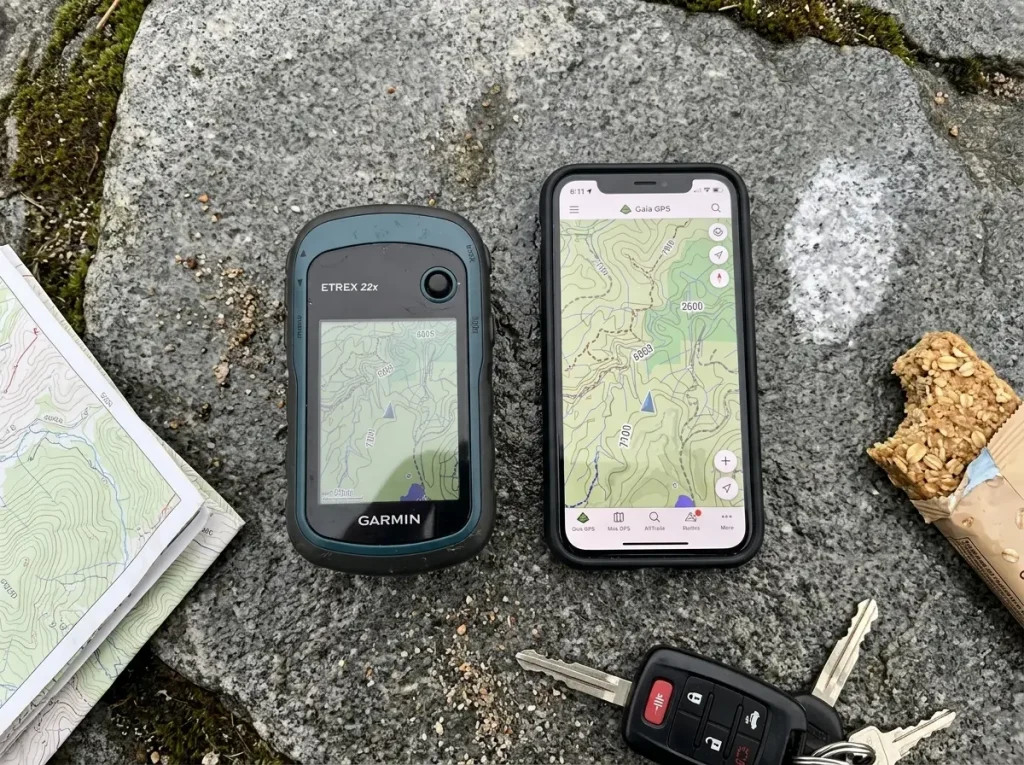
Do not start by asking what the best device is. Start by asking what your actual hiking looks like. A marked six-mile loop with good cell coverage and a solo off-trail traverse two valleys from the nearest road are different planets, and they call for different tools. This is a match-the-tool-to-the-trip decision, not a buy-the-most-tool one.
When Your Phone Is Genuinely Enough
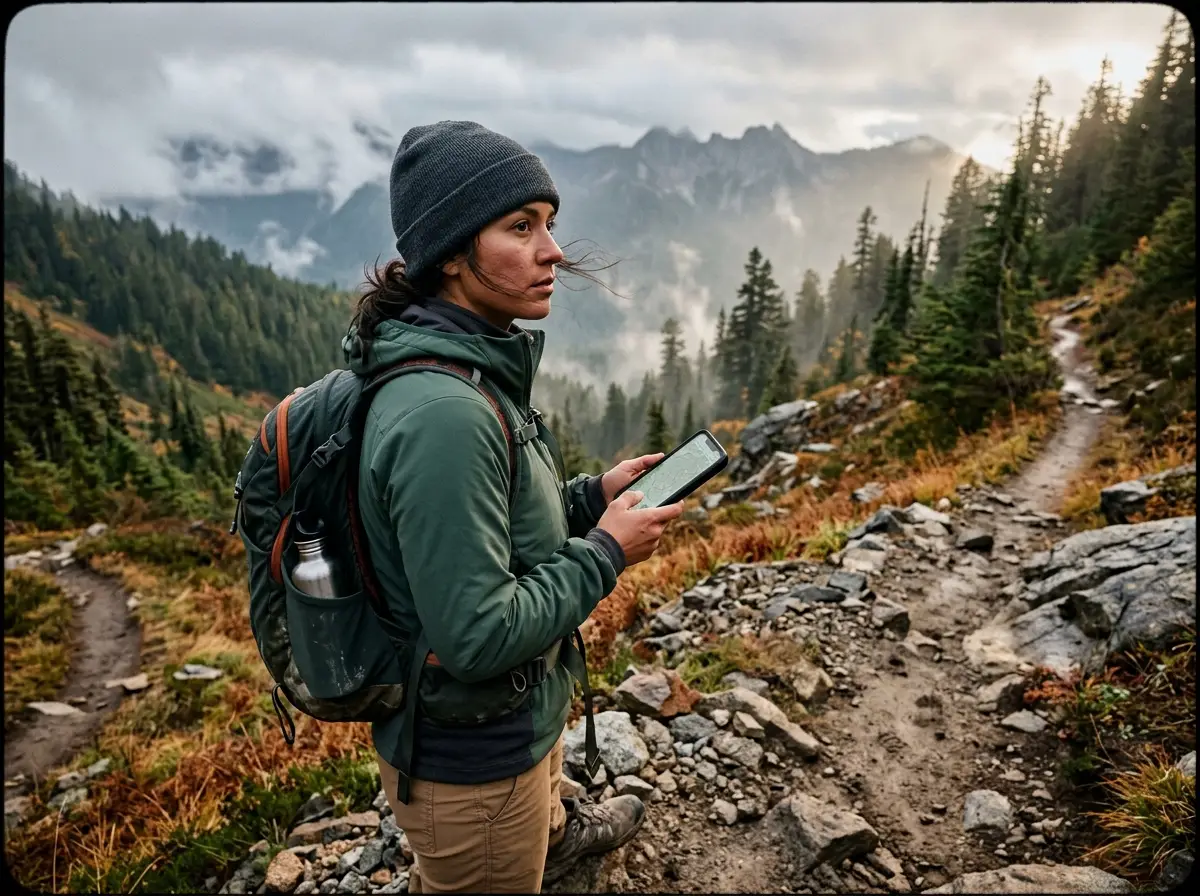
On a maintained trail, with the map for your area downloaded for offline use before you leave the car, a smartphone navigation app covers navigation completely. It shows where you are, where the trail goes, and how far you have left. The screen is bigger and clearer than almost any handheld. For the hiking most people actually do, day trips on established trails close to home, spending money on a separate device solves a problem you do not have. Any honest look at which hiking navigation devices you actually need starts by admitting that most hikers are already carrying the only one they need.
The Four Triggers That Flip the Answer
The calculus changes when a trip hits one of four triggers: it goes somewhere remote with no cell service, it leaves the trail for off-trail travel, it stretches into a multi-day backpacking trip, or you are hiking solo. Hit one of those and a phone’s weaknesses stop being trivia and start being the thing that matters. Hit two or three at once, a solo off-trail overnight in the backcountry, and a dedicated device stops being optional gear and starts being a safety layer.
A Consumer Gadget Doing a Backcountry Job
A phone is a piece of consumer electronics doing a job it was never built for. It works right up until one specific weakness gets exposed: the battery dies in the cold, the screen cracks on a rock, the signal drifts under heavy canopy, or you need to call for help where there are no bars. Each of those has a section below. Here is the shape of the whole decision before we get into it.
| Option | Battery reality | Signal & accuracy | Emergency SOS | Best for |
|---|---|---|---|---|
| Smartphone + app | ~4 hrs active tracking, worse in cold | Good with signal, drifts under canopy | Needs cell signal (new phones add limited satellite SOS) | Day hikes on marked trails |
| Handheld GPS | ~20 hrs and up, shrugs off cold | Multi-band, locks fast and tight | Only if it has built-in satellite comms | Off-trail, rugged, all-weather trips |
| Satellite communicator | Days to weeks between charges | Basic navigation, precise location ping | Two-way messaging and SOS almost anywhere | Remote, solo, multi-day trips |
Battery Life and the Cold-Weather Trap
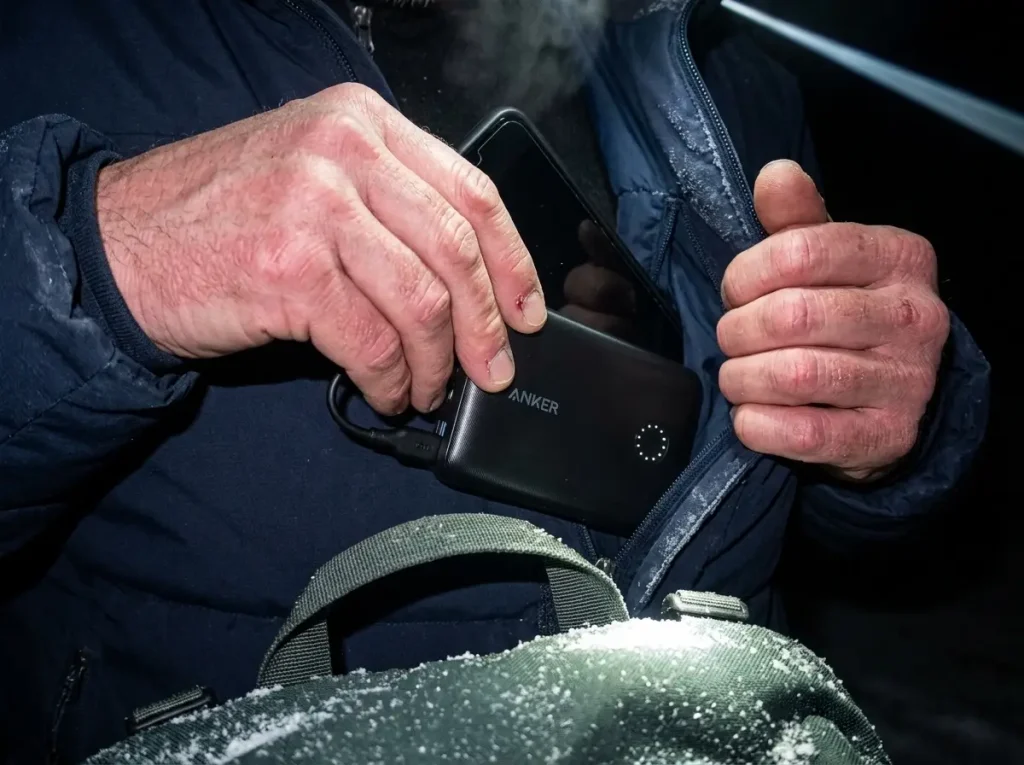
If there is one gap that decides this whole comparison, it is battery. Everything else is a maybe. This one is physics, and it gets worse the colder it gets.
How Long Each One Actually Lasts
Run a GPS app continuously on a newish phone and you get somewhere around four hours before it dies. Put a Garmin handheld through the same active tracking and it lasts closer to twenty. The gap widens with purpose-built satellite units: a Garmin inReach Mini 2 runs up to 130 hours in standard tracking and up to 650 hours in expedition mode. That is not a small edge. On a multi-day trip, a dedicated device outlasts a phone by ten to twenty times, and in expedition mode it can carry a thru-hike between charges, which is the difference between charging every night and barely thinking about it. GPS hiking watches face the same cold-battery math, so if you are weighing a watch as your backup, read the runtime numbers with the same skepticism.
What Cold Does to a Phone Battery
Here is the number nobody turns into advice. A lithium-ion battery holds roughly full capacity at 80°F and drops to about half its capacity at 0°F. The cold itself steals the charge before you have used a single percent. That is why your phone can read forty percent at the trailhead and shut off an hour later without you doing anything. Hikers call it getting cold-soaked: the battery has sat at freezing long enough that its chemistry has gone sluggish, distinct from just being cold to the touch. Dedicated units with LiFePO4 chemistry barely notice the same temperatures. In one cold field test, GPS units dropped about two percent over four hours while phones in the identical conditions died completely.
Keep your phone in an inner jacket pocket against your chest, not an outer pack pocket. Body heat alone buys you hours of extra runtime in freezing temps, and it is free. The outer pocket is where phones go to die.
The Charging Mistake That Does Permanent Damage
There is a worse version of the cold problem, and it is permanent. Charging a lithium-ion cell below freezing causes lithium plating on the anode, which is capacity you never get back. So when your cold-soaked phone hits ten percent at a frozen trail junction and you reach for the power bank, plugging in right then can quietly damage the battery for good. Warm the phone against your skin first, then charge it. Most people do the exact opposite because it feels urgent.
Sizing a Power Bank the Right Way
The instinct is to over-carry power, hauling a giant brick to run the phone all trip. That is backwards. Treat the phone as a backup layer, not the primary power draw you plan around, and carry a small battery bank sized to top it off once. Something like the Anker PowerCore II 10000 is plenty for a weekend, and its 10,000mAh gives you one full phone charge with margin to spare without weighing down your pack. If you are running the phone hard enough to need more than that, the real fix is a device with better battery chemistry, not more batteries.
Durability When You Drop It, Sit on It, or It Rains
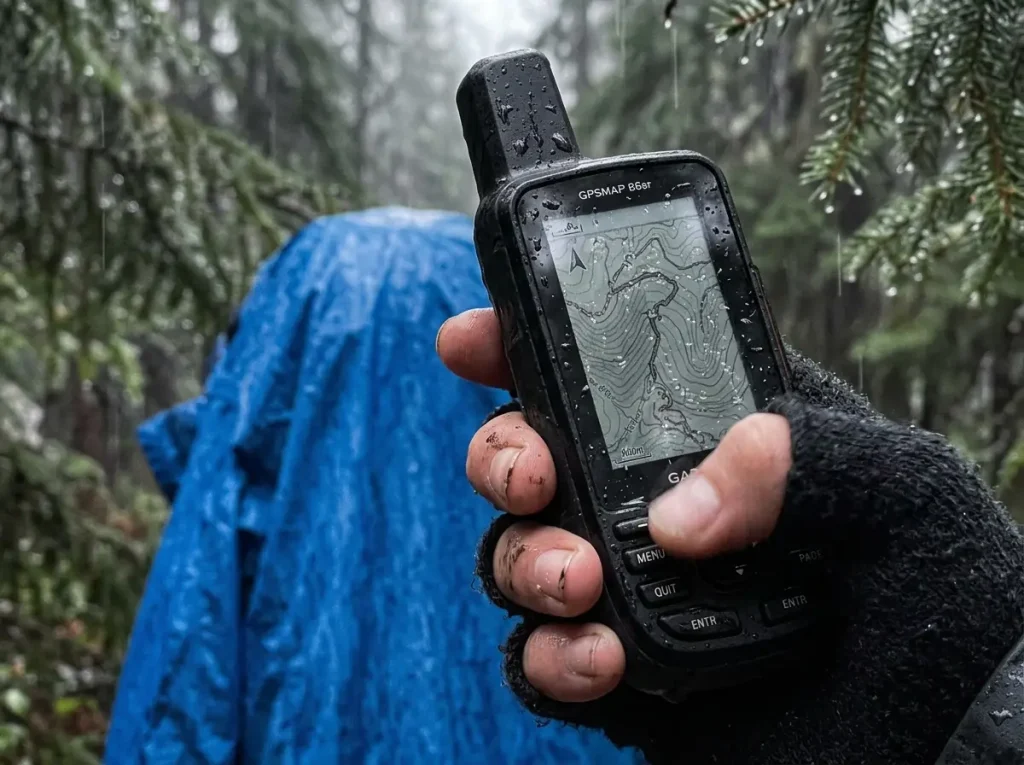
Battery is the gap you plan around. Durability is the one that ends a trip in a single unlucky second.
Built for Abuse vs Built for a Pocket
Handheld GPS units are built to be dropped, sat on, and rained on. Many carry MIL-STD-810 ruggedness testing and IP68 or IPX7 water ratings, so a spill into a creek or a fall onto granite is a shrug. A phone is a slab of glass and aluminum built to live in a padded pocket. One slip on a wet rock and your thousand-dollar navigation tool becomes a spider-webbed paperweight. There is a quiet reassurance to holding a device you do not have to baby, the kind you can toss in a pack lid wet and muddy and forget about.
How Far a Case and Dry Bag Get You
A rugged case and a dry bag close part of the gap, and for most hikers they close enough of it. A good case survives most drops, and a dry bag keeps the rain out. The tradeoff is bulk, fumbling, and the fact that you have to actually use them every time. A purpose-built unit skips all of that because the ruggedness is the device, not an accessory you remembered to add.
The Real Cost of a Cracked Screen
The money is not the worst part of a cracked screen. The worst part is that it removes your navigation in the exact place you cannot replace it. A shattered phone three days into a backpacking trip is not an inconvenience, it is a genuine problem, and it is the argument for carrying something that does not depend on a sheet of intact glass.
Signal and Accuracy Under Tree Cover and in Canyons
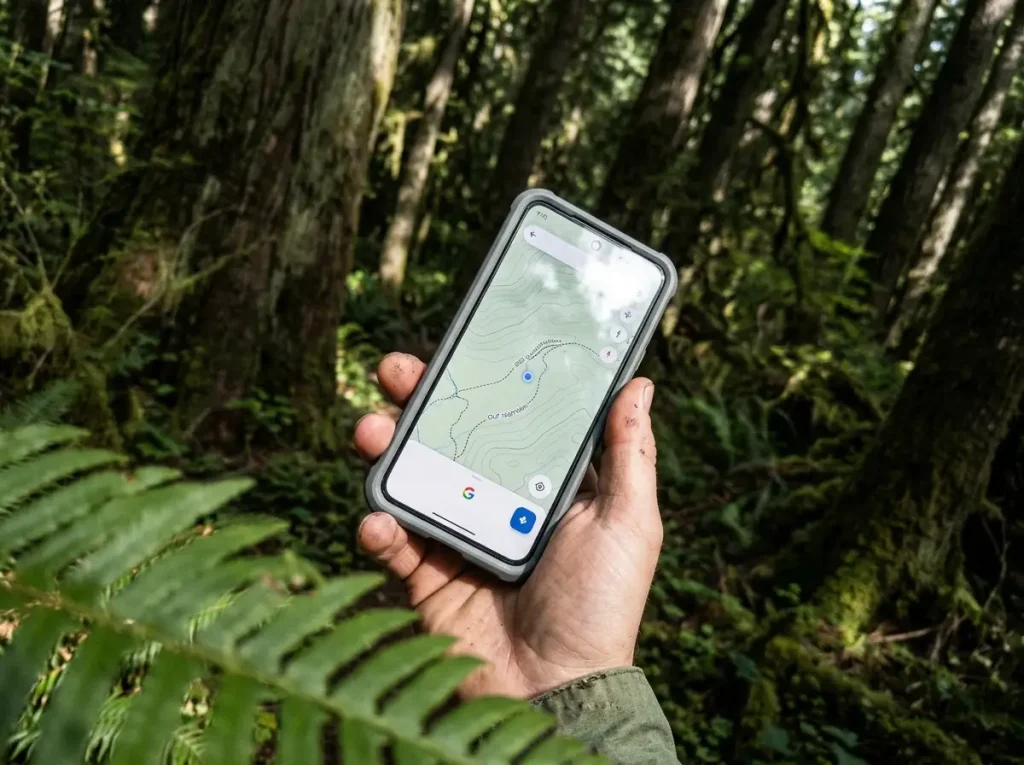
This is where the marketing lives, and where the truth is more interesting than either side admits.
Multi-Band GNSS vs Your Phone’s Single Chip
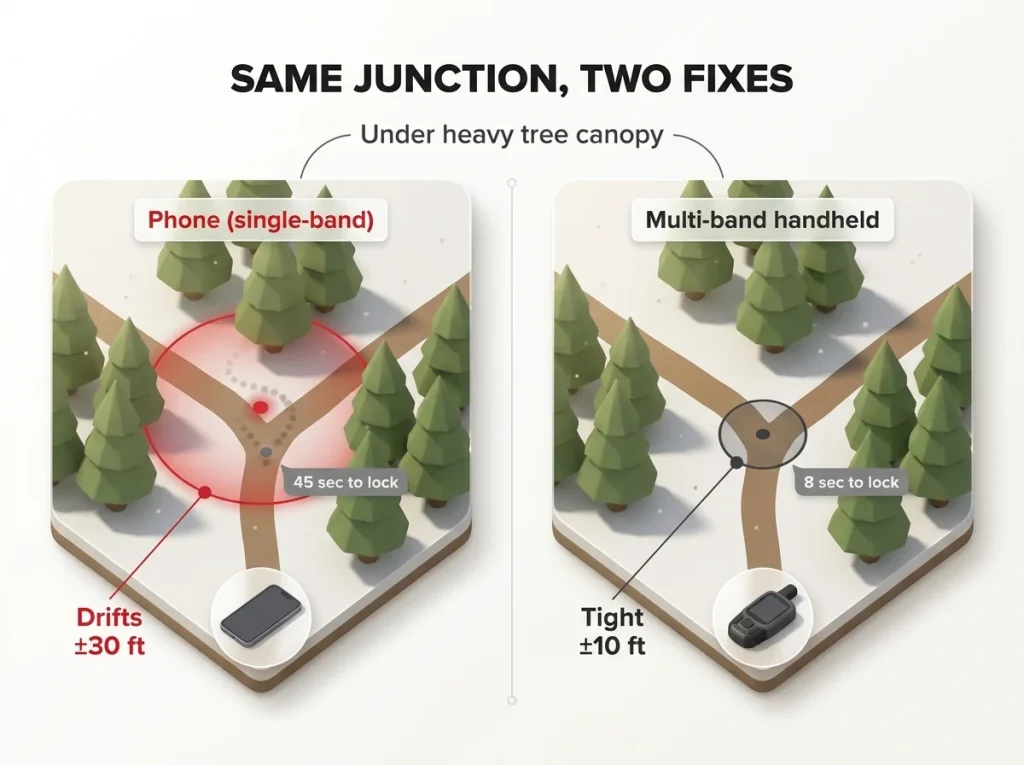
Dedicated units run multi-band GNSS, pulling from multiple satellite frequencies at once, while most phones lean on a single-frequency chip helped along by cell-tower assist. Under a heavy forest canopy, the difference is measurable: in one study, a multi-band receiver locked position in about 8 seconds at roughly ±10 feet, while a smartphone took around 45 seconds at ±30 feet. A peer-reviewed forest-canopy GNSS study (Sensors journal) found the same pattern, dedicated multi-band receivers acquiring faster and holding tighter than single-frequency phone chips. Lose cell signal and the phone loses its assist, so signal acquisition time climbs and the fix wanders.
Where the Accuracy Gap Is Real
Hikers call that wandering GPS drift, the blue dot that swears you are eighty feet off the trail under thick trees when a multi-band unit sits rock-steady. The gap is real and it matters in specific places: off-trail travel, dense old-growth forest, deep canyons, and snow-covered terrain with no visible tread to confirm you are right. When there is no trail under your feet to sanity-check the screen, a tighter, faster fix is genuinely safer. Even a perfect fix means nothing if your compass is off, so it is worth knowing how magnetic declination throws off a bearing before you trust any arrow on any screen.
Where It Honestly Does Not Matter
On a marked trail, none of this changes your day. A phone’s accuracy is plenty when the tread is right there to confirm your position, and drift of thirty feet is meaningless when you can see the trail. Newer flagship phones have added dual-frequency GNSS too, so the gap is narrowing for casual use and only really opens up at the extremes. Do not let a lab number talk you into a purchase your hiking will never cash in.
Mapping and Apps Where the Phone Actually Wins
Give the phone its due, because on maps it does not just compete, it wins outright.
The Screen and Map Advantage
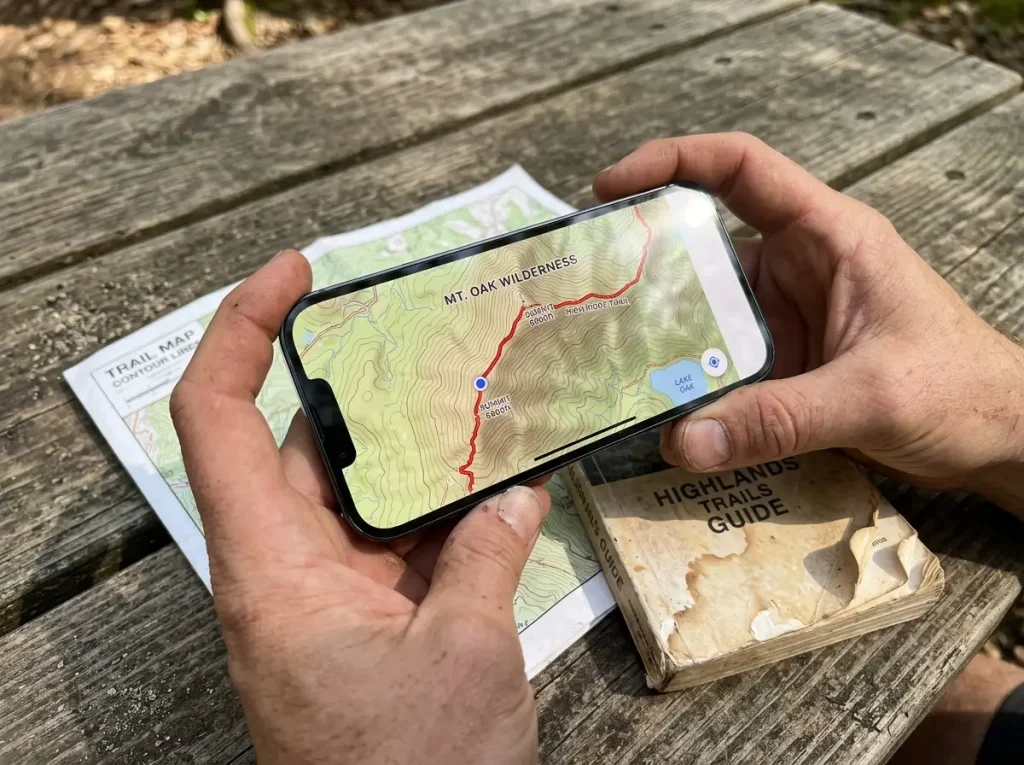
Phone apps like Gaia GPS, AllTrails, and CalTopo offer frequently updated, high-resolution, sport-specific maps that make most handheld onboard maps look clunky and dated. Add a big color touchscreen and reading a topographic map, checking an elevation profile, or planning a route is simply easier and more pleasant on a phone. The one place the phone screen loses is direct sun, where screen glare can wash out the display in a way a matte handheld handles better. This is the flip side of the whole comparison: for the actual task of looking at a map, the phone is the better tool. If you want to see how the major hiking apps stack up on map accuracy, that is its own rabbit hole worth going down before you pick one.
Downloading Offline Maps Before You Lose Signal
The skill that makes a phone backcountry-capable is downloading offline maps for your area before you leave signal. Done right, the map works with zero bars, which is what trips up people who assume no service means no map. There are even free apps that work offline with no signal, so the cost barrier for phone-based navigation is basically zero. This is a real capability, not a workaround, and it is why the phone deserves to be the primary map for most hikers.
The Offline Map Trap
Here is the mistake that keeps coming up: assuming a downloaded offline map means the phone is backcountry ready. The map working is one problem solved. The battery dying in the cold and the screen cracking on a rock are completely separate problems, and they are still sitting there unsolved. An offline map is necessary, but it is not the same thing as being prepared.
The Touchscreen Problem in Cold and Wet
This is the failure mode almost nobody writes about, and it shows up at the worst possible moment.
Why Touchscreens Quit in the Cold
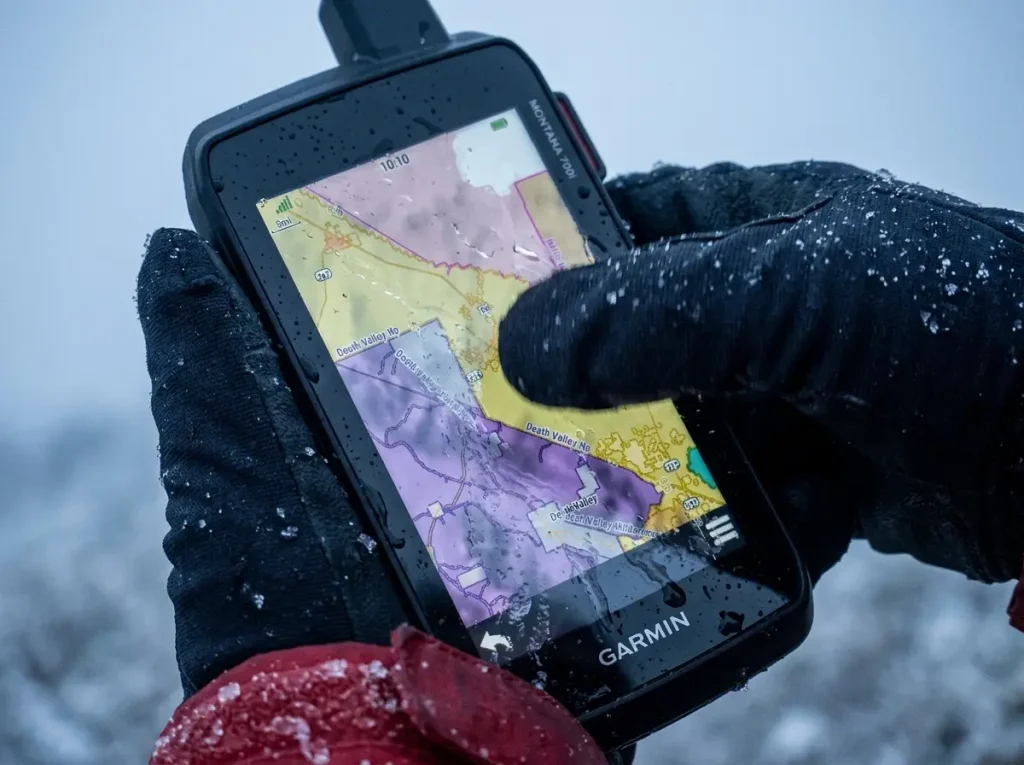
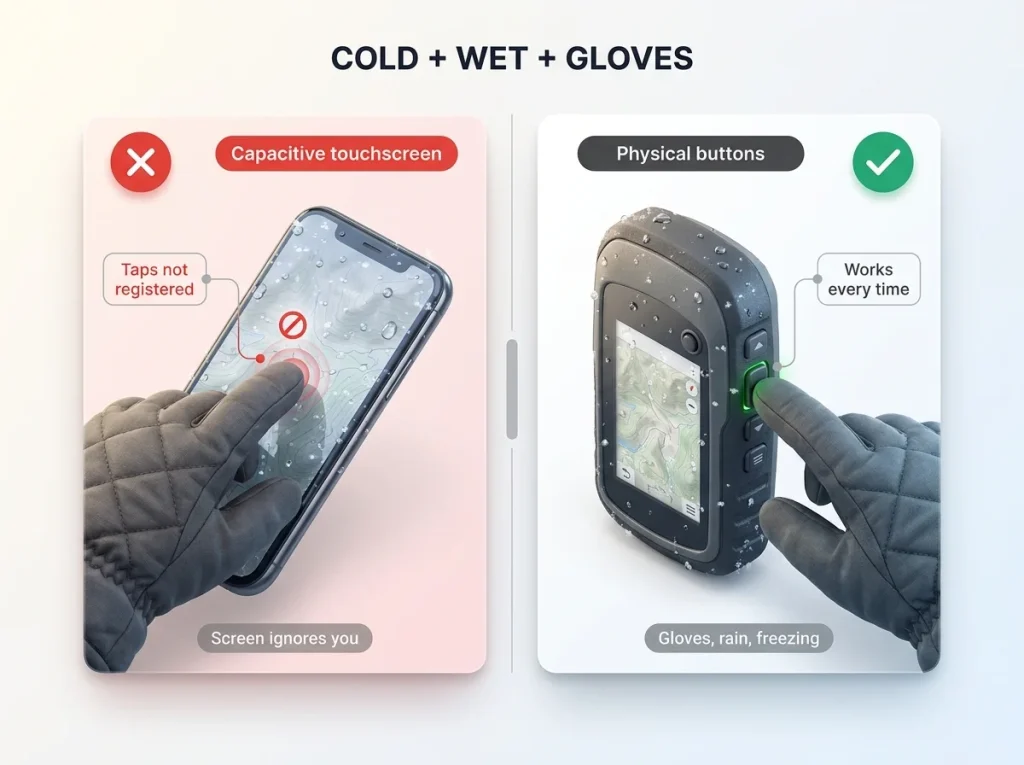
A capacitive touchscreen interface reads the tiny electrical conductance of your skin. Cold, water, and gloves all disrupt that signal, so taps go unregistered and the map will not respond. This is not a software glitch you can restart your way out of, it is how the hardware works. And the timing is cruel: the coldest, wettest moment on the trail is exactly when you most need to check your position and exactly when the screen is least willing to let you. Sleet on the glass and gloves on your hands, and you are stabbing at a map that ignores you.
The Button Interface Advantage
This is the quiet advantage of a button interface. A physical button works with gloves on, in the rain, at any temperature, every single time. Units like the Garmin eTrex and most of the inReach and Messenger line use buttons for exactly this reason. There is nothing clever about it, and that is the point. When conditions turn bad, deliberate and tactile beats sleek and unresponsive.
If your only device is a touchscreen, learn to do the two or three things you actually need (drop a waypoint, check position) before your fingers go numb. In a cold, wet gloved fumble, muscle memory beats squinting at a screen that will not register your tap.
Even a Glove-Friendly Screen Has Limits
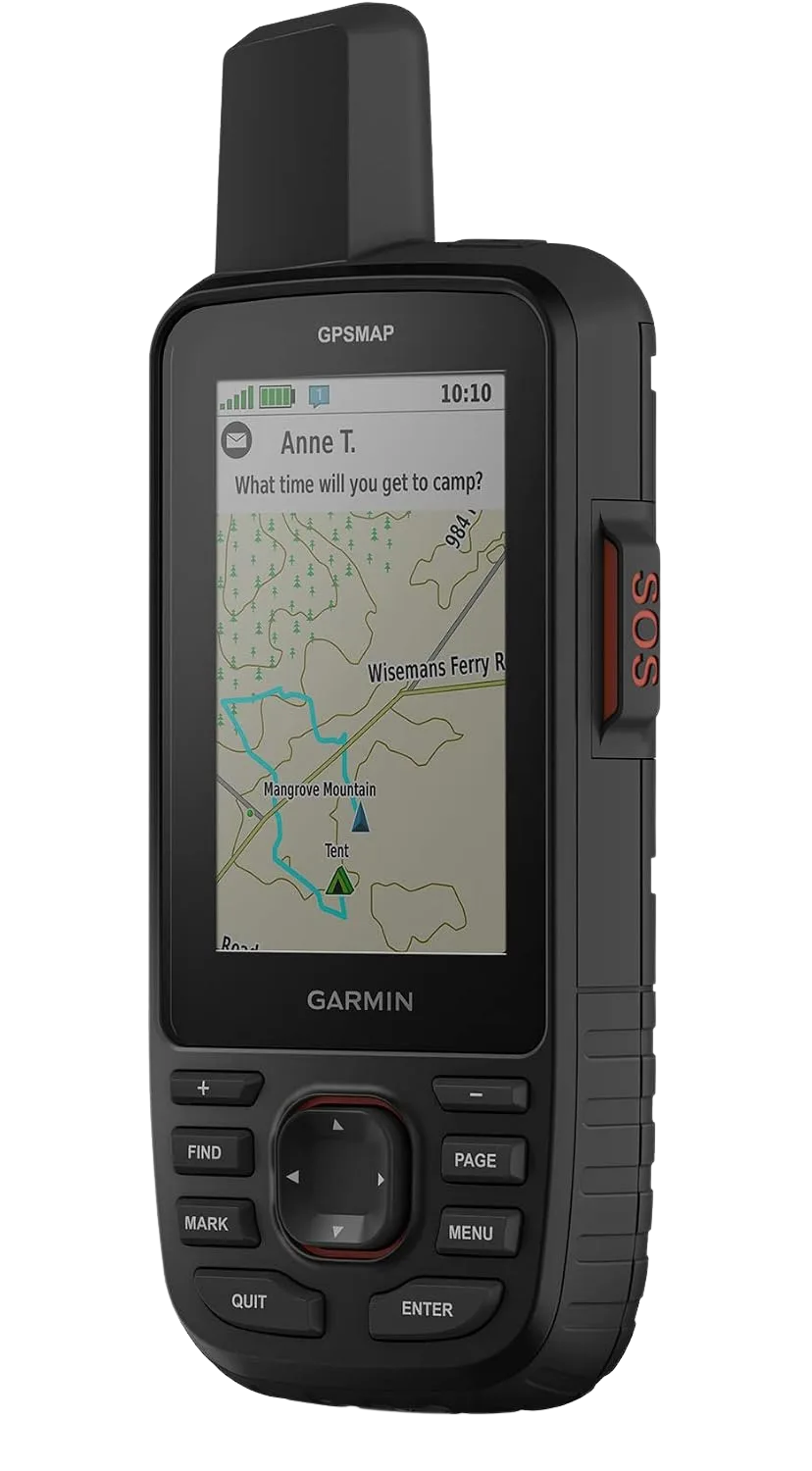
Some units try to solve this with a better screen. The Garmin Montana 750i runs a big 5-inch glove-friendly touchscreen, multi-GNSS, an 8MP geotagging camera, and built-in inReach satellite comms, and it is about as capable as a touchscreen handheld gets. It is worth naming precisely because it shows the tradeoff does not vanish, it just gets smaller. A glove-friendly screen is better in the cold than a phone, but in genuinely bad conditions, freezing sleet coating the glass, physical buttons still edge it out. The best touchscreen is still a touchscreen.
Satellite SOS and How Rescuers Actually Find You
This is the section that sells more devices than any spec sheet, because it is the one about the day everything goes wrong.
What Works When There Are No Bars
A phone needs cell signal to call for help, and much of the backcountry has none. The National Park Service’s own hiking safety guidance (nps.gov) assumes you will not have service once you are in the backcountry, so you should plan as if the phone cannot call out, because often it cannot. A satellite communicator like a Garmin inReach sends two-way messages and an SOS from almost anywhere with a view of the sky. Newer phones have added built-in satellite SOS, which is a genuine step forward, but it is emergency-only, limited, needs a clear sky view, and is far less proven than a dedicated unit. For how the two big satellite messengers compare head-to-head, that comparison deserves its own look before you buy.
How a Rescuer Actually Locates You
Here is the part that gets skipped. It is not just about sending an SOS, it is about how a rescuer finds you afterward. A satellite communicator leaves tracking breadcrumbs and a precise last-known-point ping that search teams can work from. A phone’s location sharing only helps if it had signal when it last updated, which in the backcountry it often did not. On the reliability question, forum threads full of search and rescue voices land in the same place: for battery life and dependability under active use, carry a real handheld, because roughly four hours of phone versus twenty hours of handheld is the difference between a device that is still transmitting when help arrives and one that went dark hours ago. If an SOS-only beacon is more your speed, a dedicated personal locator beacon is the simpler, subscription-free alternative.
The One Device Worth Adding for SOS
If your trips are pushing into remote or solo territory and you are going to add exactly one thing, this is the one the community keeps pointing to.
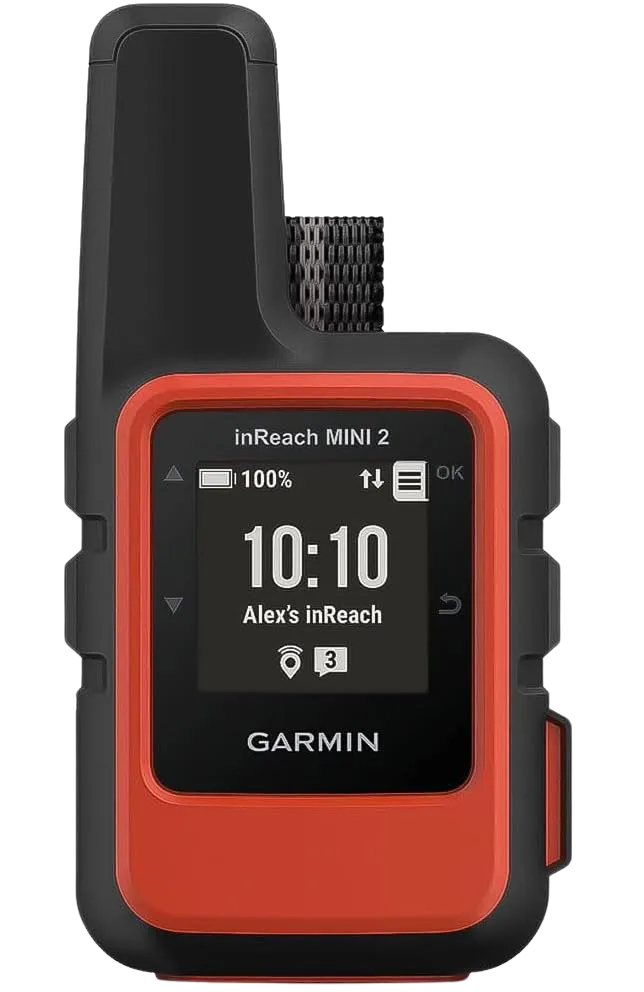
The Mini 2 does not replace your phone’s maps, and it is not meant to. It rides along as the layer that still works when the phone cannot call out, which on a solo or remote trip is the whole reason it is in your pack.
The Subscription Reality
One honest catch: a satellite communicator carries an ongoing subscription plan on top of the purchase price. That is part of the real math, not a hidden fee to gloss over. If you only take one remote trip a year, the flexible month-to-month plans exist for a reason, and it is worth pricing that in before you decide a satellite device is right for your hiking.
The Honest Budget Ladder from $0 to All-In
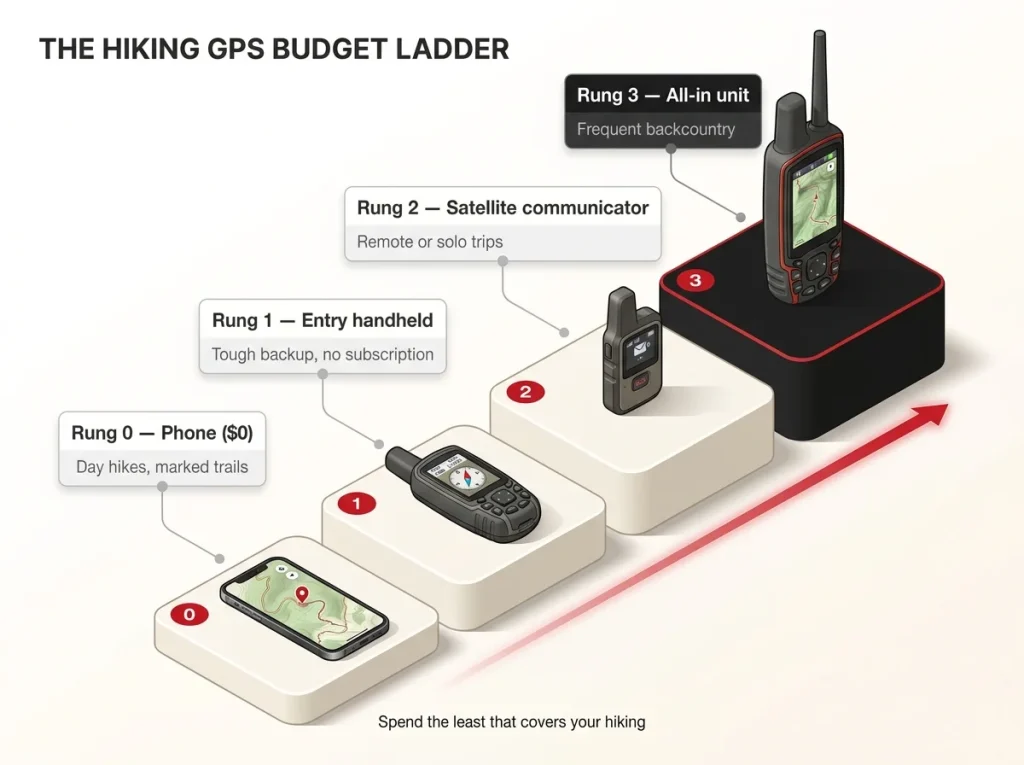
Forget “GPS units cost $200 to $600.” That range tells you nothing about what you should spend. Here is what each rung actually buys, and whether your hiking needs it.
Rung 0 and Rung 1, Free to Entry
Rung 0 is zero dollars: the phone you already own plus a free offline app. For most day hikers, this is the right answer and the ladder ends here. Do not overthink it.
Rung 1 is the cheapest legitimate step up to a dedicated device. The Garmin eTrex 22x is a rugged, button-based handheld with multi-GNSS and no satellite comms, and it is for the hiker who wants a tough, no-subscription backup that shrugs off cold and wet where a phone struggles. It will not message anyone, but it will keep working when your phone taps out.
Rung 2 and Rung 3, Satellite and All-In
Rung 2 is a satellite communicator like the inReach Mini 2 above, which adds emergency messaging for remote and solo trips. Rung 3 is the do-everything unit: full navigation and satellite comms in one box.
Which Rung Your Hiking Actually Needs
Most readers should stop at rung 0 or rung 1. Day hikers on marked trails, rung 0. Hikers who want a tough backup or who hate babying a phone in bad weather, rung 1. Only the specific trip profiles, frequent remote, off-trail, multi-day, or solo hiking, justify climbing to rung 2 or 3. The ladder is a tool for spending the least money that actually covers your hiking, not for talking yourself into the top rung.
Why the Smart Move Is Carrying Both
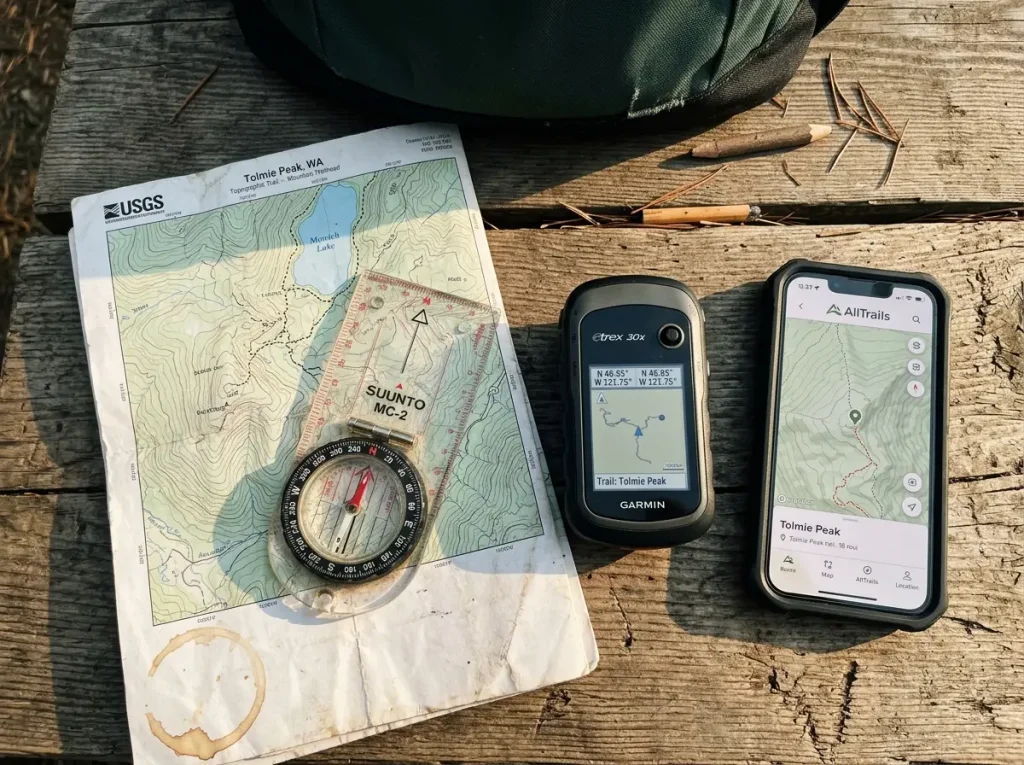
Notice that the veterans are not really in the “phone versus GPS” fight at all. They carry layers, because the one time it matters, one device has already failed.
The Three-Layer System
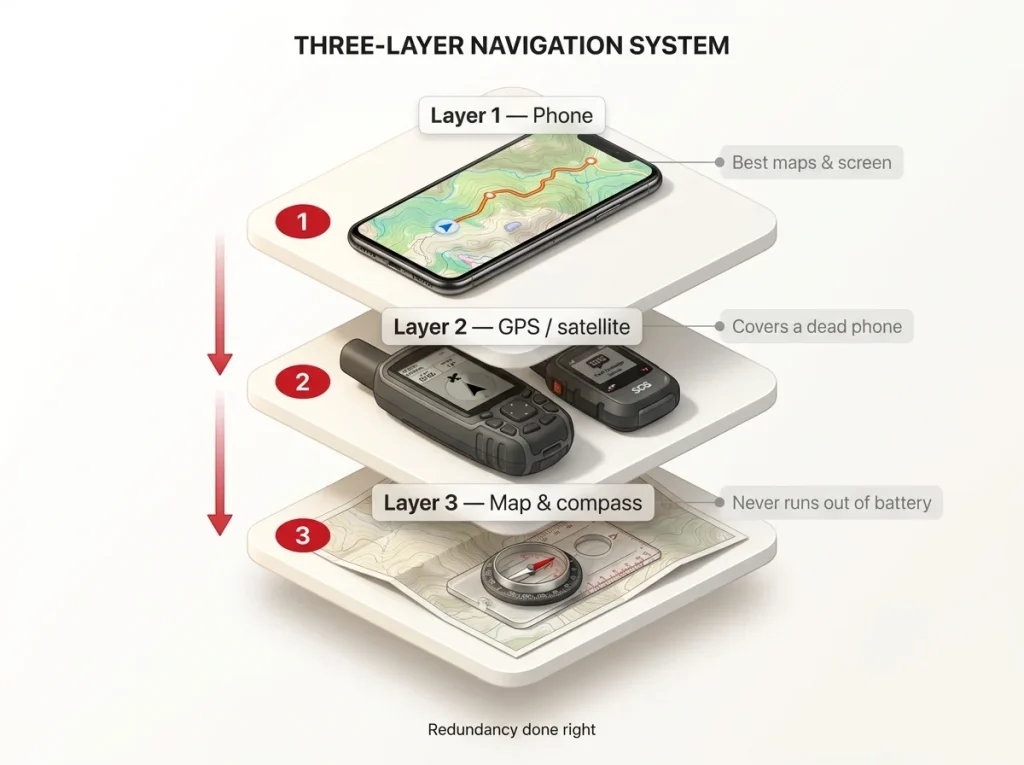
The three-layer navigation system is simple, and it is really just redundancy done right: the phone is your primary, with the best maps and the biggest screen. A dedicated GPS or satellite communicator is the rugged, long-battery, SOS-capable backup navigation layer. And a paper map and compass is the third layer, the one that never runs out of battery, never cracks, and never loses signal. The National Park Service’s Ten Essentials (nps.gov) still puts navigation near the top of the list, with the quiet assumption that you can actually read a map and compass too. Learning to read a paper topo map is what makes that third layer real instead of decorative.
What Each Feels Like at a Trail Junction
The tools feel different in the moment, and that matters more than specs. On a handheld, marking a waypoint at a junction is a deliberate press of a button, a small physical act you can do without looking. On a phone, it is a quick tap on a pin, fast and easy right up until your fingers are cold and the screen ignores you. When the fix drifts, you learn to trust the trail under your feet over the dot on the screen. And when both electronics are being difficult, you pull the paper map, which is the whole reason it is in your pack.
Before every trip, say out loud which of the four triggers it hits: remote, off-trail, multi-day, solo. Zero triggers, your phone is fine. One or more, that is your cue to add a layer. That ten-second gut check beats any spec comparison.
The Layer That Never Dies
Batteries die, screens crack, and signal vanishes. The analog navigation skills that work when every battery is dead are the ones that turn a scary situation into an annoying one. You do not need to carry all three layers on a quick local loop. But the moment a trip goes remote, off-trail, multi-day, or solo, bringing only a phone is the mistake that gets skipped right up until the one time it matters.
Conclusion
Three things to walk away with. First, for most hikes, your phone with offline maps is genuinely enough, so do not let a gear roundup talk you out of the tool already in your pocket. Second, the moment your trip goes remote, off-trail, multi-day, or solo, the answer flips toward a dedicated GPS or satellite communicator, mostly for battery life and emergency SOS. Third, the experienced move is not picking a side, it is carrying layers so that no single dead device ends your day.
Before your next trip, honestly name which of the four triggers it hits. That answer, not a spec sheet, tells you exactly what to carry.
Frequently Asked Questions
01Is a GPS device better than a phone for hiking?
For most marked day hikes, no, a phone with downloaded offline maps handles navigation fine. A dedicated GPS wins on battery, durability, and signal for remote, off-trail, multi-day, or solo trips.
02How much battery does a phone lose in cold weather while hiking?
Lithium-ion capacity can drop to around 50% at 0°F, and the cold drains it before you even use the phone. Keep it in an inner pocket against body heat, and never charge a cold-soaked phone.
03Can a smartphone replace a Garmin inReach for emergencies?
Not reliably yet. Some new phones have emergency satellite SOS, but it is limited and needs a clear sky view. A Garmin inReach sends two-way messages and tracks your location from almost anywhere, which is why it is the backcountry standard.
04What GPS app works for hiking without cell service?
Apps like Gaia GPS, AllTrails, and CalTopo work offline once you download the maps for your area before you leave. The map works with no signal, but plan around battery and a backup, since those problems remain.
05Do you still need a paper map if you carry a GPS?
Yes. A paper map and compass are the one navigation layer that never runs out of battery, cracks, or loses signal. Veterans carry all three layers because the backup only matters the one time the primary fails.
Risk Disclaimer: Hiking, trekking, backpacking, and all related outdoor activities involve inherent
risks which may result in serious injury, illness, or death. The information provided on The Hiking Tribe is for
educational and informational purposes only. While we strive for accuracy, information on trails, gear, techniques,
and safety is not a substitute for your own best judgment and thorough preparation. Trail conditions, weather, and
other environmental factors change rapidly and may differ from what is described on this site. Always check with
official sources like park services for the most current alerts and conditions. Never undertake a hike beyond your
abilities and always be prepared for the unexpected. By using this website, you agree that you are solely
responsible for your own safety. Any reliance you place on our content is strictly at your own risk, and you assume
all liability for your actions and decisions in the outdoors. The Hiking Tribe and its authors will not be held
liable for any injury, damage, or loss sustained in connection with the use of the information herein.
Affiliate Disclosure: We are a participant in the Amazon Services LLC Associates Program, an
affiliate advertising program designed to provide a means for us to earn advertising fees by advertising and linking
to Amazon.com. As an Amazon Associate, we earn from qualifying purchases. We are also an official affiliate partner
of Black Diamond Equipment via the AvantLink network. If you click on a Black Diamond affiliate link and make a
purchase, we may earn a commission at no additional cost to you. We also participate in other affiliate programs and
may receive a commission on products purchased through our links. Additional terms are found in the terms of
service.