In this article
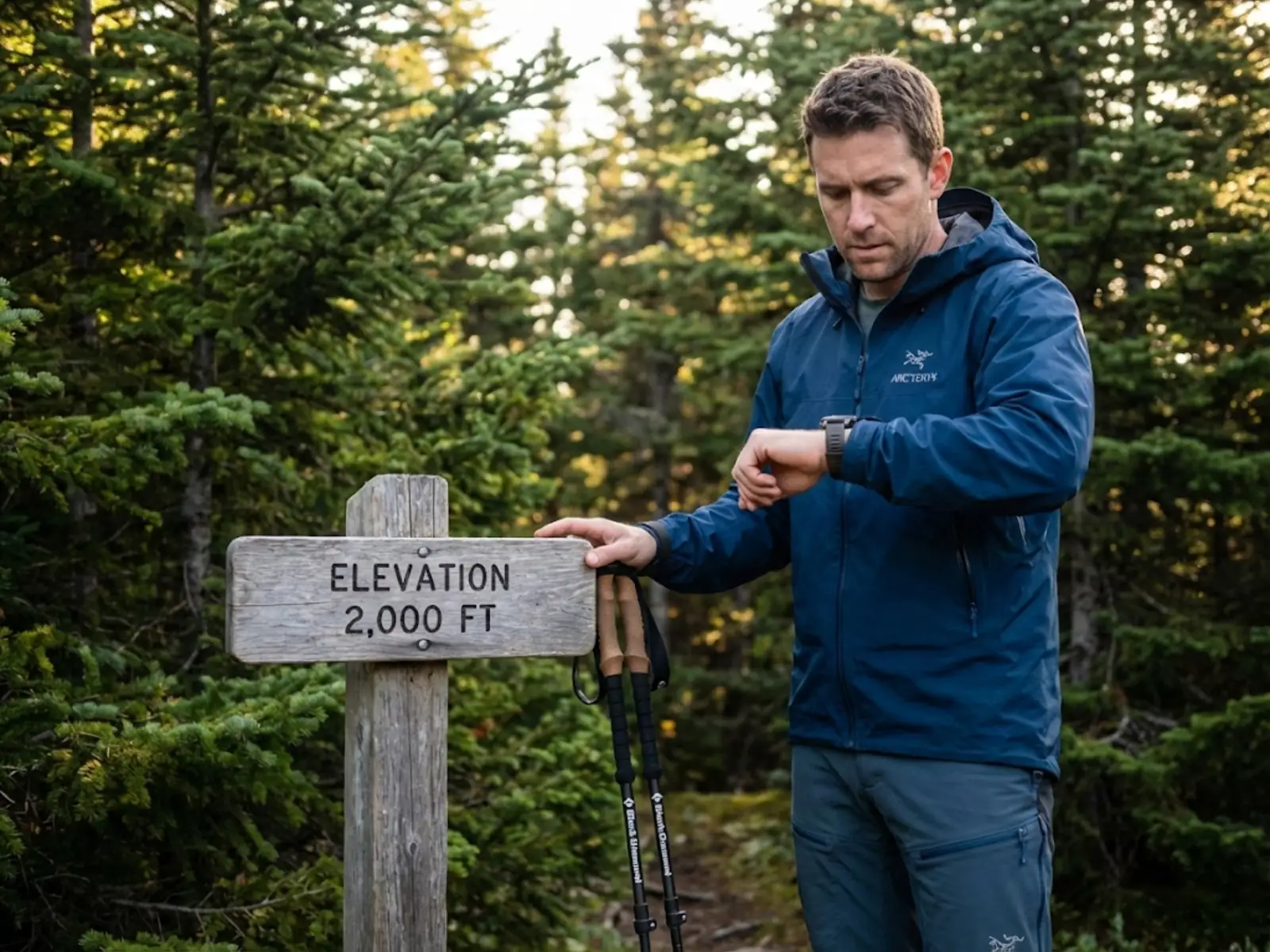
You’re standing at a trailhead sign that reads “Elevation: 2,000 feet.” You glance at your brand-new Garmin Fenix 8, which confidently displays 2,347 feet. By lunch, you’ve climbed 1,200 vertical feet according to your legs and the topo map, but your watch insists you’ve gained 1,450 feet. By the time you return to your car, the same trailhead now reads 1,876 feet on your wrist.
Your altimeter isn’t broken—it’s measuring a chaotic atmosphere that refuses to follow the textbook.
After two decades of backcountry navigation and teaching wilderness skills, I’ve seen this confusion derail route-finding decisions and erode confidence in otherwise reliable gear. The difference between a navigation tool you trust and a weather-guessing device comes down to understanding three things: why barometric altimeters drift, how atmospheric physics sabotages your readings, and the field-tested calibration protocols that transform your watch into a precision instrument.
⚡ Quick Answer: Altimeter watches measure atmospheric pressure and convert it to elevation using a standard atmosphere model. When weather systems change pressure or temperature deviates from standard, your reading drifts—sometimes by hundreds of feet. Fix it by calibrating to a known elevation (trailhead sign, USGS benchmark, or topo map feature) every 2-4 hours in unstable weather. GPS altitude is less precise (±400 feet) but doesn’t drift, making it useful for baseline calibration.
The Physics Behind the Drift: Why Altimeters Lie
Your watch doesn’t measure altitude—it measures barometric pressure and infers elevation using the International Standard Atmosphere (ISA) model. The ISA assumes sea level pressure of 1013.25 hPa and temperature of 15°C, conditions that almost never exist simultaneously in the real world.
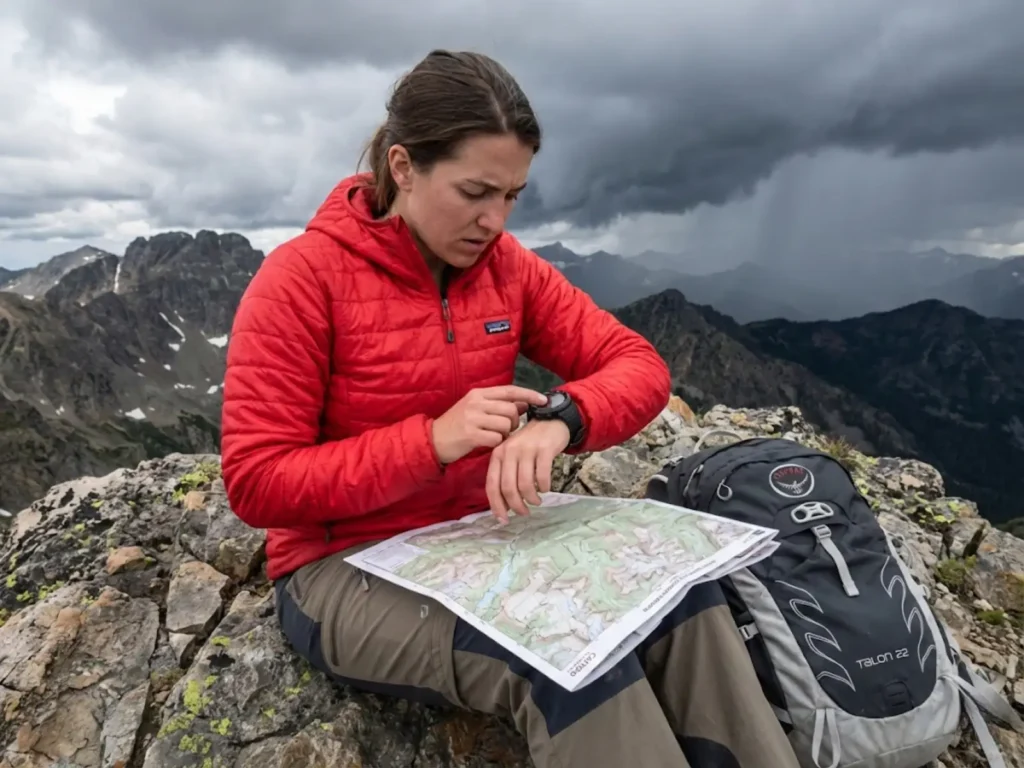
The vertical pressure gradient is approximately 1 hPa per 27-30 feet near sea level. When a low-pressure storm system moves in, pressure drops 4 hPa. Your altimeter interprets this as a 120-foot ascent even though you haven’t moved. I’ve watched my Suunto Core gain 300 feet overnight during a storm while my tent stayed firmly planted at the same elevation.
This gives rise to the critical aviation axiom: “From High to Low, Look Out Below.” Moving from high-pressure to low-pressure areas without recalibrating causes your indicated altitude to read higher than your true position. In extreme weather events, pressure can drop 20-30 hPa, causing altimeter drift of 600-900 feet—enough to put you on the wrong side of a ridgeline. The FAA guidance on barometric altimeter errors documents these hazards for aviation, but the physics apply equally to backcountry navigation.
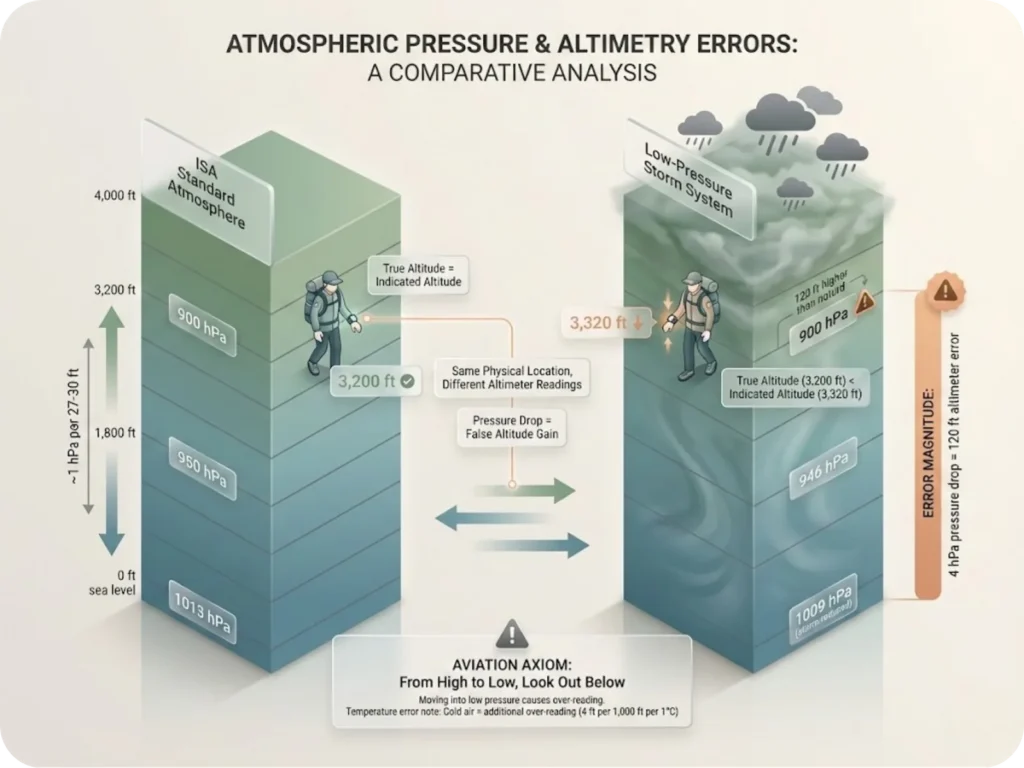
Temperature adds another layer of error. Cold air is denser than warm air, compressing the vertical spacing between pressure levels. The standard rule: 4 feet of error per 1,000 feet of altitude for every 1°C difference from ISA standard temperature.
At 10,000 feet in -25°C conditions (20°C colder than standard), your altimeter will over-read by 800 feet. If you ascend until your watch reads 10,000 feet, you’re physically only at 9,200 feet. When cross-referencing your altimeter with terrain features on your topo map, this error becomes immediately apparent.
Pro tip: Allow 15-30 minutes for your watch to acclimatize to ambient temperature after moving from a heated car to cold outdoors before calibrating. The sensor needs time to stabilize.
Sensor Technology: The Mechanical Reality of MEMS
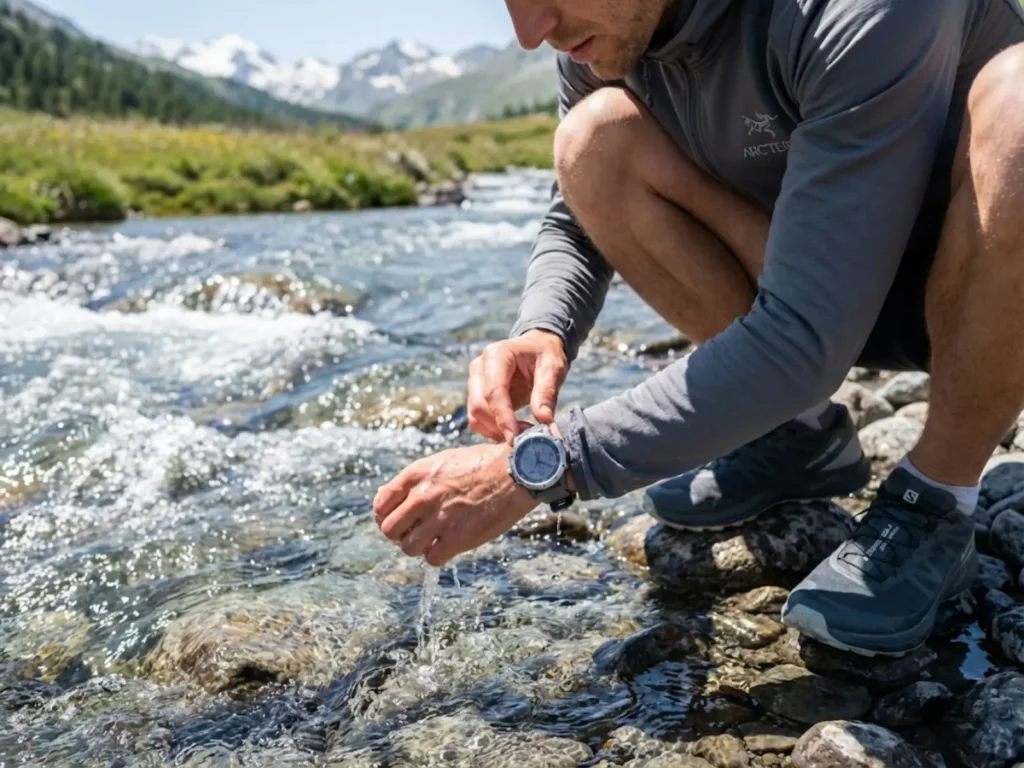
Modern outdoor watches use Micro-Electro-Mechanical Systems (MEMS) with either piezoresistive or capacitive sensing. Piezoresistive sensors use strain gauges on a silicon diaphragm—pressure deforms the diaphragm, changing electrical resistance. Capacitive sensors (like Vaisala’s BAROCAP) measure the gap between a diaphragm and backplate, offering better temperature stability.
High-quality MEMS barometers can detect elevation changes as small as 10 centimeters (4 inches). This precision makes them the gold standard for tracking total ascent/descent on ski tours or multi-pitch climbs.
But this precision comes with vulnerability. The barometer requires a physical port or hole in the watch case to sample ambient air. During intense activity, sweat, body oils, and sunscreen enter this port and dry into salt crystals or viscous plugs.
Garmin Instinct users have reported altimeters reading -7,322 meters due to sensor port obstructions. A blockage isolates the sensor from outside air, trapping a specific pressure. If the dried residue expands, it physically deforms the diaphragm.
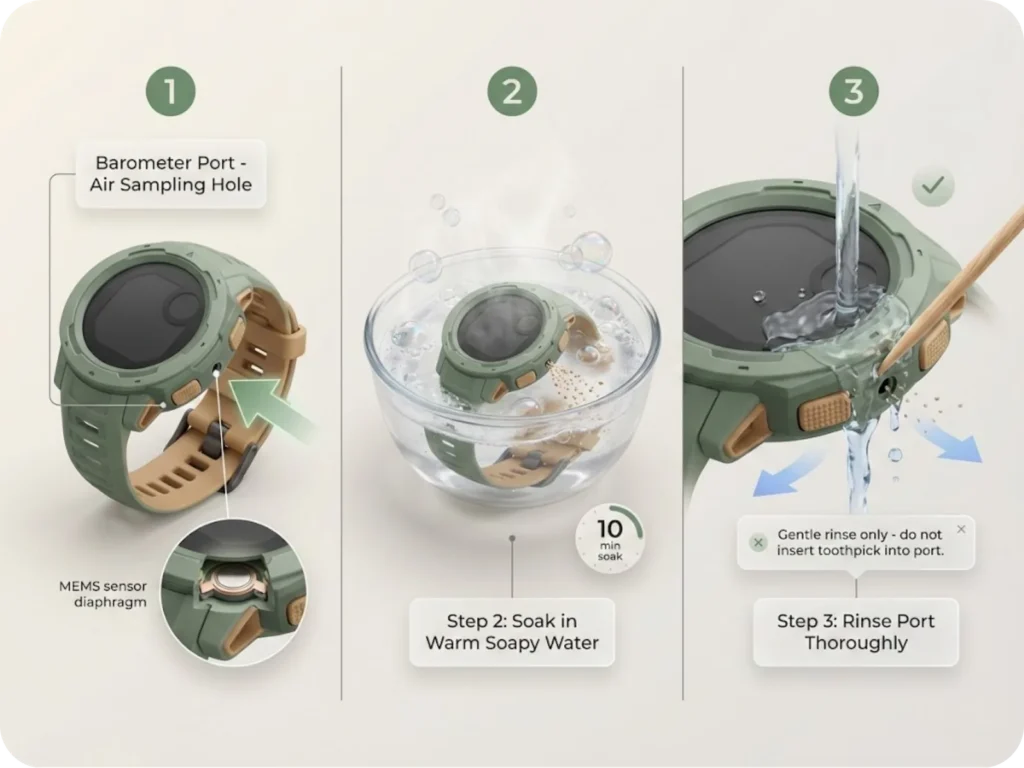
The field fix: soak the watch in warm water with mild detergent for 10 minutes, then rinse the port thoroughly. When evaluating watches, choosing a watch with a well-designed barometer port can prevent the sweat blockage issues that plague certain models.
High-velocity air movement across the sensor port creates another problem. Fast-moving air creates low pressure. Cyclists descending at 40 mph or hikers in strong gusts experience “jittery” elevation profiles. The rushing air lowers pressure at the port, causing the sensor to interpret this as an altitude increase.
GPS vs. Barometric Altitude: Understanding the Tradeoffs
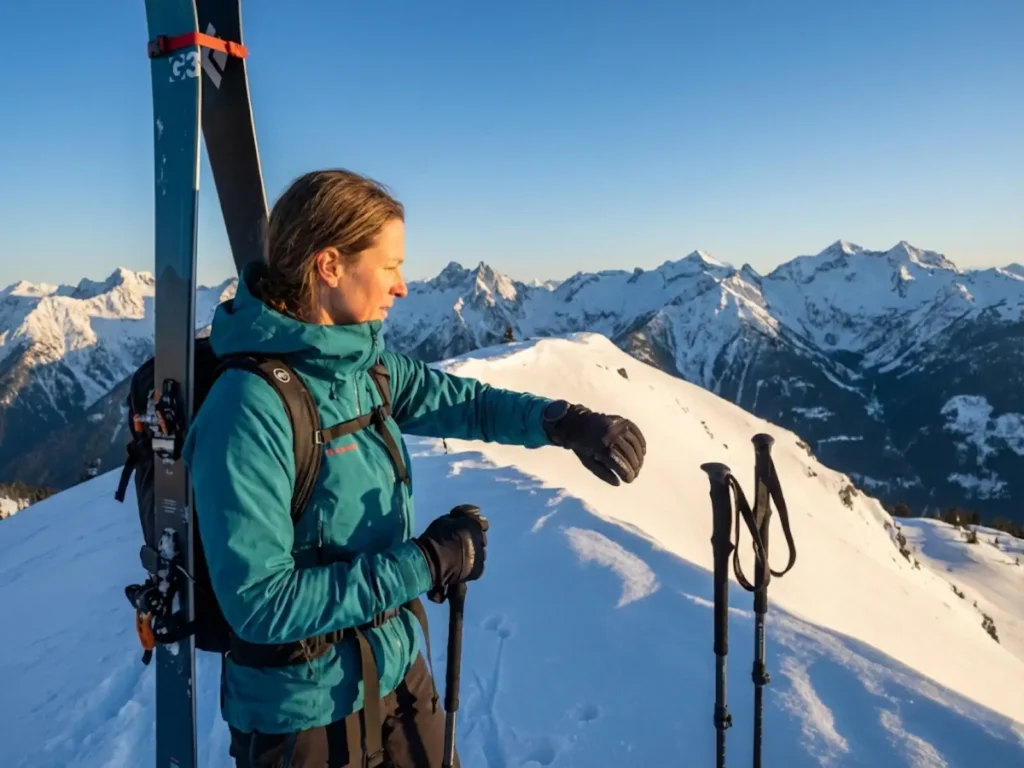
GPS is designed for 2D horizontal positioning—vertical accuracy is mathematically inferior due to satellite geometry. Vertical Dilution of Precision (VDOP) occurs because satellites are only visible in the hemisphere above you. Earth blocks the rest.
Vertical error is typically 1.5 to 3 times larger than horizontal error. The stated tolerance: ±400 feet (120 meters) for consumer GPS elevation without correction. GPS altitude is “noisy”—even when stationary, readings drift up and down due to atmospheric signal refraction.
GPS satellites calculate height relative to a mathematical ellipsoid (smooth approximation of Earth). “Mean Sea Level” is determined by the Geoid (an equipotential gravitational surface). The separation between ellipsoid and geoid varies globally by up to 100 meters.
Barometric altimeters offer superior relative precision (detects 10 cm changes) with smooth data profiles that mirror actual terrain. But they’re highly susceptible to weather-induced drift. GPS doesn’t drift due to weather changes, providing an absolute reference despite the noise.
On a 14-day Cascade Range traverse, I calibrated my barometer to GPS every morning, then relied on barometric data for the day’s terrain tracking. This hybrid approach combines the strengths of both systems.
Suunto FusedAlti™ uses GPS altitude (noisy but doesn’t weather-drift) to continuously calibrate the barometric reference. Garmin Auto Calibration uses GPS location to look up elevation in an onboard Digital Elevation Model (DEM) or uses GPS elevation directly.
The risk: if GPS signal is degraded in a deep canyon, the GPS elevation error increases. If Auto Cal trusts this bad data, it “corrects” the accurate barometer to an incorrect value. Professional users often disable “Continuous Auto Cal” in technical terrain to prevent GPS from corrupting good barometric data.
Just as magnetic declination affects compass accuracy, understanding GPS limitations in navigation helps you recognize when to trust your barometer over your GPS.
The Calibration Hierarchy: From Survey Benchmarks to GPS
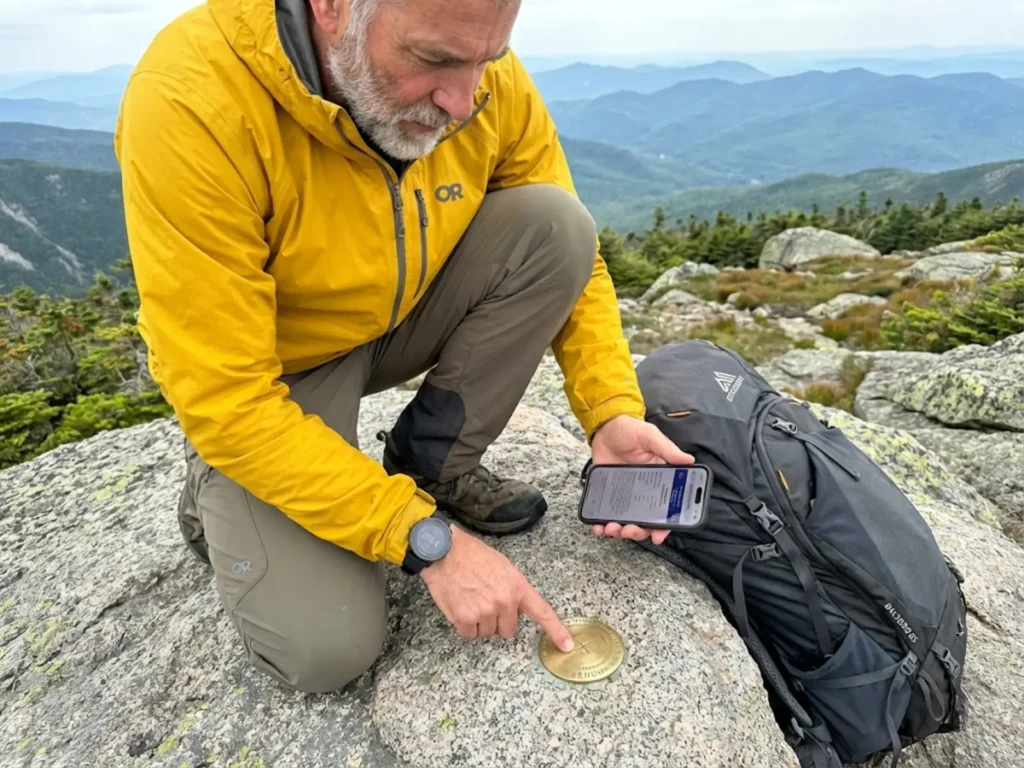
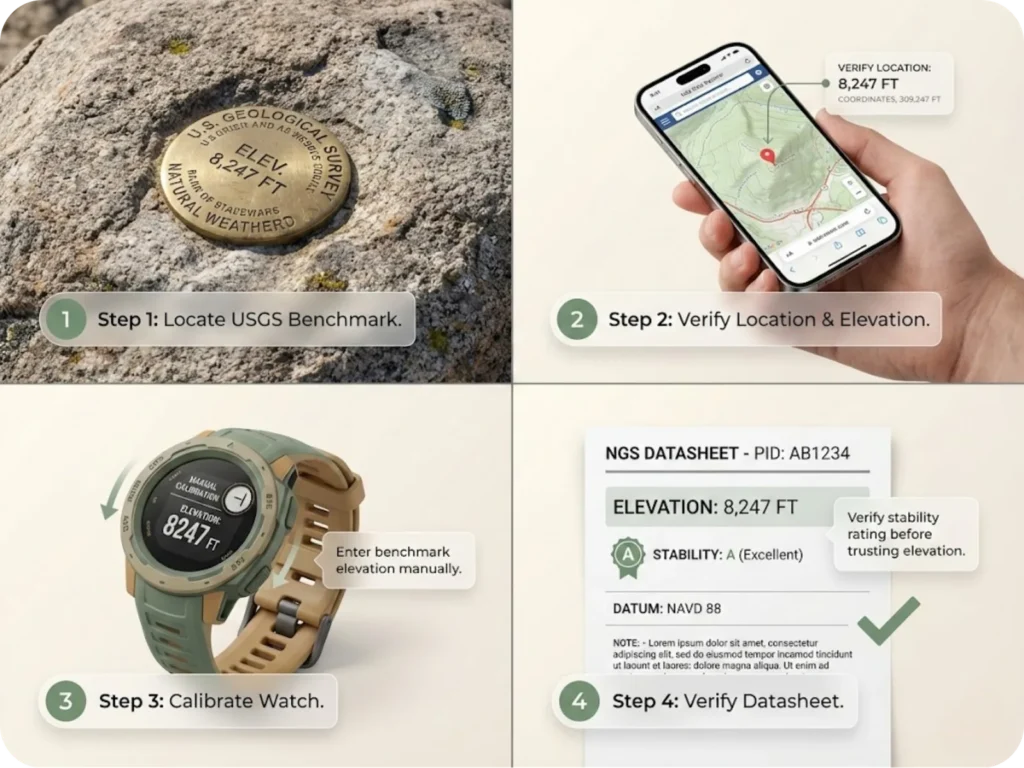
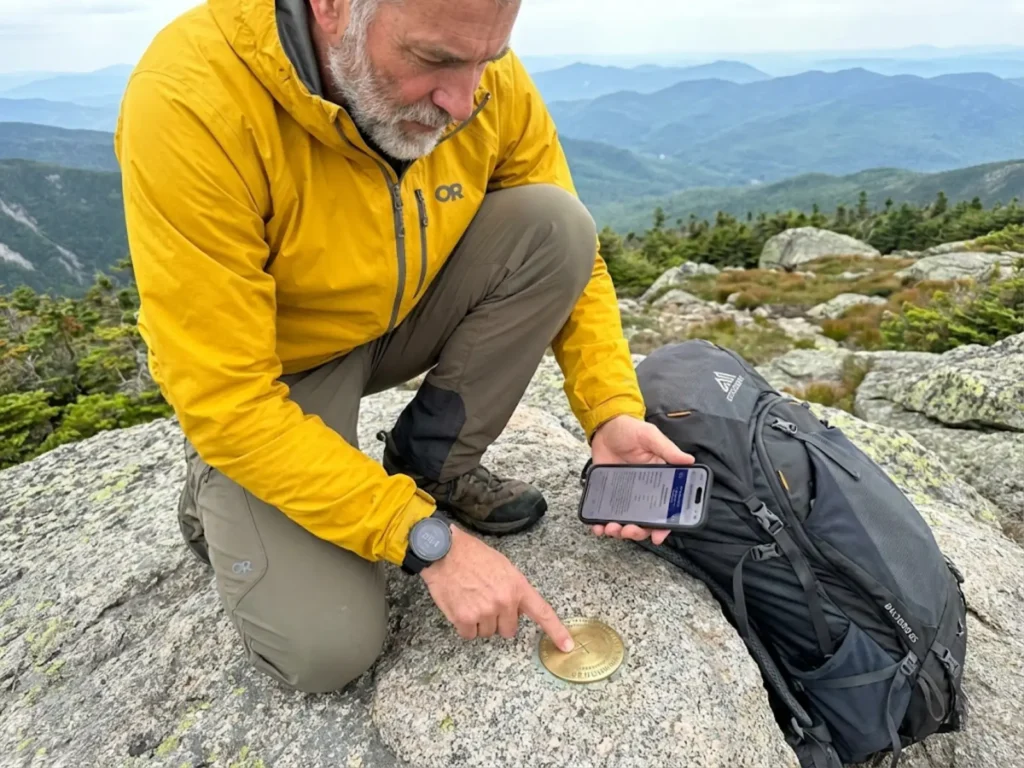
The most accurate method for calibrating an altimeter is physically occupying a USGS survey benchmark. The US Geological Survey and National Geodetic Survey maintain over 800,000 survey markers (brass disks) across the US. Vertical accuracy is often measured in centimeters or millimeters relative to NAVD 88 (North American Vertical Datum of 1988).
Find them using NGS Data Explorer (web map), BenchMap app (Android), or Scientific Altimeter app (iOS). Locate the disk, check the “Stability” rating on the datasheet (ensure ground hasn’t subsided), then enter the elevation manually.
I once hiked 0.3 miles off-trail to calibrate at a benchmark before a winter summit attempt. That 2-foot accuracy difference mattered when navigating in whiteout conditions.
High-end watches (Garmin Fenix 5 Plus and newer, Suunto Vertical) use onboard topo maps from Shuttle Radar Topography Mission (SRTM) or USGS 3DEP. The USGS 3DEP aims for vertical Root Mean Square Error (RMSE) of 0.53 meters, though compressed watch maps may have lower resolution (30-meter grid).
DEM calibration relies on accurate 2D GPS fix. If GPS places you 10 meters off a bridge or cliff, DEM returns the canyon floor elevation, not the bridge deck. This can introduce massive errors in steep terrain.
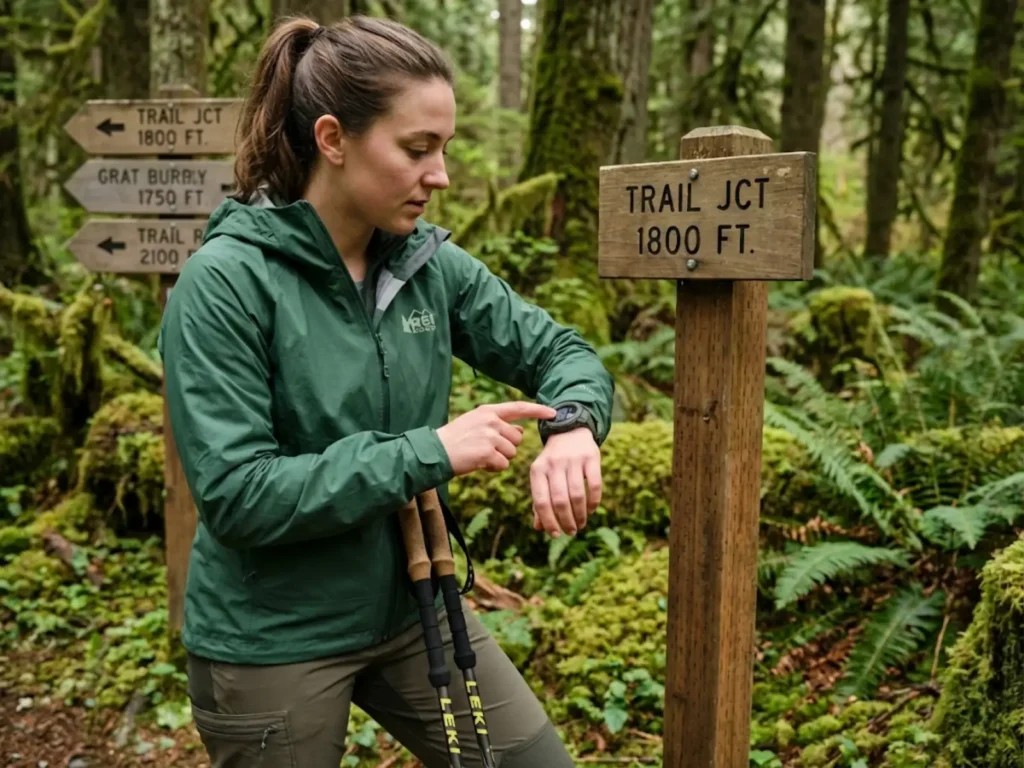
Calibrate at recognizable terrain features identified on a topographic map. Best locations: trailheads, contour line crossings, lake shores, definitively-known mountain summits. Before you can calibrate at a lake shore or ridgeline, you need to master reading contour lines to identify known elevation points to pinpoint your exact elevation.
Only use raw GPS elevation when no other data is available. Ensure clear sky view, stand still for 30-60 seconds to allow GPS solution to settle and average out the “jitter.” Expected error: ±50 to 400 feet.
Pro tip: Calibrate at the trailhead, then recalibrate every 2-4 hours during unstable weather or significant elevation changes. In stable conditions, once per day is often sufficient.
Device-Specific Calibration Protocols
Garmin (Fenix, Instinct, Epix, Enduro): Garmin (Fenix, Instinct, Epix, Enduro): Menu (Mantener) → Sensors & Accessories → Altimeter → Calibrate. Options: Auto Cal, Enter Manually, Use DEM, Use GPS. The Fenix 8 maintains ±10 feet accuracy (calibrated) up to 30,000 feet. The Instinct series is prone to port blockage—soak in warm water if readings become erratic.
Suunto FusedAlti (Suunto 9, Vertical, Race) automatically blends barometric and GPS data. It takes 4-12 minutes to establish reliable reference if not manually entered. Suunto Core requires manual profile management: Menu → Alti-Baro → Profile → (Altimeter/Barometer/Auto).
Coros (Vertix 2S, Apex 2): System → Sensors → Calibration → Elevation.The Vertix 2/2S uses Dual Frequency GPS (L1+L5), improving calibration accuracy in canyons and forests.
Casio Pro Trek models drift with weather and must be calibrated manually. This manual discipline often results in higher precision than lazy use of auto-calibrating GPS watches.
If calibration ease is a priority, comparing calibration features across watch brands will help you choose between manual-only and auto-calibrating models.
Operational Modes: Altimeter vs. Barometer vs. Auto
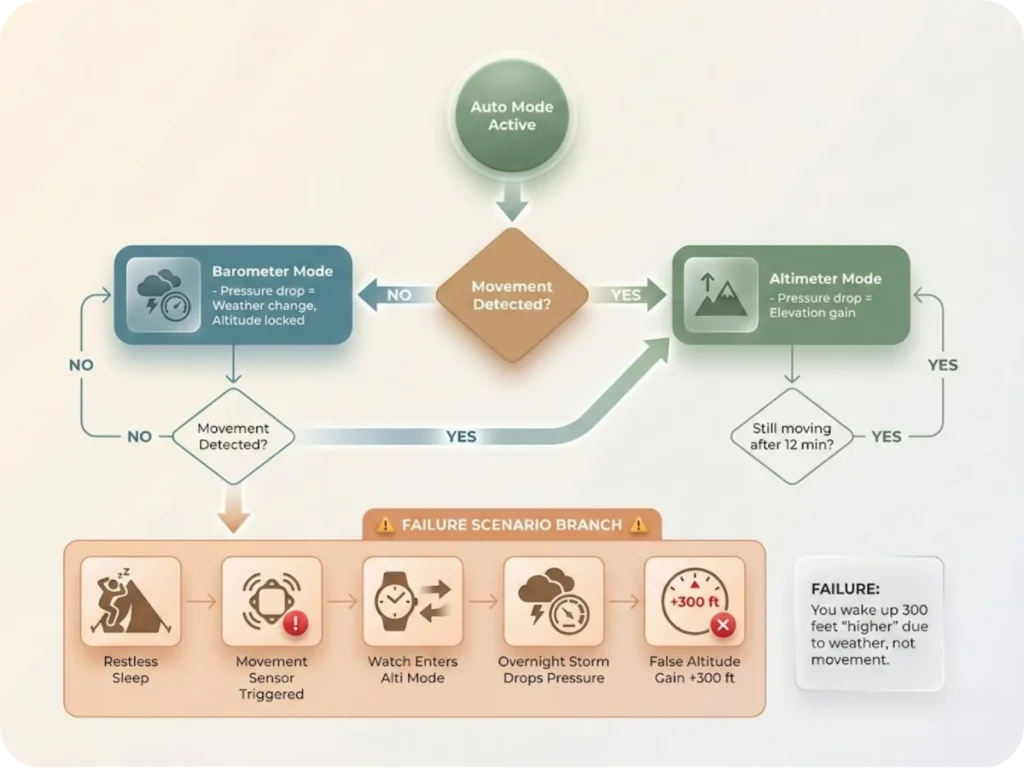
Altimeter Profile (ALTI) assumes all pressure changes are due to elevation change. If pressure drops 4 hPa, the watch adds ~120 feet to elevation reading. Use this during active movement in the backcountry. The risk: if you stop for lunch and a storm rolls in, your altitude will drift upward while you sit eating.
Barometer Profile (BARO) assumes you’re stationary at a fixed elevation. If pressure drops 4 hPa, altitude reading remains locked; the watch displays a drop in Sea Level Pressure. Use this overnight at camp or when monitoring weather at a fixed location. The risk: if you start hiking in this mode, your altitude won’t change on the display.
Automatic Profile uses an internal accelerometer (step counter) to switch modes. Movement detected = Altimeter mode. No movement for a set period (e.g., 12 minutes on Suunto) = Barometer mode.
The failure mode: “drift while sleeping.” If you toss and turn, the accelerometer triggers Altimeter mode. If pressure changes overnight, the watch interprets it as elevation change. You wake up at a “different altitude.”
The Storm Alarm triggers at a 4 hPa (0.12 inHg) drop over 3-hour period (Suunto Core, Garmin Fenix standard). It generally only functions in Barometer Mode or Auto Mode (when stationary). If the device is in Altimeter mode, it assumes pressure drop is due to climbing, so you might not get a storm alarm during a rapid ascent in deteriorating weather.
When your watch’s storm alarm triggers in Barometer mode, it’s time to start recognizing storm conditions that lead to hypothermia before conditions deteriorate further.
Pro tip: Switch to Barometer mode before sleeping to prevent overnight drift. Recalibrate in the morning before resuming your hike.
The SAR-Grade Calibration Protocol
Search and Rescue operations require vertical precision where a 200-foot error means searching the wrong valley. Ensure all team devices reference the same datum (WGS84 for GPS, but paper maps may use NAD27). Mismatched datums can introduce hundreds of meters of error.
All team members must calibrate to the same known elevation at the Incident Command Post before dispersing. On a multi-day SAR operation in the North Cascades, we synchronized at the trailhead every morning before splitting into search grids.
Recalibrate at known saddles or peaks when weather fronts move in. This prevents cumulative drift from compounding over long operations.
Even if you’re not on an SAR team, creating a trip plan that includes your calibration baseline ensures rescuers know what datum and calibration method you’re using if something goes wrong.
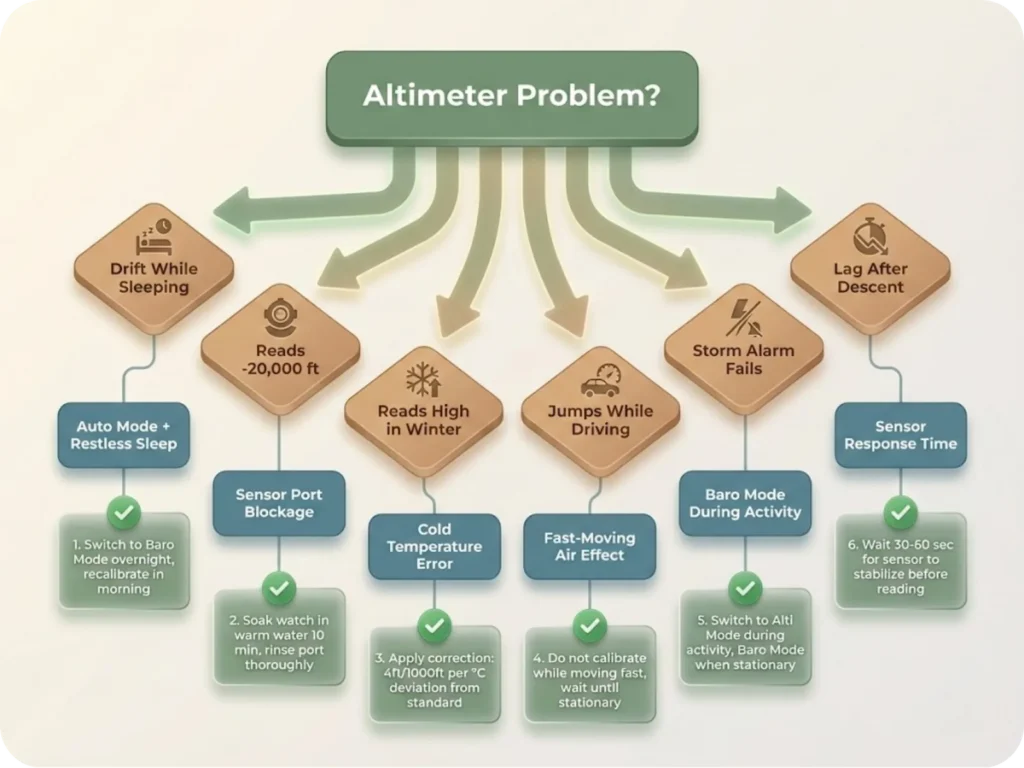
Common troubleshooting: Drift while sleeping? Switch to Baro Mode overnight, recalibrate in morning. Reads -20,000 ft? Sensor port blockage (sweat/salt)—soak watch in warm water for 10 minutes, rinse port. Reads high in winter? Cold temperature error—apply correction: 4ft/1000ft per °C deviation. Jumps while driving? Fast-moving air effect—do not calibrate while moving fast.
Conclusion
Your altimeter isn’t lying to you—it’s telling you the truth about a chaotic atmosphere that refuses to behave like the textbook model. The difference between a navigation tool you can trust and a weather-guessing device comes down to three principles:
Understand the physics. Pressure and temperature changes cause drift. This isn’t a bug; it’s atmospheric reality. Calibrate religiously. Use the highest-quality reference available (survey benchmarks u003e DEM u003e topo features u003e GPS), and recalibrate every 2-4 hours in unstable weather. Trust trend, doubt absolute. Your barometer excels at telling you how much you’ve climbed, but it’s poor at telling you exactly where you are without recent calibration.
The next time your watch shows a different elevation than the trailhead sign, you’ll know whether it’s atmospheric drift, temperature error, or a clogged sensor port. More importantly, you’ll know exactly how to fix it.
FAQ
How often should I calibrate my altimeter watch when hiking?
Calibrate at the trailhead before starting, then every 2-4 hours during unstable weather or significant elevation changes. In stable conditions, once per day is often sufficient. Always recalibrate at known elevation points like trail junctions marked on your topo map.
Is GPS or barometric altimeter more accurate for hiking?
Barometric altimeters offer superior precision (±10-50 feet when calibrated) for tracking elevation changes, but they drift with weather. GPS altitude is less precise (±400 feet) but doesn’t drift. The best approach is using a hybrid system: calibrate your barometer to GPS or a known point, then rely on barometric data for terrain tracking.
Why does my altimeter change even when I’m not moving?
Weather systems cause atmospheric pressure to rise and fall. A 4 hPa pressure drop (typical of an approaching storm) causes your altimeter to indicate a 120-foot elevation gain even though you haven’t moved. This is why you must switch to Barometer mode when stationary overnight.
Can I calibrate my altimeter watch without a known elevation?
Yes, but with reduced accuracy. Use your GPS elevation (±400 feet error), look up your location in an onboard Digital Elevation Model if your watch has one, or hike to a mapped topographic feature like a lake shore or summit with a known elevation. Survey benchmarks provide the most accurate calibration.
How do I fix an altimeter that’s reading wildly inaccurate elevations?
First, check for sensor port blockage—soak the watch in warm water for 10 minutes and rinse the port if you suspect sweat or salt buildup. Second, allow 15-30 minutes for temperature stabilization if you’ve moved from a heated car to cold outdoors. Third, manually calibrate to a known elevation. If problems persist, the sensor may need professional service.
Risk Disclaimer: Hiking, trekking, backpacking, and all related outdoor activities involve inherent
risks which may result in serious injury, illness, or death. The information provided on The Hiking Tribe is for
educational and informational purposes only. While we strive for accuracy, information on trails, gear, techniques,
and safety is not a substitute for your own best judgment and thorough preparation. Trail conditions, weather, and
other environmental factors change rapidly and may differ from what is described on this site. Always check with
official sources like park services for the most current alerts and conditions. Never undertake a hike beyond your
abilities and always be prepared for the unexpected. By using this website, you agree that you are solely
responsible for your own safety. Any reliance you place on our content is strictly at your own risk, and you assume
all liability for your actions and decisions in the outdoors. The Hiking Tribe and its authors will not be held
liable for any injury, damage, or loss sustained in connection with the use of the information herein.
Affiliate Disclosure: We are a participant in the Amazon Services LLC Associates Program, an
affiliate advertising program designed to provide a means for us to earn advertising fees by advertising and linking
to Amazon.com. As an Amazon Associate, we earn from qualifying purchases. We are also an official affiliate partner
of Black Diamond Equipment via the AvantLink network. If you click on a Black Diamond affiliate link and make a
purchase, we may earn a commission at no additional cost to you. We also participate in other affiliate programs and
may receive a commission on products purchased through our links. Additional terms are found in the terms of
service.