In this article
You’re two hours overdue. Your phone died at mile four. And the only person who knew you were out here has no idea which trail you actually took. Somewhere, a search and rescue coordinator is about to get a call—and the quality of information your contact provides will determine whether they find you in four hours or forty.
That gap isn’t luck. It’s the difference between a proper trip plan and a scribbled text that said “Going hiking, back later.”
I’ve spent years hiking solo in remote wilderness—from the Pacific Northwest’s fog-drenched ridges to desert canyons that swallow cell signals whole. I’ve seen what happens when plans fall apart. Here’s the protocol that SAR teams actually want you to follow—the complete solo hiking communication system that could save your life.
⚡ Quick Answer: Before any solo hike, share a detailed itinerary with a trusted contact that includes your exact trail name, trailhead GPS coordinates, vehicle description, expected return time, and a photo of yourself in your hiking gear. Establish a clear escalation timeline—when should they call 911 if you don’t check in? For remote areas without cell service, carry a satellite messenger like the Garmin inReach or ZOLEO. After your hike, send a confirmation message within 30 minutes of returning to your car.
The First Line of Defense: Building Your Pre-Hike Plan
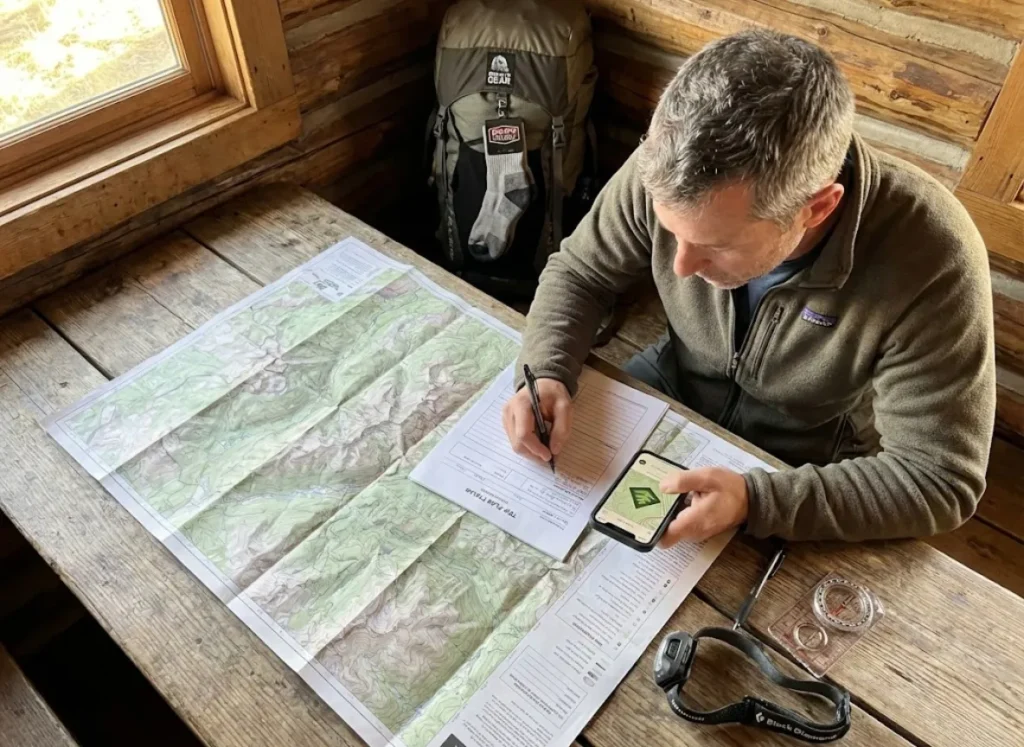
The most critical safety measure for solo hiking happens before you ever hit the trail. Your pre-hike planning is the first piece of evidence that helps someone find you if everything goes wrong.
What to Include in Your Solo Hiking Itinerary
A proper solo hiking safety plan isn’t a casual “I’m going for a hike” text. It’s a document with specific, actionable details that SAR teams can use immediately.
Your itinerary must include the exact trail name and trailhead location—not just “going to the mountains.” Add your planned start and end times, vehicle description with license plate, and your parking spot as precisely as possible. GPS coordinates for the trailhead parking area can cut SAR response times by hours.
Include a recent photo of yourself in your hiking gear so searchers know exactly what you look like in the field. List your emergency contact numbers, any medical conditions or allergies, and alternate routes you might take if conditions change. The Appalachian Trail Conservancy’s safety protocols recommend including your trail name or alias if you use one for thru-hiking or extended trips.
Pro tip: Don’t just describe your car—include where you expect to park. “Third lot on the right past the ranger station” is infinitely more useful than “the parking lot.”
Choosing Your Trusted Contact
Your trusted contact is not just someone who knows you’re hiking. They’re your designated emergency responder—the person who will execute your escalation protocol if you miss your check-in.
Choose someone who will be reliably available during your hike window. They should be geographically close enough to the trail region to know local context, or at minimum, know who to call. Most importantly, they need to stay calm under pressure and make a coherent 911 call if needed.
Provide them with a printed copy of your full itinerary and the direct phone number for the local ranger station or park dispatch. Discuss your escalation timeline explicitly before you leave: how long after your expected return time should they start making calls? Thirty minutes? Two hours? The answer depends on trail conditions and your experience level—but it should be defined in advance, not improvised when panic sets in.
The Document Your Contact Needs
Consider creating a formal solo hiking safety plan PDF with fillable fields that you complete before each trip. This document becomes your contact’s playbook if things go wrong.
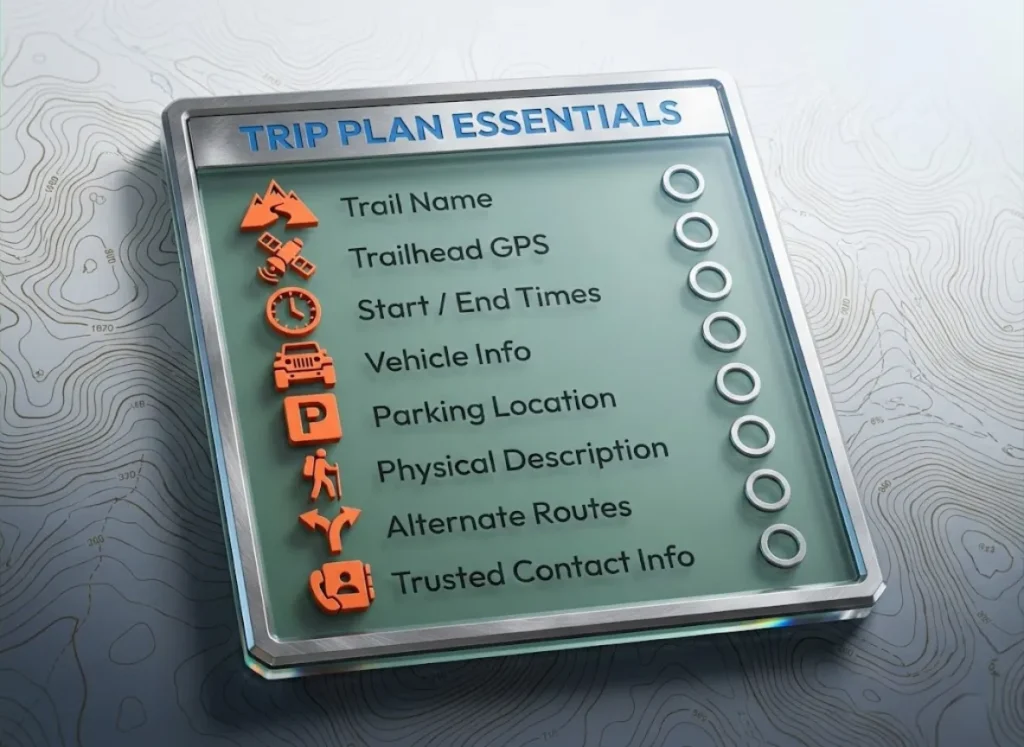
It should include every itinerary detail, your photo, an emergency contact cascade (911 → ranger station → family), and your exact escalation script. For international adventure travel or remote trips, add copies of your travel insurance policy numbers and the insurer’s emergency hotline.
During-Hike Communication: From Cell Phone to Satellite
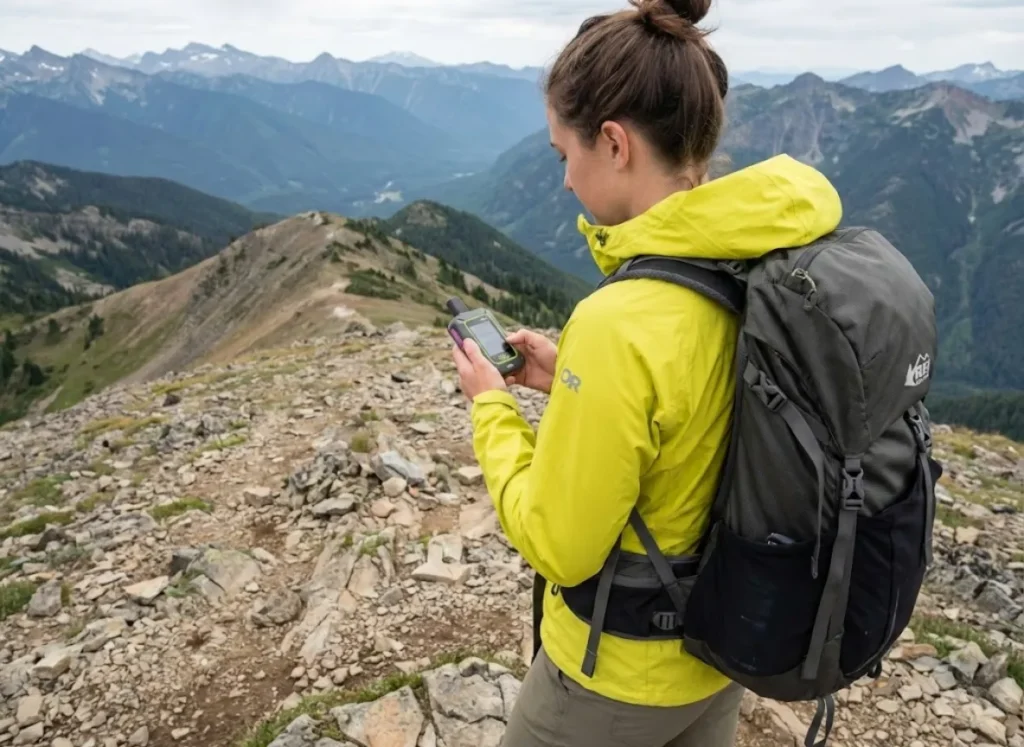
Your communication planning doesn’t end when you leave the trailhead. Maintaining contact during your hike—even in remote wilderness areas—is the second layer of your safety system.
Phone-Based Location Sharing
Live location sharing via smartphone (Apple Find My, Google Maps, WhatsApp) works beautifully—when you have cell coverage. And coverage maps are notoriously optimistic.
Enable share location before leaving cell range, and set it to share indefinitely rather than “for 1 hour.” Use apps like AllTrails or Gaia GPS with downloaded offline maps so you can track your position even without signal.
iPhone 14 and newer users have access to Emergency SOS via Satellite—a free feature that works without cell service but requires clear sky view and is limited to emergency contacts only. It’s better than nothing, but it’s not a replacement for a dedicated satellite messenger.
Pro tip: Phone batteries drain three times faster in cold conditions and when constantly searching for signal. Carry a power bank or accept that your phone may die when you need it most.
Satellite Messengers and PLBs
When cell service ends, satellite messengers and personal locator beacons take over. Understanding the difference between them is critical for choosing the right emergency communication device.
Satellite messengers like the Garmin inReach Mini 2, Garmin inReach Mini 3 Plus, ZOLEO Satellite Communicator, and SPOT Messenger provide two-way messaging anywhere on Earth via the Iridium satellite network or Globalstar. They require monthly subscriptions ($15-$65/month) but allow routine check-ins, weather updates, and SOS alerts with GPS tracking accuracy.
Personal locator beacons like the ACR ResQLink are one-way, emergency-only devices. When activated, they send your GPS position to NOAA/SARSAT—but they can’t receive replies. There’s no subscription fee, making them attractive for hikers who want a nuclear option without ongoing costs.
The decision framework is simple: if you want routine check-in systems and weather updates, invest in a satellite messenger. If you only need emergency SOS capability, choose a PLB. For serious emergency communication devices in remote terrain, many solo hikers carry both.
Device battery optimization matters for multi-day backpacking trips. Set tracking intervals to 10 minutes instead of 2 minutes—this extends battery life from hours to potentially 100+ hours without significant safety trade-offs.
Trail Registers and Physical Breadcrumbs
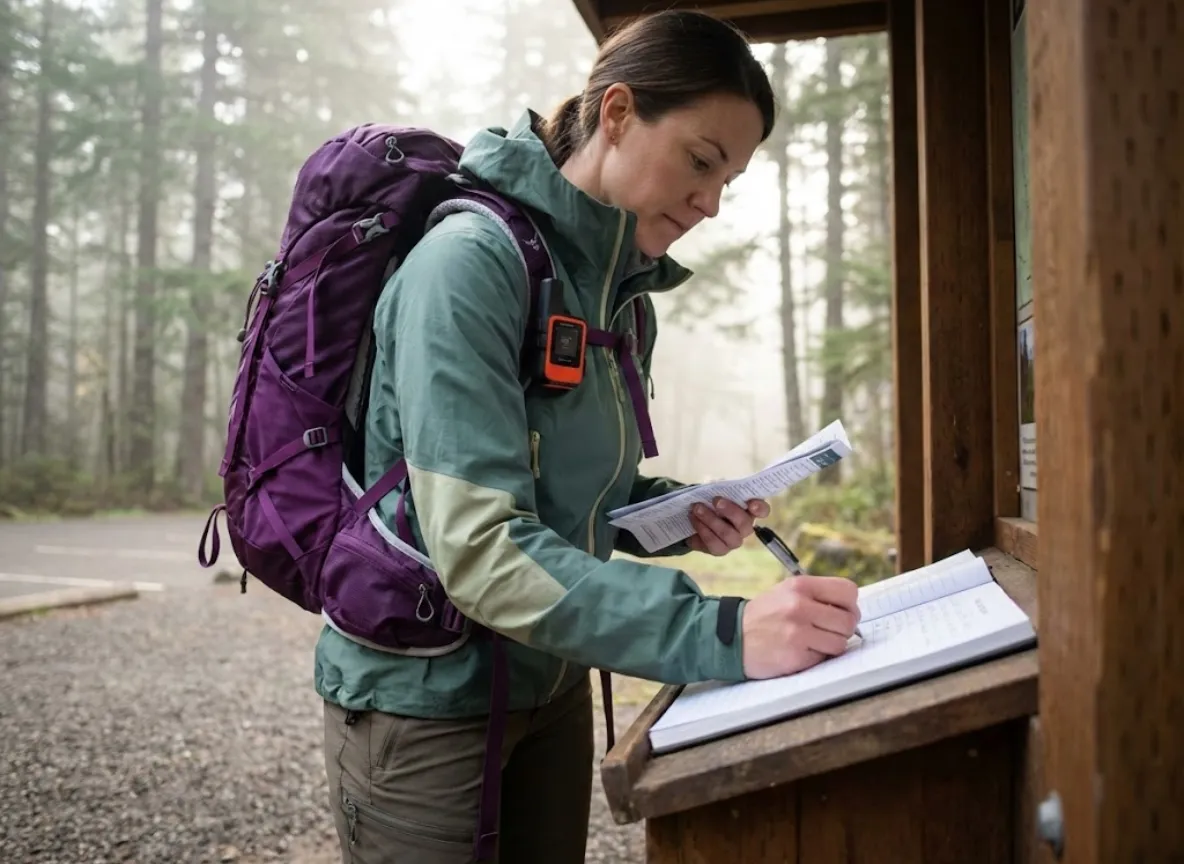
Low-tech safety measures still matter. Trail register usage at trailheads creates a physical location breadcrumb for rangers and SAR teams. The Appalachian Trail Conservancy recommends signing in at every shelter register, even if it feels redundant.
For privacy, use your first initial and last name or a trail name rather than your full legal name. For remote trails without registers, leave a note on your dashboard visible through the windshield with your planned route and expected hiking time.
I’ve had rangers tell me they check trailhead parking lots for overdue vehicles. A dashboard note with your ETA is the low-tech equivalent of a satellite ping.
The Escalation Protocol: What Your Contact Does If You Don’t Check In
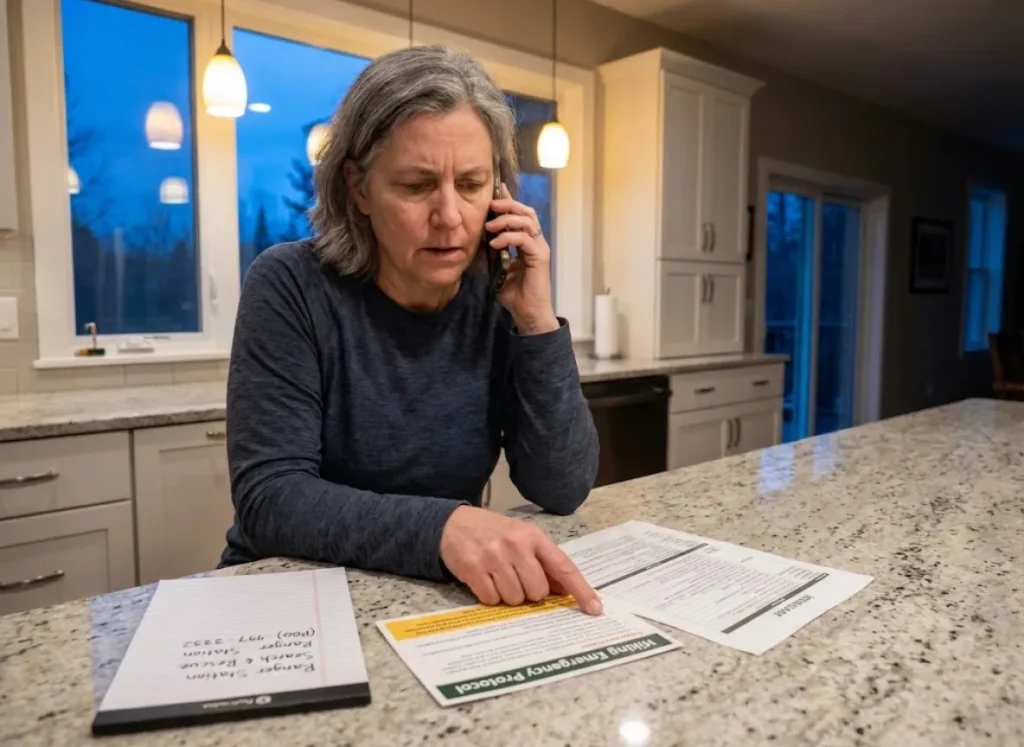
This is where most solo hiking safety guides fail completely. They tell you to share your hiking plans, but they don’t tell your trusted contact what to do when you miss your check-in. This section covers the exact escalation script that could save your life.
Defining Escalation Triggers
Define your escalation triggers before departure—not when your contact is already panicking at 10 PM.
For day hikes in high-traffic areas, a 2-hour buffer past your expected return is reasonable. Traffic, lingering at a summit, and phone battery issues are common delays. For remote wilderness trips or overnight backpacking trips, missing a scheduled satellite check-in by 6+ hours should trigger concern; 12+ hours should call SAR.
Your contact should attempt to reach you via multiple channels—call, text, satellite message if applicable—before escalating to authorities. And here’s the critical nuance: agree on a “false alarm” protocol. If you’re just running late but safe, how do you signal that? A pre-written satellite message like “ALL CLEAR – RUNNING LATE” eliminates the guesswork.
The 911 Script Your Contact Needs
When your contact calls 911 or the park ranger station, they need a scripted statement ready. Panic makes people ramble or forget basic details.
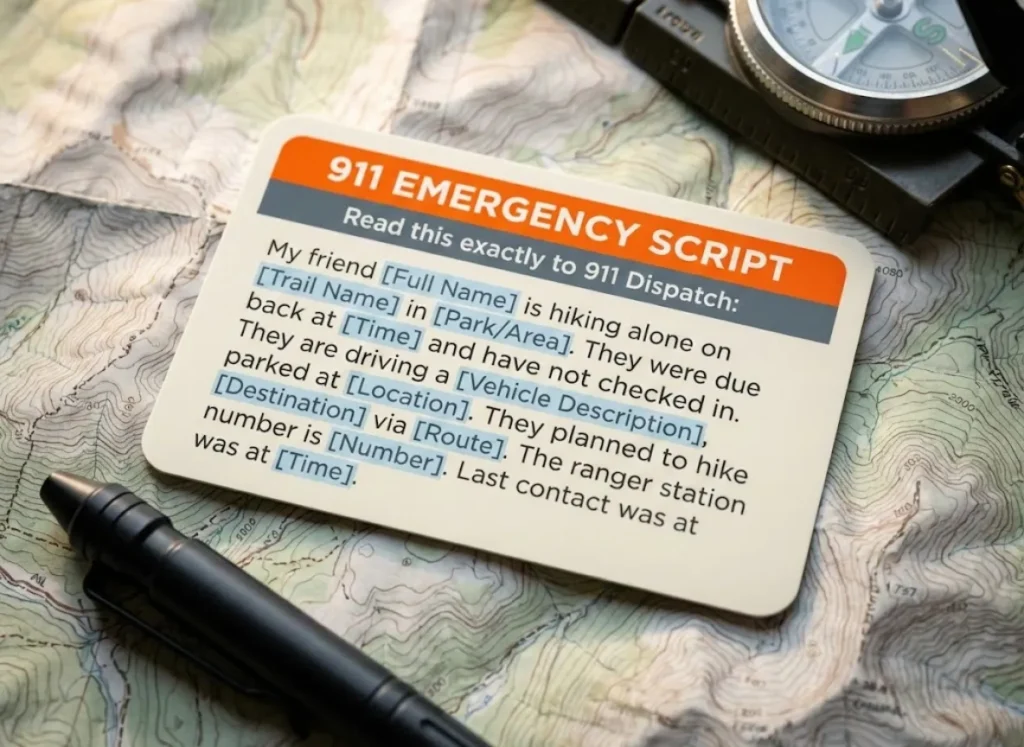
Here’s the exact 911 script your contact should practice:
“My friend [Full Name] is hiking alone on [Trail Name] in [Park/Area]. They were due back at [Time] and have not checked in. They are driving a [Vehicle Description], parked at [Parking Location/GPS]. They planned to hike [Destination] via [Route]. The contact number for the ranger station is [Number]. Their last known communication was at [Time/Method].”
Provide the direct phone number for the relevant ranger station in advance—urban 911 dispatchers may not know backcountry protocol. Your contact should also be prepared to share your photo and any medical information with responding agencies.
After the Call: Coordinating With SAR
Once SAR is notified, your contact becomes the communication hub. They should stay reachable and provide updates if you make contact.
SAR may ask for access to your phone’s location history (Google Timeline, Apple Significant Locations) if your device is recoverable. Response times vary dramatically: urban-adjacent trails may see SAR within hours; remote wilderness could be 12+ hours before a ground team mobilizes.
If you find yourself lost or injured on the trail, the waiting game is agonizing for everyone. Tell your contact that silence from SAR doesn’t mean inaction—it means they’re working.
Common Trip Plan Mistakes—And How to Fix Them
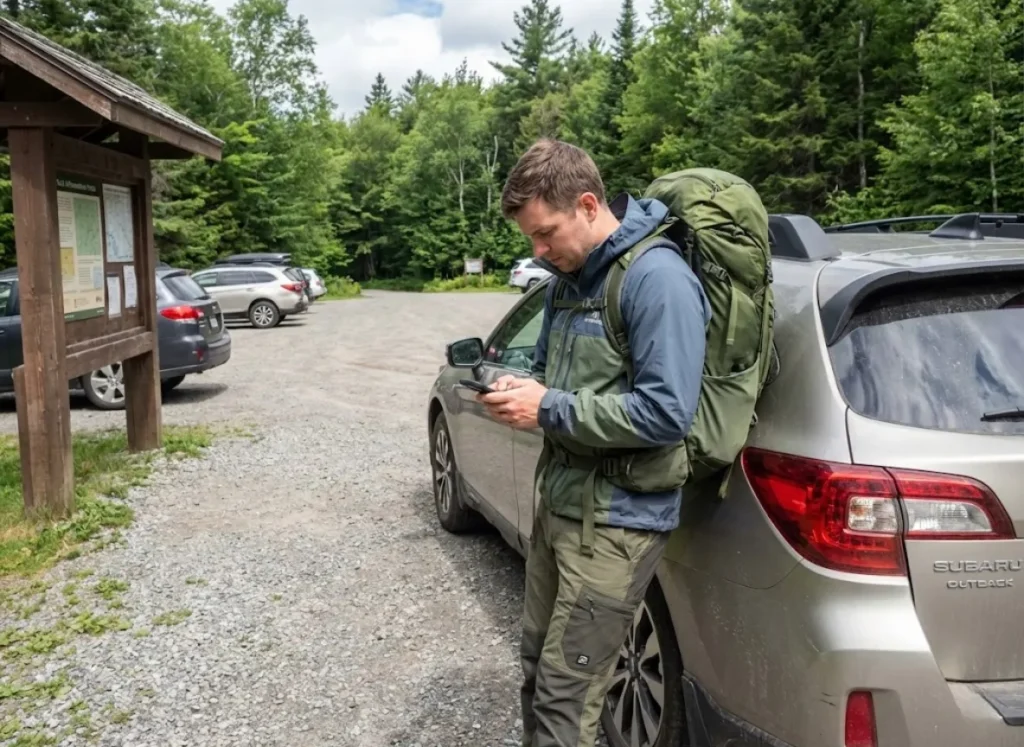
Even well-intentioned hikers make critical errors in their trip planning. Here are the mistakes that delay rescues—and how to avoid them.
Vague or Incomplete Information
“Going hiking in the mountains” tells SAR nothing. Even “hiking in Rocky Mountain National Park” covers 415 square miles of terrain.
Always specify the exact trailhead, trail name, and intended destination. “Longs Peak via the Keyhole Route, starting from the Longs Peak Trailhead parking lot” gives searchers a specific starting point. Include alternate routes you might take if weather or trail conditions force changes.
SAR coordinators report that vague plans can add 4+ hours to search initiation. That delay can be the difference between a routine rescue and a body recovery.
Skipping the Post-Hike Confirmation
You made it back to the car. You’re exhausted. You forget to text your contact. Meanwhile, they start to worry, then panic, then call 911—triggering an unnecessary SAR response that wastes resources.
Set a phone alarm that goes off when you reach the trailhead reminding you to send the “I’m safe” post-hike confirmation. Do this before you start driving. If you said you’d be back by 5 PM, send confirmation within 30 minutes of your return.
Pro tip: Create a pre-written text message saved in your drafts that says “Back safe, all good, debrief later.” When you’re exhausted after a big hike, one tap is easier than typing.
Over-Sharing Location on Social Media
The Appalachian Trail Conservancy explicitly warns against real-time social media posting of your solo hiking location. Broadcasting your exact position and solo status can attract unwanted attention—from vehicle break-ins at your parked car to more serious personal security concerns.
Share your plans privately with 1-2 trusted contacts. Post your summit selfies after you’re safely home. Your Instagram followers can wait. Your safety can’t.
Technology Deep Dive: Choosing the Right Communication Device
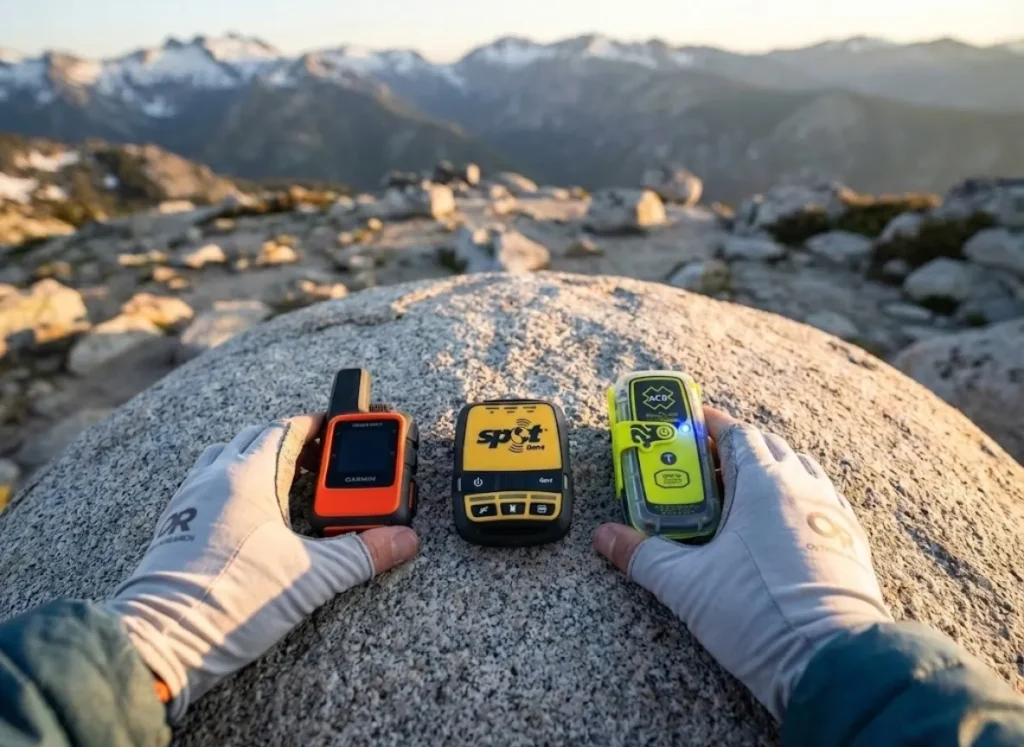
With dozens of satellite messengers, PLBs, and GPS apps on the market, choosing the right device can feel overwhelming. Here’s how to match your gear to your solo adventure style.
Phone + eSIM for International Hikers
If you’re hiking internationally, an eSIM from providers like Holafly provides local data without swapping SIM cards, keeping your phone functional for GPS and messaging in populated areas.
But eSIMs only work within cellular coverage zones—they do NOT provide satellite network coverage. For international hiking and adventure travel, pair an eSIM with a satellite messenger for complete coverage: eSIM for towns and established trails, satellite for backcountry.
Satellite Messenger Comparison
Here’s the breakdown for the major satellite communicators:
The Garmin inReach Mini 3 Plus runs approximately $400 with plans from $15-$65/month. It uses the Iridium satellite network for global coverage and offers two-way messaging, SOS, weather updates, and GPS tracking.
The ZOLEO Satellite Communicator costs about $200 with $20-$50/month subscription tiers. It integrates seamlessly with smartphone apps for composing longer messages.
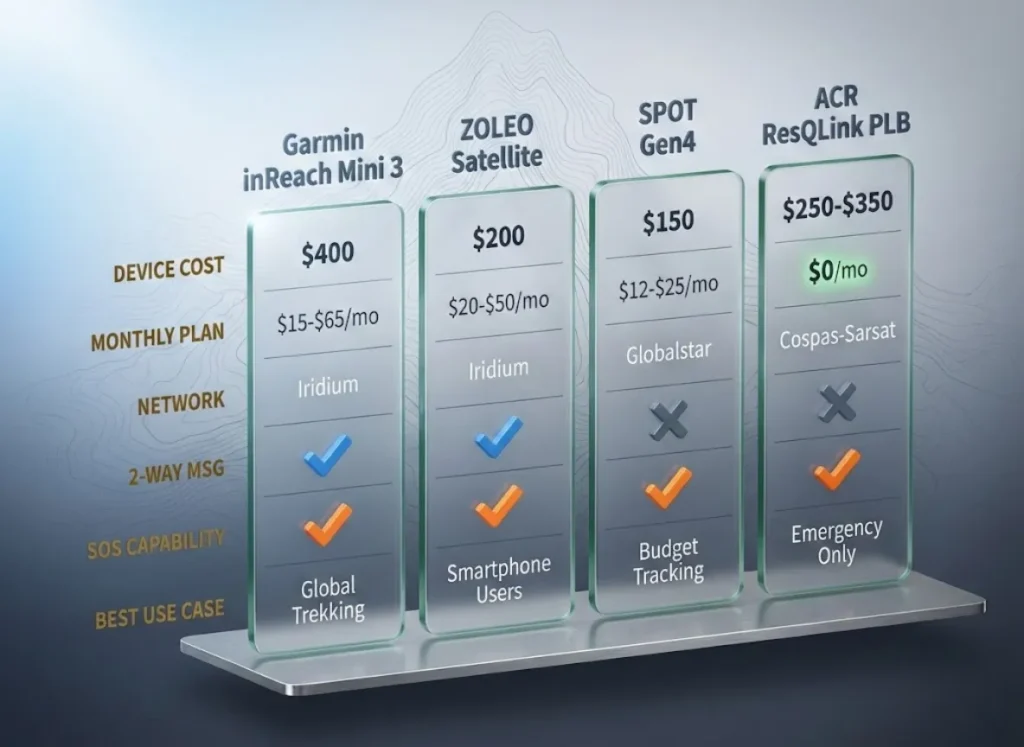
The SPOT Messenger (Gen 4) is the budget option at roughly $150 with $12-$25/month plans. It uses Globalstar rather than Iridium, meaning more limited coverage in some regions.
The ACR ResQLink PLB costs $250-$350 with zero subscription fees—ever. It’s emergency SOS only with no messaging capability, but the 5+ year battery life makes it a true set-and-forget safety tool.
Battery Management for Multi-Day Trips
For multi-day backpacking trips, set satellite tracking to 10-minute intervals rather than 2-minute. This extends battery from roughly 18 hours to potentially 100+ hours without meaningful safety trade-offs.
Carry a portable power bank (10,000-20,000 mAh) or solar charger for trips exceeding 3 days. In cold weather, lithium batteries lose significant capacity below freezing—keep devices in an internal pocket close to body heat.
Conclusion
The difference between a routine solo hike and a search-and-rescue operation often comes down to what happens before you hit the trail. A proper trip plan isn’t bureaucracy—it’s the first piece of evidence that helps someone find you when everything goes wrong.
Three things to remember: Details save time. Trail name, parking GPS, vehicle description, and clothing colors cut SAR deployment from hours to minutes. Your contact is your lifeline. Equip them with a written itinerary, a defined escalation timeline, and a 911 script. Technology is a layer, not a guarantee. Phones die, satellites have limits, and nothing replaces solid pre-hike planning.
Next time you head out alone, spend five extra minutes on your trip plan. It’s the cheapest insurance you’ll ever carry—and the one that might actually save your life.
FAQ
What information should you share before a solo hike?
Share the exact trail name and trailhead location, your start and expected end time, vehicle description with license plate and parking spot, your physical description and clothing colors, and alternate routes you might take. Adding GPS coordinates for your parking location speeds up SAR response significantly.
Do I need a satellite messenger for day hiking?
For established trails with reliable cell coverage, a fully charged phone with offline maps works fine. For remote areas, trails with known dead zones, or multi-day trips, a satellite messenger like the Garmin inReach or ZOLEO provides critical backup when cell service fails.
How long should my contact wait before calling 911?
Define this before your hike. For day hikes in high-traffic areas, a 2-hour buffer past your expected return is reasonable. For remote or multi-day trips, missing a scheduled satellite check-in by 6-12 hours should trigger escalation.
Is it safe to post my solo hiking location on social media?
The Appalachian Trail Conservancy advises against real-time location sharing while hiking solo. Broadcasting your exact position can create personal safety risks and invite vehicle break-ins. Share plans privately with trusted contacts; post photos after you return.
What’s the difference between a satellite messenger and a PLB?
A satellite messenger offers two-way communication, check-ins, and SOS but requires a monthly subscription ($15-$65). A Personal Locator Beacon sends your GPS location to NOAA or SARSAT when activated—no subscription, but no messaging capability.
Risk Disclaimer: Hiking, trekking, backpacking, and all related outdoor activities involve inherent
risks which may result in serious injury, illness, or death. The information provided on The Hiking Tribe is for
educational and informational purposes only. While we strive for accuracy, information on trails, gear, techniques,
and safety is not a substitute for your own best judgment and thorough preparation. Trail conditions, weather, and
other environmental factors change rapidly and may differ from what is described on this site. Always check with
official sources like park services for the most current alerts and conditions. Never undertake a hike beyond your
abilities and always be prepared for the unexpected. By using this website, you agree that you are solely
responsible for your own safety. Any reliance you place on our content is strictly at your own risk, and you assume
all liability for your actions and decisions in the outdoors. The Hiking Tribe and its authors will not be held
liable for any injury, damage, or loss sustained in connection with the use of the information herein.
Affiliate Disclosure: We are a participant in the Amazon Services LLC Associates Program, an
affiliate advertising program designed to provide a means for us to earn advertising fees by advertising and linking
to Amazon.com. As an Amazon Associate, we earn from qualifying purchases. We are also an official affiliate partner
of Black Diamond Equipment via the AvantLink network. If you click on a Black Diamond affiliate link and make a
purchase, we may earn a commission at no additional cost to you. We also participate in other affiliate programs and
may receive a commission on products purchased through our links. Additional terms are found in the terms of
service.